
- Популярные видео
- Авто
- Видео-блоги
- ДТП, аварии
- Для маленьких
- Еда, напитки
- Животные
- Закон и право
- Знаменитости
- Игры
- Искусство
- Комедии
- Красота, мода
- Кулинария, рецепты
- Люди
- Мото
- Музыка
- Мультфильмы
- Наука, технологии
- Новости
- Образование
- Политика
- Праздники
- Приколы
- Природа
- Происшествия
- Путешествия
- Развлечения
- Ржач
- Семья
- Сериалы
- Спорт
- Стиль жизни
- ТВ передачи
- Танцы
- Технологии
- Товары
- Ужасы
- Фильмы
- Шоу-бизнес
- Юмор
Slope Analysis/Reclassify from a DEM in QGIS 3 (in degrees/percentage)
Reclassification of a Slope/Raster in QGIS 3
1. At first load your DEM Raster to Qgis canvas/screen,
2. If your Input DEM Raster is on 'Degree/WGS_1984' then,
Reproject your DEM Raster layer's EPSG from Geographic CRS 'Degree/WGS_1984' to
Projected CRS 'Transverse_Mercator/WGS_1984_UTM_Zone_..N'
#[Raster-Projections-Warp 'reproject']
3. Now, goto Raster-Analysis-Slope,
4. On processing toolbox, type reclass and select 'Reclassify by table',
5. If you want to vectorize that classified slope then go to Raster-conversion-Raster to Vector
To download Processing Algorithms (tools for automation):
1. For Projected DEM: https://drive.google.com/file/d/1PBRy29kJpR4Rcj3GIyci1bM94xBu7FOO/view?usp=sharing
2. For Geographic (WGS DEM):
https://drive.google.com/file/d/1dyjyd9D3NA_ulD2KSJjesGxgnJy8HtBI/view?usp=sharing
Видео Slope Analysis/Reclassify from a DEM in QGIS 3 (in degrees/percentage) канала Kapil Dev Adhikari
1. At first load your DEM Raster to Qgis canvas/screen,
2. If your Input DEM Raster is on 'Degree/WGS_1984' then,
Reproject your DEM Raster layer's EPSG from Geographic CRS 'Degree/WGS_1984' to
Projected CRS 'Transverse_Mercator/WGS_1984_UTM_Zone_..N'
#[Raster-Projections-Warp 'reproject']
3. Now, goto Raster-Analysis-Slope,
4. On processing toolbox, type reclass and select 'Reclassify by table',
5. If you want to vectorize that classified slope then go to Raster-conversion-Raster to Vector
To download Processing Algorithms (tools for automation):
1. For Projected DEM: https://drive.google.com/file/d/1PBRy29kJpR4Rcj3GIyci1bM94xBu7FOO/view?usp=sharing
2. For Geographic (WGS DEM):
https://drive.google.com/file/d/1dyjyd9D3NA_ulD2KSJjesGxgnJy8HtBI/view?usp=sharing
Видео Slope Analysis/Reclassify from a DEM in QGIS 3 (in degrees/percentage) канала Kapil Dev Adhikari
Комментарии отсутствуют
Информация о видео
11 декабря 2019 г. 10:10:55
00:05:03
Другие видео канала
 Slope Reclassification Process in QGIS #Step-1: Map making
 Esri 10-meter LULC in Google Earth Engine
 Map layout design in Qgis
 Tree Volume Analysis System Nepal
 Slope Reclassification Process in QGIS #Step-3: Finalizing Reclassified Slope Map
 NDVI on Google Earth Engine (GEE)
 Slope Reclassification Process in QGIS #Step-2: Reclassified Slope Map Preparation
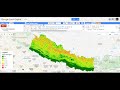 Reclassify Slope in Google Earth Engine using DEM
 Land Use Land Cover Change (LULCC) between 2001 and 2019 in Google Earth Engine (Study Area: Dharan)
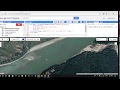 Supervised Image Classification and Export to Drive #Google Earth Engine
 Divide a polygon into equal parts or equal-area polygons using QGIS 3.x
 Sample Plots Design and Plotting in QGIS Forest
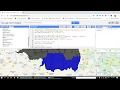 Upload Shape files/Geo-tiff files in GEE Assets and filter to ROI
 Import Excel Data to QGIS as polygon
 Divide a polygon into equal parts or equal areas in Qgis 2.x
 Mother Trees Selection and Data Processing Tool for SFM Nepal @QGis 3.6x
 Block Division (split polygon) in Qgis
 Python Processing Scripts (add&run) on Qgis 3.x
 Stratified Sampling of Forests using Qgis
 Forest Fire line designing GIS tool/algorithm for Forest Management
