
- Популярные видео
- Авто
- Видео-блоги
- ДТП, аварии
- Для маленьких
- Еда, напитки
- Животные
- Закон и право
- Знаменитости
- Игры
- Искусство
- Комедии
- Красота, мода
- Кулинария, рецепты
- Люди
- Мото
- Музыка
- Мультфильмы
- Наука, технологии
- Новости
- Образование
- Политика
- Праздники
- Приколы
- Природа
- Происшествия
- Путешествия
- Развлечения
- Ржач
- Семья
- Сериалы
- Спорт
- Стиль жизни
- ТВ передачи
- Танцы
- Технологии
- Товары
- Ужасы
- Фильмы
- Шоу-бизнес
- Юмор
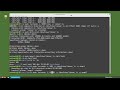
Linux Command Line (19) Disable – Remove UserIDs
We review how an account is locked with a password expire date or if the password has expired and the inactive number of days have passed.
There is also a way to lock the account by setting the account locked with usermod -L userID or passwd -l userID
The status of a user account can be checked by typing sudo passwd -S userID
The account can be unlocked with usermod -U userID or passwd -u userID
To make the user account unusable change the users shell can be set to bin nologin
Another common shell setting to make the account usuable is to set the shell to bin false
To Disable the password aging you use chage -l -1 -m 0 -M 99999 -E -1 userID
Chage userID (will put you in interactive mode to update the chage details)
To delete a userID and keep the home directory files we can type sudo deluser userID
To delete a userID and also remove the home directory we can type sudo --remove-home deluser userID
See the complete LCL playlist at: https://www.youtube.com/watch?v=JMT5CGFxa_4&list=PLy7Kah3WzqrHPrgkBgwzXyfDDCvthdUfl
Website link:
https://thefrugalcomputerguy.com/linux/seriespg.php?ser=10020
Видео Linux Command Line (19) Disable – Remove UserIDs канала MichaelsTechTutorials
There is also a way to lock the account by setting the account locked with usermod -L userID or passwd -l userID
The status of a user account can be checked by typing sudo passwd -S userID
The account can be unlocked with usermod -U userID or passwd -u userID
To make the user account unusable change the users shell can be set to bin nologin
Another common shell setting to make the account usuable is to set the shell to bin false
To Disable the password aging you use chage -l -1 -m 0 -M 99999 -E -1 userID
Chage userID (will put you in interactive mode to update the chage details)
To delete a userID and keep the home directory files we can type sudo deluser userID
To delete a userID and also remove the home directory we can type sudo --remove-home deluser userID
See the complete LCL playlist at: https://www.youtube.com/watch?v=JMT5CGFxa_4&list=PLy7Kah3WzqrHPrgkBgwzXyfDDCvthdUfl
Website link:
https://thefrugalcomputerguy.com/linux/seriespg.php?ser=10020
Видео Linux Command Line (19) Disable – Remove UserIDs канала MichaelsTechTutorials
Комментарии отсутствуют
Информация о видео
4 июля 2020 г. 15:30:08
00:12:28
Другие видео канала
 Linux Command Line (68) 8 tmux pt2
 KMyMoney (05) - Reports
 FromXPtoLinux(08) Changing the Background
 Impress (06) – Viewing the Slideshow pt 2
 Linux Command Line (103) ZFS pt2 - Mirror
 FromXPtoLinux(28) Adding a User
 FromXPtoLinux(15) Windows Preferences
 PortableApps (02) PortableApps.com
 Linux Command Line (28) ACLs pt2
 Linux Command Line (03) ls, command, and man pages
 KMyMoney (23) - Import From Bank
 FromXPtoLinux(09) Changing the Font
 Complete MythTV Video Tutorial Series in one video.
 FromXPtoLinux(21) Caja File Manager pt 2
 Secure TheFrugalComputerGuy.com for https
 Vim (15) Find in Line
 Linux Command Line (100) LVM pt10 - Snapshot pt1
 LibreOffice-Writer (67) Picture Graphics -- Part 3 Picture Toolbar
 Linux Command Line (74) source / PATH
 FromXPtoLinux(24) Caja File Manager pt 5
