
- Популярные видео
- Авто
- Видео-блоги
- ДТП, аварии
- Для маленьких
- Еда, напитки
- Животные
- Закон и право
- Знаменитости
- Игры
- Искусство
- Комедии
- Красота, мода
- Кулинария, рецепты
- Люди
- Мото
- Музыка
- Мультфильмы
- Наука, технологии
- Новости
- Образование
- Политика
- Праздники
- Приколы
- Природа
- Происшествия
- Путешествия
- Развлечения
- Ржач
- Семья
- Сериалы
- Спорт
- Стиль жизни
- ТВ передачи
- Танцы
- Технологии
- Товары
- Ужасы
- Фильмы
- Шоу-бизнес
- Юмор
Fix FreeCAD Draft Dimensions Changing Units Randomly | Dimensions showing in mm instead of m
In this quick tip for FreeCAD I show how to change the default behavior of dimension with the MKS (m, kg, s) unit system, where they change measurement units based on the distance they are annotating. This usually means that the dimension displays milimeters instead of meters.
To change this behavior, you have to override unit in the dimensions setup (Edit → Preferences → Draft → Text and dimensions). You can select any measurement unit here. This unit will be applied to all new dimensions.
FreeCAD version used in this video: 0.21.2
Follow on LinkedIn: https://linkedin.com/company/fcblounge
Follow on BlueSky: https://bsky.app/profile/tomaspolak.bsky.social
Check out FreeCAD here:
https://www.freecad.org/
This video was created with the help of OBS:
https://obsproject.com/
This video was created with the help of GIMP:
https://www.gimp.org/
This video was created with the help of KDEnlive:
https://kdenlive.org/
#FreeCAD
Видео Fix FreeCAD Draft Dimensions Changing Units Randomly | Dimensions showing in mm instead of m канала FCB Lounge
To change this behavior, you have to override unit in the dimensions setup (Edit → Preferences → Draft → Text and dimensions). You can select any measurement unit here. This unit will be applied to all new dimensions.
FreeCAD version used in this video: 0.21.2
Follow on LinkedIn: https://linkedin.com/company/fcblounge
Follow on BlueSky: https://bsky.app/profile/tomaspolak.bsky.social
Check out FreeCAD here:
https://www.freecad.org/
This video was created with the help of OBS:
https://obsproject.com/
This video was created with the help of GIMP:
https://www.gimp.org/
This video was created with the help of KDEnlive:
https://kdenlive.org/
#FreeCAD
Видео Fix FreeCAD Draft Dimensions Changing Units Randomly | Dimensions showing in mm instead of m канала FCB Lounge
Комментарии отсутствуют
Информация о видео
7 мая 2024 г. 18:00:37
00:02:56
Другие видео канала
 Reset User Settings in FreeCAD
 Get FreeCAD Version Information
 Import CSV Spreadsheet to FreeCAD
 Draft Path Array Tool in FreeCAD
 Enable Legacy Python DXF Importer and Exporter in FreeCAD
 Enable Classic UI Theme in FreeCAD 1.0
 FreeCAD Quick Tip: How to Assign & Customize Keyboard Shortcuts
 The State of the BIM Library in FreeCAD in 2026
 Change Draw Order in FreeCAD Draft
 'Split All' and 'Shape To Draft Line' Macros for FreeCAD Draft
 Draft Circular Array Tool in FreeCAD
 Draft Orthogonal Array Tool in FreeCAD
 Create North Arrow Symbol in FreeCAD Draft
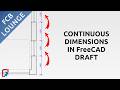 Create Continuous Dimension in FreeCAD Draft (Chained Mode)
 Create Keyboard Shortcut for Macro in FreeCAD
 FreeCAD Draft Intermediate Course | Part 6: Creation of Text
 How to Install Ladybug Tools in FreeCAD for Solar Diagram Creation
 Copy and Paste Functionality in FreeCAD
 Create Dimensions for 2D Drawing in FreeCAD | Draft Workbench Beginner Tutorial Part 2
 Restart in Safe Mode to troubleshoot FreeCAD #opensource #freecad #cad #troubleshooting #FCBlounge
