
- Популярные видео
- Авто
- Видео-блоги
- ДТП, аварии
- Для маленьких
- Еда, напитки
- Животные
- Закон и право
- Знаменитости
- Игры
- Искусство
- Комедии
- Красота, мода
- Кулинария, рецепты
- Люди
- Мото
- Музыка
- Мультфильмы
- Наука, технологии
- Новости
- Образование
- Политика
- Праздники
- Приколы
- Природа
- Происшествия
- Путешествия
- Развлечения
- Ржач
- Семья
- Сериалы
- Спорт
- Стиль жизни
- ТВ передачи
- Танцы
- Технологии
- Товары
- Ужасы
- Фильмы
- Шоу-бизнес
- Юмор
Creating Beautiful Effects Presets using Maxon Studio (4/4) – Create with Maxon
🚨 DOWNLOAD FREE PROJECT FILES HERE! 🚨
➡️ https://maxonvfx.com/4mtzHRh
Creating Beautiful Effects Presets using Maxon Studio (4/4) – Create with Maxon
For the last episode of our livestream series about the Maxon Studio create page, motion designer Candy Mustache will return to reveal how Maxon Studio can simplify your effects workflow. Learn how to design custom effects that save time while enhancing the quality and impact of your projects. This session is packed with practical insights!
00:00:00 Waiting Loop
00:00:40 Welcome, Today's Topic
00:04:20 Maxon Studio, Simple Capsule Create
00:05:53 __ Note: Previews are Placeholders[1]
00:06:56 __ Recreating Blur Overlay
00:07:12 __ The importance of a Placeholder[2]
00:08:12 __ This is part of the Capsule creation
00:09:24 __ Applying an effect, Chromatic Aberration
00:09:19 __ Applying a Placeholder[3]
00:09:52 __ Define Filter values for Preview
00:10:32 Tip - Experiment
00:11:08 Tip - RG Magic Bullet Looks[1], for Capsules
00:11:38 __ uniBokeh vs uniBokeh Transition
00:13:39 Q - Which version[1] of RedGiant do you use
00:16:00 __ Maxon Studio, Create Page, Controls
00:19:11 __ Maxon Studio, New Group for Placeholders
00:19:51 __ Checking the setup of the Capsule
00:20:34 __ Maxon Studio, Library, parameter interface
00:22:28 Q - Which version[2] of RedGiant do you use
00:23:18 __ RG magic Bullet look[2], for Capsules
00:25:09 Q - Light wrap Magic Bullet Looks or Supercomp
00:25:27 __ RG magic Bullet look[3], for Capsules
00:28:17 Maxon Studio, Advanced Capsule, Prism
00:28:20 __ Expression free, but advanced anyway
00:29:23 __ Apply a Mask to the Placeholders[4]
00:31:02 __ uniCamera Shake, uniChromatic Aberration
00:32:12 __ Lens artifacts
00:34:03 __ Bokeh, DOF, Setting Focus
00:34:30 __ Shake it and leave the center sharp, mask
00:37:20 __ Maxon Studio, Pre Comp, Prep interface
00:37:50 Q - Why pre-comp
00:39:43 __ Maxon Studio, Details, Tags System, About
00:41:43 __ Maxon Studio, Controls, Placeholder, Multi
00:44:52 __ Maxon Studio, Controls, Placeholder, Distribution
00:41:43 __ Maxon Studio, Controls, Effect, Focus
00:49:46 __ Check data, save as Maxon Studio Capsule
00:50:06 __ Test the new Capsule build
00:51:12 Q - How to share a Maxon Studio Capsule, 3 Dots
00:53:04 Quick Tip, Vertical Format
00:53:45 __ Convert, Apply OPTIONS list
00:54:15 __ About resolutions
00:54:47 __ Example, convert steps
00:56:55 __ Create, Save, [test]
00:57:53 Housekeeping
00:59:27 Thank you and bye
Видео Creating Beautiful Effects Presets using Maxon Studio (4/4) – Create with Maxon канала Maxon Training Team
➡️ https://maxonvfx.com/4mtzHRh
Creating Beautiful Effects Presets using Maxon Studio (4/4) – Create with Maxon
For the last episode of our livestream series about the Maxon Studio create page, motion designer Candy Mustache will return to reveal how Maxon Studio can simplify your effects workflow. Learn how to design custom effects that save time while enhancing the quality and impact of your projects. This session is packed with practical insights!
00:00:00 Waiting Loop
00:00:40 Welcome, Today's Topic
00:04:20 Maxon Studio, Simple Capsule Create
00:05:53 __ Note: Previews are Placeholders[1]
00:06:56 __ Recreating Blur Overlay
00:07:12 __ The importance of a Placeholder[2]
00:08:12 __ This is part of the Capsule creation
00:09:24 __ Applying an effect, Chromatic Aberration
00:09:19 __ Applying a Placeholder[3]
00:09:52 __ Define Filter values for Preview
00:10:32 Tip - Experiment
00:11:08 Tip - RG Magic Bullet Looks[1], for Capsules
00:11:38 __ uniBokeh vs uniBokeh Transition
00:13:39 Q - Which version[1] of RedGiant do you use
00:16:00 __ Maxon Studio, Create Page, Controls
00:19:11 __ Maxon Studio, New Group for Placeholders
00:19:51 __ Checking the setup of the Capsule
00:20:34 __ Maxon Studio, Library, parameter interface
00:22:28 Q - Which version[2] of RedGiant do you use
00:23:18 __ RG magic Bullet look[2], for Capsules
00:25:09 Q - Light wrap Magic Bullet Looks or Supercomp
00:25:27 __ RG magic Bullet look[3], for Capsules
00:28:17 Maxon Studio, Advanced Capsule, Prism
00:28:20 __ Expression free, but advanced anyway
00:29:23 __ Apply a Mask to the Placeholders[4]
00:31:02 __ uniCamera Shake, uniChromatic Aberration
00:32:12 __ Lens artifacts
00:34:03 __ Bokeh, DOF, Setting Focus
00:34:30 __ Shake it and leave the center sharp, mask
00:37:20 __ Maxon Studio, Pre Comp, Prep interface
00:37:50 Q - Why pre-comp
00:39:43 __ Maxon Studio, Details, Tags System, About
00:41:43 __ Maxon Studio, Controls, Placeholder, Multi
00:44:52 __ Maxon Studio, Controls, Placeholder, Distribution
00:41:43 __ Maxon Studio, Controls, Effect, Focus
00:49:46 __ Check data, save as Maxon Studio Capsule
00:50:06 __ Test the new Capsule build
00:51:12 Q - How to share a Maxon Studio Capsule, 3 Dots
00:53:04 Quick Tip, Vertical Format
00:53:45 __ Convert, Apply OPTIONS list
00:54:15 __ About resolutions
00:54:47 __ Example, convert steps
00:56:55 __ Create, Save, [test]
00:57:53 Housekeeping
00:59:27 Thank you and bye
Видео Creating Beautiful Effects Presets using Maxon Studio (4/4) – Create with Maxon канала Maxon Training Team
Комментарии отсутствуют
Информация о видео
26 июня 2025 г. 10:06:21
01:01:40
Другие видео канала
 Cinema 4D Particles: Explore with Andy Needham – Demystifying Post-Production – Week 4
 #AskTheTrainer Special: Making of "A Haunting in Candyland" with Kris Theorin | November 9th, 2023
 #AskTheTrainer | Ask Me Anything! | May 2nd 2024
 Sculpting Jewelry Designs with Nacho Riesco
 #C4DQuickTip 142: Wavy Particle Motion in Cinema 4D
 #AskTheTrainer | June 8th 2023 | Follow up on Compositing 3D Into Videos and Stills
 Come See How It’s Made in ZBrush – Ian Robinson – Maxon ZBrush Trainer – ZBrush 2024
 Sweetening your LUT with Guided Color Correction #shorts #maxoncolor #redgiant
 #C4DQuickTip 210: Magic Object Manager Shortcuts in Cinema 4D
 Rotational Tessellations and Morphing Tile Shapes
 Animating with Audio
 #AskTheTrainer | Ask Me Anything! | January 15th, 2026
 #AskTheTrainer | Ask Me Anything! | August 21st, 2025
 #C4DQuickTip 205: Organic Bottle with Thickness Using Volumes in Cinema 4D
 #AskTheTrainer | Ask Me Anything! | June 6th, 2024
 #C4DQuickTip 175: Poke Polygon & Select Vertices in Cinema 4D
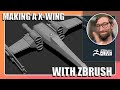 DID YOU KNOW THAT - Paul Gaboury ZBrush 2026.2.0
 More Tessellation Examples: Squares, Fish, Chevrons, and Pentagons
 Building Hexagonal Tile Patterns Step by Step
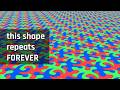 Tessellations REVEALED: Tiles That Morph Into Creatures
 Crafting Game-Ready Assets in ZBrush (1/4) – Create with Maxon
