
- Популярные видео
- Авто
- Видео-блоги
- ДТП, аварии
- Для маленьких
- Еда, напитки
- Животные
- Закон и право
- Знаменитости
- Игры
- Искусство
- Комедии
- Красота, мода
- Кулинария, рецепты
- Люди
- Мото
- Музыка
- Мультфильмы
- Наука, технологии
- Новости
- Образование
- Политика
- Праздники
- Приколы
- Природа
- Происшествия
- Путешествия
- Развлечения
- Ржач
- Семья
- Сериалы
- Спорт
- Стиль жизни
- ТВ передачи
- Танцы
- Технологии
- Товары
- Ужасы
- Фильмы
- Шоу-бизнес
- Юмор
Plot Your Data in MATLAB – Without Writing Code
You can interactively create and explore visualizations for your data with the Create Plot Live Editor task. Choose visualizations from a list of categories or let the task recommend them based on your workspace variables. The task automatically generates MATLAB® code and adds labels to the generated visualization. Using this task, you can:
• Create a plot by selecting variables and a chart type.
• Explore different visualizations of the same data. Select some variables first, then try selecting different chart types.
• Explore different data in the same visualization format. Select the chart type first. The task will prompt you for data.
• Customize the appearance of your plot. For example, you can change the marker symbol for line charts and the arrangement of bars for bar charts.
For a list all the types of plots and the functions to generate them programmatically, see Types of MATLAB Plots documentation.
--------------------------------------------------------------------------------------------------------
Get a free product trial: https://goo.gl/ZHFb5u
Learn more about MATLAB: https://goo.gl/8QV7ZZ
Learn more about Simulink: https://goo.gl/nqnbLe
See what's new in MATLAB and Simulink: https://goo.gl/pgGtod
© 2021 The MathWorks, Inc. MATLAB and Simulink are registered trademarks of The MathWorks, Inc.
See www.mathworks.com/trademarks for a list of additional trademarks. Other product or brand names may be trademarks or registered trademarks of their respective holders.
Видео Plot Your Data in MATLAB – Without Writing Code канала MATLAB
• Create a plot by selecting variables and a chart type.
• Explore different visualizations of the same data. Select some variables first, then try selecting different chart types.
• Explore different data in the same visualization format. Select the chart type first. The task will prompt you for data.
• Customize the appearance of your plot. For example, you can change the marker symbol for line charts and the arrangement of bars for bar charts.
For a list all the types of plots and the functions to generate them programmatically, see Types of MATLAB Plots documentation.
--------------------------------------------------------------------------------------------------------
Get a free product trial: https://goo.gl/ZHFb5u
Learn more about MATLAB: https://goo.gl/8QV7ZZ
Learn more about Simulink: https://goo.gl/nqnbLe
See what's new in MATLAB and Simulink: https://goo.gl/pgGtod
© 2021 The MathWorks, Inc. MATLAB and Simulink are registered trademarks of The MathWorks, Inc.
See www.mathworks.com/trademarks for a list of additional trademarks. Other product or brand names may be trademarks or registered trademarks of their respective holders.
Видео Plot Your Data in MATLAB – Without Writing Code канала MATLAB
Комментарии отсутствуют
Информация о видео
14 апреля 2021 г. 18:15:00
00:01:01
Другие видео канала
 Using the Simulink Profiler to Understand Model Execution Time
 How to Use the Problem-Based Optimize Live Editor Task
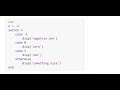 How to Use Switch Cases in MATLAB
 Understanding Discrete Event Simulation, Part 4: Operations Research
 Release 2016b Highlights - MATLAB and Simulink Video
 What is Simulink Real-Time?
 Computer Vision for Advanced Driver Assistance Systems(ADAS), Part 1: Introduction
 MATLAB EXPO - Highlights from 2023
 Introduction to Synchronous Generators | What Is 3-Phase Power? -- Part 8
 Voltage Control Design | How to Develop DC-DC Converter Control in Simulink, Part 4
 How to Install and Use Spreadsheet Link
 Developing a Pick-And-Place Application in MATLAB and Simulink
 What Is System Composer?
 Release 2015b Highlights
 Meeting the Challenges of Design Optimization
 What Is ROS Toolbox?
 How to modify commutation logic for Inverter| BLDC Control with Simulink, Part 5
 How to Design and Simulate Motor Control Algorithms |FWC of PMSM with Simulink, Part 2
 What Is Lidar Toolbox?
 Teaching Digital Modulations Interactively with MATLAB
