- Популярные видео
- Авто
- Видео-блоги
- ДТП, аварии
- Для маленьких
- Еда, напитки
- Животные
- Закон и право
- Знаменитости
- Игры
- Искусство
- Комедии
- Красота, мода
- Кулинария, рецепты
- Люди
- Мото
- Музыка
- Мультфильмы
- Наука, технологии
- Новости
- Образование
- Политика
- Праздники
- Приколы
- Природа
- Происшествия
- Путешествия
- Развлечения
- Ржач
- Семья
- Сериалы
- Спорт
- Стиль жизни
- ТВ передачи
- Танцы
- Технологии
- Товары
- Ужасы
- Фильмы
- Шоу-бизнес
- Юмор
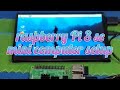
Raspberry Pi 3 se olde tv making computer
*Turn Old TV into a Computer with Raspberry Pi 3 = "Rapid Tag" Build*
Total time: ∼15 min. Uses any TV with HDMI or AV input.
*1. Check your TV inputs*
TV Port What you need Quality
**HDMI** HDMI cable 1080p, best
**RCA Yellow/Red/White** 3.5mm to RCA AV cable 480i, okay for retro
**VGA only** HDMI to VGA adapter \$5 720p-1080p
Pi 3 has HDMI + 3.5mm jack that does composite video. So you’re covered.
*2. Parts list - rapid tag*
1. *Raspberry Pi 3*
2. *MicroSD 16GB+* Class 10
3. *5V 2.5A power supply* - Pi 3 will brown-out on phone chargers
4. *HDMI cable* OR *3.5mm to RCA cable* for old CRT TVs
5. *USB keyboard + mouse* - wireless combo $10 works great
*3. Flash + Boot - 5 min*
1. PC: Download *Raspberry Pi Imager*
2. Pick *Raspberry Pi OS Desktop 32-bit*
3. Gear icon: set hostname `oldtv-pc`, enable SSH, set WiFi, set username/password
4. Write to SD → plug into Pi → plug Pi into TV → power on
*For CRT TV with RCA:*
Add this to `/boot/config.txt` on the SD card before first boot:
sdtv_mode=2
sdtv_aspect=1
enable_tvout=1
That forces 480i NTSC. Use `sdtv_mode=0` for PAL.
*4. Make it feel like a real PC - 5 min tweaks*
Run once booted:
sudo apt update && sudo apt install chromium-browser libreoffice vlc -y
sudo raspi-config
In `raspi-config`:
1. *Display Options → Resolution* → Pick 1280x720 if TV looks fuzzy
2. *Performance → GPU Memory* → Set to 128 for smoother video
3. *System → Boot* → Desktop auto-login
*5. Rapid Tag upgrades*
1. *Faster feel*: Menu → Preferences → Appearance → Defaults → Set for small screens
2. *YouTube/Netflix*: Chromium + Widevine works. `sudo apt install libwidevinecdm0`
3. *Retro gaming*: `sudo apt install retropie` = turn old TV into SNES/PS1 machine
4. *Sound issues on RCA*: `sudo raspi-config` → System → Audio → Force 3.5mm jack
5. *Overscan fix*: If edges cut off, `sudo raspi-config` → Display → Underscan → Enable
*6. If your TV is REALLY old - coaxial only*
Buy *RF Modulator* $8. Chain: Pi HDMI → HDMI to AV converter → RF Modulator → Coax to TV Channel 3.
*Pro tips:*
1. *Wireless*: Pi 3 has WiFi + Bluetooth built in. Pair a BT keyboard to keep the coffee table clean.
2. *Storage*: Plug USB flash drive = instant "hard drive" for files.
3. *Shut down properly*: Menu → Shutdown. Just pulling power corrupts SD cards.
You now have a web-browsing, YouTube, LibreOffice, Minecraft Pi Edition PC on that old TV for ∼$35.
Want it to auto-boot into Kodi for a smart TV feel, or into RetroPie for games? Tell me the vibe and I’ll tag the exact config.
Видео Raspberry Pi 3 se olde tv making computer канала M.gous_criytor
Total time: ∼15 min. Uses any TV with HDMI or AV input.
*1. Check your TV inputs*
TV Port What you need Quality
**HDMI** HDMI cable 1080p, best
**RCA Yellow/Red/White** 3.5mm to RCA AV cable 480i, okay for retro
**VGA only** HDMI to VGA adapter \$5 720p-1080p
Pi 3 has HDMI + 3.5mm jack that does composite video. So you’re covered.
*2. Parts list - rapid tag*
1. *Raspberry Pi 3*
2. *MicroSD 16GB+* Class 10
3. *5V 2.5A power supply* - Pi 3 will brown-out on phone chargers
4. *HDMI cable* OR *3.5mm to RCA cable* for old CRT TVs
5. *USB keyboard + mouse* - wireless combo $10 works great
*3. Flash + Boot - 5 min*
1. PC: Download *Raspberry Pi Imager*
2. Pick *Raspberry Pi OS Desktop 32-bit*
3. Gear icon: set hostname `oldtv-pc`, enable SSH, set WiFi, set username/password
4. Write to SD → plug into Pi → plug Pi into TV → power on
*For CRT TV with RCA:*
Add this to `/boot/config.txt` on the SD card before first boot:
sdtv_mode=2
sdtv_aspect=1
enable_tvout=1
That forces 480i NTSC. Use `sdtv_mode=0` for PAL.
*4. Make it feel like a real PC - 5 min tweaks*
Run once booted:
sudo apt update && sudo apt install chromium-browser libreoffice vlc -y
sudo raspi-config
In `raspi-config`:
1. *Display Options → Resolution* → Pick 1280x720 if TV looks fuzzy
2. *Performance → GPU Memory* → Set to 128 for smoother video
3. *System → Boot* → Desktop auto-login
*5. Rapid Tag upgrades*
1. *Faster feel*: Menu → Preferences → Appearance → Defaults → Set for small screens
2. *YouTube/Netflix*: Chromium + Widevine works. `sudo apt install libwidevinecdm0`
3. *Retro gaming*: `sudo apt install retropie` = turn old TV into SNES/PS1 machine
4. *Sound issues on RCA*: `sudo raspi-config` → System → Audio → Force 3.5mm jack
5. *Overscan fix*: If edges cut off, `sudo raspi-config` → Display → Underscan → Enable
*6. If your TV is REALLY old - coaxial only*
Buy *RF Modulator* $8. Chain: Pi HDMI → HDMI to AV converter → RF Modulator → Coax to TV Channel 3.
*Pro tips:*
1. *Wireless*: Pi 3 has WiFi + Bluetooth built in. Pair a BT keyboard to keep the coffee table clean.
2. *Storage*: Plug USB flash drive = instant "hard drive" for files.
3. *Shut down properly*: Menu → Shutdown. Just pulling power corrupts SD cards.
You now have a web-browsing, YouTube, LibreOffice, Minecraft Pi Edition PC on that old TV for ∼$35.
Want it to auto-boot into Kodi for a smart TV feel, or into RetroPie for games? Tell me the vibe and I’ll tag the exact config.
Видео Raspberry Pi 3 se olde tv making computer канала M.gous_criytor
Комментарии отсутствуют
Информация о видео
21 мая 2026 г. 20:48:27
00:03:07
Другие видео канала