
- Популярные видео
- Авто
- Видео-блоги
- ДТП, аварии
- Для маленьких
- Еда, напитки
- Животные
- Закон и право
- Знаменитости
- Игры
- Искусство
- Комедии
- Красота, мода
- Кулинария, рецепты
- Люди
- Мото
- Музыка
- Мультфильмы
- Наука, технологии
- Новости
- Образование
- Политика
- Праздники
- Приколы
- Природа
- Происшествия
- Путешествия
- Развлечения
- Ржач
- Семья
- Сериалы
- Спорт
- Стиль жизни
- ТВ передачи
- Танцы
- Технологии
- Товары
- Ужасы
- Фильмы
- Шоу-бизнес
- Юмор
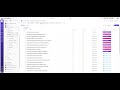
Build it with me: How to Use Custom Fields in ClickUp to Improve Data Consistency and Reporting
If your ClickUp workspace has work spread across too many lists or subtasks are being used where better categorisation is needed, this walkthrough shows a cleaner way to structure it.
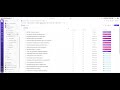
In this video, I take you behind the scenes of a real workspace audit recommendation and show you how to replace unnecessary task structure with a Work Stream custom field inside ClickUp.
You’ll see how to:
create a dropdown custom field for work streams
add options such as App, Doc, AI, UX, Front End, and DB
bulk-apply the field across existing tasks
consolidate work into one central list
improve reporting and make the workspace easier for the team to navigate
This approach works especially well when a team needs better visibility across different types of work without relying on extra lists or unnecessary subtasks.
By using custom fields more intentionally, you can create a setup that is easier to manage, easier to report on, and much clearer for the people using it day to day.
If your ClickUp workspace feels fragmented or harder to manage than it should, this is a practical example of how a few structural changes can make a big difference.
Watch the video and, if you want help reviewing your own setup, get in touch about a workflow review.
Видео Build it with me: How to Use Custom Fields in ClickUp to Improve Data Consistency and Reporting канала Laura Nelson
In this video, I take you behind the scenes of a real workspace audit recommendation and show you how to replace unnecessary task structure with a Work Stream custom field inside ClickUp.
You’ll see how to:
create a dropdown custom field for work streams
add options such as App, Doc, AI, UX, Front End, and DB
bulk-apply the field across existing tasks
consolidate work into one central list
improve reporting and make the workspace easier for the team to navigate
This approach works especially well when a team needs better visibility across different types of work without relying on extra lists or unnecessary subtasks.
By using custom fields more intentionally, you can create a setup that is easier to manage, easier to report on, and much clearer for the people using it day to day.
If your ClickUp workspace feels fragmented or harder to manage than it should, this is a practical example of how a few structural changes can make a big difference.
Watch the video and, if you want help reviewing your own setup, get in touch about a workflow review.
Видео Build it with me: How to Use Custom Fields in ClickUp to Improve Data Consistency and Reporting канала Laura Nelson
Комментарии отсутствуют
Информация о видео
30 апреля 2026 г. 13:30:00
00:03:51
Другие видео канала
 Is Your ClickUp Workspace Slowing Your Team Down? Start with a Workspace Audit
 They didn’t need more dashboards. They needed one place to go.
 Why Role-Based Views Make ClickUp Easier to Use
 The First Thing to Check in a ClickUp Space Audit
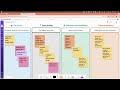 Stop Using Subtasks for Everything in ClickUp
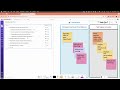 Fix This Common ClickUp Task Hierarchy Mistake
 Don’t Overlook Permissions and Privacy in ClickUp
 Build it with me: How to Clean Up Nested Subtasks in ClickUp for Better Task Hygiene
 Build it with me: A ClickUp Dashboard That Shows Workstreams, Project Status & At-Risk Tasks
 Build it with me: How to Manage Private & Public Docs in ClickUp
 Build it with me: ClickUp Super Agent for Team Health
 Build it with me: How to Create Role-Specific Views in ClickUp (Without Cluttering Your Workspace)
 ClickUp Work Structure for Clarity
 ClickUp Automations Should Improve Handovers — Not Add Noise
 Are Your ClickUp Statuses Causing More Confusion?
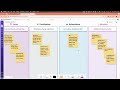
 Spreading work across multiple lists doesn’t always create clarity
 Build it with me: How to Track Team Adoption & Activity in ClickUp
 Your ClickUp isn’t confusing… your structure is
 There are only two ways to fix this…
 Why ClickUp Adoption Fails Even in a Well-Built Workspace
