
- Популярные видео
- Авто
- Видео-блоги
- ДТП, аварии
- Для маленьких
- Еда, напитки
- Животные
- Закон и право
- Знаменитости
- Игры
- Искусство
- Комедии
- Красота, мода
- Кулинария, рецепты
- Люди
- Мото
- Музыка
- Мультфильмы
- Наука, технологии
- Новости
- Образование
- Политика
- Праздники
- Приколы
- Природа
- Происшествия
- Путешествия
- Развлечения
- Ржач
- Семья
- Сериалы
- Спорт
- Стиль жизни
- ТВ передачи
- Танцы
- Технологии
- Товары
- Ужасы
- Фильмы
- Шоу-бизнес
- Юмор
WordPress Media Library Tour Guide | Design Interventions
WordPress Media Library Tour: How to Upload, Organize & Edit Images | Design Interventions Tutorial
New to WordPress? This quick tour of the Media Library covers everything you need to know — from uploading your first file to editing images directly inside your dashboard.
We walk you through how to navigate to the Media Library, upload files by drag-and-drop or file selector, browse your media in grid or list view, view attachment details (file name, type, size, dimensions, and URL), and use WordPress's built-in image editor to crop, scale, and rotate images — no extra tools needed.
A must-watch for anyone managing a WordPress website for the first time.
In this video:
Intro
Navigating to Media → Library from the WordPress Dashboard
Uploading files via drag-and-drop or "Add Media File"
Browsing and filtering media by type and date
Viewing attachment details: alt text, title, caption, description & file URL
Editing images with the built-in WordPress image editor (crop, scale, rotate)
Great for: WordPress beginners, small business owners, and anyone managing their own website content.
Видео WordPress Media Library Tour Guide | Design Interventions канала Design Interventions
New to WordPress? This quick tour of the Media Library covers everything you need to know — from uploading your first file to editing images directly inside your dashboard.
We walk you through how to navigate to the Media Library, upload files by drag-and-drop or file selector, browse your media in grid or list view, view attachment details (file name, type, size, dimensions, and URL), and use WordPress's built-in image editor to crop, scale, and rotate images — no extra tools needed.
A must-watch for anyone managing a WordPress website for the first time.
In this video:
Intro
Navigating to Media → Library from the WordPress Dashboard
Uploading files via drag-and-drop or "Add Media File"
Browsing and filtering media by type and date
Viewing attachment details: alt text, title, caption, description & file URL
Editing images with the built-in WordPress image editor (crop, scale, rotate)
Great for: WordPress beginners, small business owners, and anyone managing their own website content.
Видео WordPress Media Library Tour Guide | Design Interventions канала Design Interventions
Комментарии отсутствуют
Информация о видео
7 мая 2026 г. 19:01:28
00:01:06
Другие видео канала
 WordPress Forms, Setup and Notifications Guide | Design Interventions
 How to Post a WordPress Blog | Design Interventions
 Logging Into WordPress From Your Website | Design Interventions
 How to Schedule a Post | Design Interventions
 WordPress Forms, Setup and Notifications Guide | Design Interventions
 Uploading Media, Alt Text, and File URL | Design Interventions
 Tour of the WordPress Dashboard Overview | Design Interventions
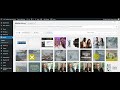 Tour the WordPress Media Library Area | Design Interventions
 WordPress Blogging Best Practices for Posts | Design Interventions Tutorial
 How to Edit Posts in WordPress | Design Interventions
 WordPress Blogging Best Practices for Posts
 How to Add Links in WordPress Images | Design Interventions
 WordPress Media Library Tour Guide 📁
