- Популярные видео
- Авто
- Видео-блоги
- ДТП, аварии
- Для маленьких
- Еда, напитки
- Животные
- Закон и право
- Знаменитости
- Игры
- Искусство
- Комедии
- Красота, мода
- Кулинария, рецепты
- Люди
- Мото
- Музыка
- Мультфильмы
- Наука, технологии
- Новости
- Образование
- Политика
- Праздники
- Приколы
- Природа
- Происшествия
- Путешествия
- Развлечения
- Ржач
- Семья
- Сериалы
- Спорт
- Стиль жизни
- ТВ передачи
- Танцы
- Технологии
- Товары
- Ужасы
- Фильмы
- Шоу-бизнес
- Юмор
Ian Thomas - JupyterLite: run all your code in a web browser using WebAssembly | Pydata London 26
Ian Thomas - JupyterLite: run all your code in a web browser using WebAssembly
JupyterLite is a JupyterLab distribution that runs entirely in the web browser, backed by in-browser language kernels. Using it you can run Python, R and C++ in your browser via WebAssembly, use git and vim in a terminal, and access AI agents in a safe, sandboxed environment.
This talk will present a comprehensive summary of all things JupyterLite, and provide live demonstrations of many of its key features and how easy it is to deploy.
The talk assumes basic familiarity with JupyterLab but not necessarily JupyterLite. It will be of benefit to anyone who wishes to learn about this emerging technology and its potential for scalable, accessible interactive computing.
JupyterLite is a JupyterLab distribution that runs entirely in the web browser, backed by in-browser language kernels. Standard JupyterLab uses kernels run in separate processes and communicate with the client by message passing, whereas JupyterLite uses kernels that run entirely in the browser, based on JavaScript and WebAssembly, such as pyodide and xeus-python.
This means that JupyterLite deployments can be scaled to millions of users without the need for individual containers for each user session, only static files need to be served which can be done with a simple web server like GitHub pages.
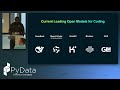
This talk will present a comprehensive summary of all things JupyterLite, and demonstrate key features. Highlights include the wide variety of language kernels supported, a terminal for those who wish to run git or vim at a command line in the browser, and access to AI agents in a safe sandboxed browser environment. It will explain the technology behind JupyerLite and how your favourite packages are built to run in the browser.
JupyterLite sites are easy to deploy and there will be a live demonstration of a deployment to illustrate this.
Talk outline:
Overview
Comparison of JupyterLab and JupyterLite
Live demonstration of basic functionality
How it works
Kernels, including why are there two different python kernels (pyodide and xeus-python) and how to choose between them
Emscripten-forge package building
Key features such as shared in-browser filesystem
More detailed demos such as installing packages on the fly
What it is good and bad at
Terminal for vim, git, etc
Jupyterlite AI
Use in project documentation using jupyterlite-sphinx
Deployment, including live demo
Making it easier to deploy and share using notebook.link
Where JupyterLite is going
www.pydata.org
PyData is an educational program of NumFOCUS, a 501(c)3 non-profit organization in the United States. PyData provides a forum for the international community of users and developers of data analysis tools to share ideas and learn from each other. The global PyData network promotes discussion of best practices, new approaches, and emerging technologies for data management, processing, analytics, and visualization. PyData communities approach data science using many languages, including (but not limited to) Python, Julia, and R.
PyData conferences aim to be accessible and community-driven, with novice to advanced level presentations. PyData tutorials and talks bring attendees the latest project features along with cutting-edge use cases.
00:00 Welcome!
00:10 Help us add time stamps or captions to this video! See the description for details.
Want to help add timestamps to our YouTube videos to help with discoverability? Find out more here: https://github.com/numfocus/YouTubeVideoTimestamps
Видео Ian Thomas - JupyterLite: run all your code in a web browser using WebAssembly | Pydata London 26 канала PyData
JupyterLite is a JupyterLab distribution that runs entirely in the web browser, backed by in-browser language kernels. Using it you can run Python, R and C++ in your browser via WebAssembly, use git and vim in a terminal, and access AI agents in a safe, sandboxed environment.
This talk will present a comprehensive summary of all things JupyterLite, and provide live demonstrations of many of its key features and how easy it is to deploy.
The talk assumes basic familiarity with JupyterLab but not necessarily JupyterLite. It will be of benefit to anyone who wishes to learn about this emerging technology and its potential for scalable, accessible interactive computing.
JupyterLite is a JupyterLab distribution that runs entirely in the web browser, backed by in-browser language kernels. Standard JupyterLab uses kernels run in separate processes and communicate with the client by message passing, whereas JupyterLite uses kernels that run entirely in the browser, based on JavaScript and WebAssembly, such as pyodide and xeus-python.
This means that JupyterLite deployments can be scaled to millions of users without the need for individual containers for each user session, only static files need to be served which can be done with a simple web server like GitHub pages.
This talk will present a comprehensive summary of all things JupyterLite, and demonstrate key features. Highlights include the wide variety of language kernels supported, a terminal for those who wish to run git or vim at a command line in the browser, and access to AI agents in a safe sandboxed browser environment. It will explain the technology behind JupyerLite and how your favourite packages are built to run in the browser.
JupyterLite sites are easy to deploy and there will be a live demonstration of a deployment to illustrate this.
Talk outline:
Overview
Comparison of JupyterLab and JupyterLite
Live demonstration of basic functionality
How it works
Kernels, including why are there two different python kernels (pyodide and xeus-python) and how to choose between them
Emscripten-forge package building
Key features such as shared in-browser filesystem
More detailed demos such as installing packages on the fly
What it is good and bad at
Terminal for vim, git, etc
Jupyterlite AI
Use in project documentation using jupyterlite-sphinx
Deployment, including live demo
Making it easier to deploy and share using notebook.link
Where JupyterLite is going
www.pydata.org
PyData is an educational program of NumFOCUS, a 501(c)3 non-profit organization in the United States. PyData provides a forum for the international community of users and developers of data analysis tools to share ideas and learn from each other. The global PyData network promotes discussion of best practices, new approaches, and emerging technologies for data management, processing, analytics, and visualization. PyData communities approach data science using many languages, including (but not limited to) Python, Julia, and R.
PyData conferences aim to be accessible and community-driven, with novice to advanced level presentations. PyData tutorials and talks bring attendees the latest project features along with cutting-edge use cases.
00:00 Welcome!
00:10 Help us add time stamps or captions to this video! See the description for details.
Want to help add timestamps to our YouTube videos to help with discoverability? Find out more here: https://github.com/numfocus/YouTubeVideoTimestamps
Видео Ian Thomas - JupyterLite: run all your code in a web browser using WebAssembly | Pydata London 26 канала PyData
Комментарии отсутствуют
Информация о видео
15 июня 2026 г. 20:55:10
00:39:09
Другие видео канала