
- Популярные видео
- Авто
- Видео-блоги
- ДТП, аварии
- Для маленьких
- Еда, напитки
- Животные
- Закон и право
- Знаменитости
- Игры
- Искусство
- Комедии
- Красота, мода
- Кулинария, рецепты
- Люди
- Мото
- Музыка
- Мультфильмы
- Наука, технологии
- Новости
- Образование
- Политика
- Праздники
- Приколы
- Природа
- Происшествия
- Путешествия
- Развлечения
- Ржач
- Семья
- Сериалы
- Спорт
- Стиль жизни
- ТВ передачи
- Танцы
- Технологии
- Товары
- Ужасы
- Фильмы
- Шоу-бизнес
- Юмор
Creating Accent Buttons & Social Logins in Figma | Design Systems Tutorial
In this video, we take our login UI to the next level by designing a bold accent button, refining our layout with Auto Layout, and adding social login options. You’ll also learn how to expand your color token system for hover states and use naming conventions that keep your system clean and scalable. For info see http://monospace.studio
🔹 What You’ll Learn:
✅ How to build an accent-colored button variant
✅ Adding a new hover state with tokenized colors
✅ Managing component states and properties in Figma
✅ Creating and styling social login buttons (Google, GitHub)
✅ Improving structure with Auto Layout and spacing tokens
This is a practical, end-to-end episode perfect for designers building real-world apps with a professional design system in Figma.
🔥 Like, subscribe, and hit the bell 🔔 to follow the full Figma Design Systems course.
#Figma #DesignSystems #UXDesign #UIComponents #SocialLogin #Buttons #FigmaTutorial #ProductDesign
Видео Creating Accent Buttons & Social Logins in Figma | Design Systems Tutorial канала Monospace.Studio
🔹 What You’ll Learn:
✅ How to build an accent-colored button variant
✅ Adding a new hover state with tokenized colors
✅ Managing component states and properties in Figma
✅ Creating and styling social login buttons (Google, GitHub)
✅ Improving structure with Auto Layout and spacing tokens
This is a practical, end-to-end episode perfect for designers building real-world apps with a professional design system in Figma.
🔥 Like, subscribe, and hit the bell 🔔 to follow the full Figma Design Systems course.
#Figma #DesignSystems #UXDesign #UIComponents #SocialLogin #Buttons #FigmaTutorial #ProductDesign
Видео Creating Accent Buttons & Social Logins in Figma | Design Systems Tutorial канала Monospace.Studio
Комментарии отсутствуют
Информация о видео
11 июня 2026 г. 19:26:22
00:16:15
Другие видео канала
 Metaprod: How I Built a Product Manager Agent in Warp + Linear
 Building a Flexible Field Component in Figma | Design System Tutorial
 How to Build Light & Dark Mode in Figma with Tokens | PIPS Design System
 Log Out Menu with Figma Components & Overlays (Design System Tutorial)
 Designing KPI Cards in Figma | Dashboard UI Polish
 How to Create Static & Named Color Palettes in Figma | Design System Guide
 Input components from primitives in Figma | Pips Design System
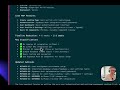 Warp + Linear MCP: Updating Tickets with a Lean Build Approach
 Intro to the power of primitives and properties in Figma
 Finish Your Figma Login Form – Social Icons & Error States
 Button Components from primitives in Figma | Pips Design System
 Using Apple Fluid Glass in Figma
 Getting Started with Variants (in Figma) | PIPs Design System
 Enhancing Variants with "Types" Prop in Figma | Design System Tutorial
 Creating a Simple App Icon & Accent Color in Figma | Design System Series
 Creating Primitives in Figma | Pips Design System
 🚀 Vibe Coding: The Future of AI-Powered Product Development!
 Structuring a Design System: Spacing Tokens in Figma
 Structuring a Grid System in Figma | Pips Design System
 Icons & Icon Libraries in Figma | Pips Design System
 Figma Design System: Creating a Profile Page Component
