
- Популярные видео
- Авто
- Видео-блоги
- ДТП, аварии
- Для маленьких
- Еда, напитки
- Животные
- Закон и право
- Знаменитости
- Игры
- Искусство
- Комедии
- Красота, мода
- Кулинария, рецепты
- Люди
- Мото
- Музыка
- Мультфильмы
- Наука, технологии
- Новости
- Образование
- Политика
- Праздники
- Приколы
- Природа
- Происшествия
- Путешествия
- Развлечения
- Ржач
- Семья
- Сериалы
- Спорт
- Стиль жизни
- ТВ передачи
- Танцы
- Технологии
- Товары
- Ужасы
- Фильмы
- Шоу-бизнес
- Юмор
How to add a Contact Form 7 on WordPress
In this video, I demonstrate how to add a ‘contact us’ page on WordPress, using the plugin Contact Form 7. As you may know, Contact Form 7 is one of the most popular plugins for creating contact forms on WordPress.
Creating a ‘contact us’ page is an essential step that every business will need to go through to complete their website and open contact channels with their following, audience, and customers. If you’re going to build a website for your business, this is a step you’ll definitely want to include in the process.
But no worries. I’ve compiled all of the necessary steps, and will take you through each one of them in this quick and easy contact page tutorial.
In this tutorial, I walk you step-by-step through the process. Some of the steps I’ll cover include:
Activating the Contact Form 7 Plugin
Creating the correct contact fields
Making sure that the email address is correct so that you’ll get any messages your customers may send you
Creating and publishing an official ‘contact us’ page on your WordPress website
Where to get your contact page short-code, and how to embed it into the proper page on your WordPress site
How to add your ‘contact us’ page to your menu bar
These techniques are easy, but figuring out the sequence can be complicated. This tutorial will give you everything you need to walk through it and get it done the right way, on your very first try.
Please remember to thumbs up and subscribe, so that you can stay aware of new tutorials as they’re published.
Видео How to add a Contact Form 7 on WordPress канала masteryoursite
Creating a ‘contact us’ page is an essential step that every business will need to go through to complete their website and open contact channels with their following, audience, and customers. If you’re going to build a website for your business, this is a step you’ll definitely want to include in the process.
But no worries. I’ve compiled all of the necessary steps, and will take you through each one of them in this quick and easy contact page tutorial.
In this tutorial, I walk you step-by-step through the process. Some of the steps I’ll cover include:
Activating the Contact Form 7 Plugin
Creating the correct contact fields
Making sure that the email address is correct so that you’ll get any messages your customers may send you
Creating and publishing an official ‘contact us’ page on your WordPress website
Where to get your contact page short-code, and how to embed it into the proper page on your WordPress site
How to add your ‘contact us’ page to your menu bar
These techniques are easy, but figuring out the sequence can be complicated. This tutorial will give you everything you need to walk through it and get it done the right way, on your very first try.
Please remember to thumbs up and subscribe, so that you can stay aware of new tutorials as they’re published.
Видео How to add a Contact Form 7 on WordPress канала masteryoursite
how to add contact us page on wordpress create contact us page in wordpress contact form 7 tutorial contact form 7 create a contact form in wordpress how to make contact form add contact form contact us page contact me form wordpress contact form wordpress contact form tutorial contact form tutorial wordpress how to add contact form 7 on wordpress contact me page contact form 7 plugin
Комментарии отсутствуют
Информация о видео
20 февраля 2021 г. 3:42:43
00:02:27
Другие видео канала
 How to Create and Manage Wordpress Menu - Navigation Menu Tutorial
 How to add a PDF to Wordpress Site (2 Easy Solutions)
 How to Install Google Analytics On WordPress Website
 Backup Wordpress With The Best free Plugin - Updraftplus Tutorial
 How To Reset Wordpress Website Using A Plugin (Quick & Easy)
 Wordpress Maintenance Mode - Setup Coming Soon Page in 2 Mins
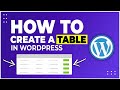 How To Add Tables In Wordpress Post/Page - Create & Manage Tables Tutorial
 How To Style Contact Form 7 Layout With Moana Plugin - Customize CF7 Using Visual Composer
 How To Add Back To Top Button In Wordpress - Scroll To Top With Image or Text or Font Tutorial
 How to Add New Page in Wordpress Menu - Quick Navigation Bar Tutorial
 Post/Page Specific Custom CSS Plugin Review - Add Custom CSS To Wordpress
 How to Create Multiple Columns in Wordpress with WPbakery Page Builder
 Wordpress Floating Button (How to Add it to Your Site)
 Popup Anything on Click - Best Wordpress Popup Plugin Tutorial
 How To Add Testimonial Slider In Wordpress Website (2021)
 How To Create A Custom 404 Error Page In Wordpress - 404Page Plugin Tutorial
 How To Add Google Recaptcha V2 In Wordpress Login & Contact Form 7
 Embeding Google Sheets In Wordpress Tutorial (2021)
 How to Duplicate a WordPress Post or Page With Yoast Plugin
 Wordpress Carousel - How To Create Image Slider In Wordpress with Text
