
- Популярные видео
- Авто
- Видео-блоги
- ДТП, аварии
- Для маленьких
- Еда, напитки
- Животные
- Закон и право
- Знаменитости
- Игры
- Искусство
- Комедии
- Красота, мода
- Кулинария, рецепты
- Люди
- Мото
- Музыка
- Мультфильмы
- Наука, технологии
- Новости
- Образование
- Политика
- Праздники
- Приколы
- Природа
- Происшествия
- Путешествия
- Развлечения
- Ржач
- Семья
- Сериалы
- Спорт
- Стиль жизни
- ТВ передачи
- Танцы
- Технологии
- Товары
- Ужасы
- Фильмы
- Шоу-бизнес
- Юмор
Lab 5: Keil - Proteus Integration.
This video provides a complete guide to integrating Keil uVision and Proteus for 8051 Microcontroller development, covering the entire workflow from writing and compiling C programs to performing real-time circuit simulation and hardware verification.
Topics Covered:
1. Keil Project Setup and Configuration
• Creating a new 8051 microcontroller project in Keil uVision.
• Selecting the AT89C52 microcontroller as the target device.
• Configuring project settings for successful compilation.
• Understanding the development workflow for embedded systems.
2. C Programming for 8051
• Writing a simple LED blinking program using Embedded C.
• Controlling Port 2 output pins through software.
• Implementing software delay functions using nested loops.
• Understanding GPIO manipulation and timing control.
• Building and compiling the project successfully.
3. HEX File Generation
• Configuring Keil to generate HEX files automatically.
• Enabling HEX-80 output format in project settings.
• Understanding the purpose of HEX files in microcontroller programming.
• Locating the generated HEX file inside the Objects folder.
• Preparing firmware for Proteus simulation.
4. Program Debugging in Keil
• Using the Keil Debug Mode to verify program execution.
• Monitoring Port 2 through the Peripherals window.
• Observing bit-level changes during runtime.
• Verifying logic and timing before hardware simulation.
• Understanding software debugging techniques for embedded systems.
5. Proteus Circuit Design
• Creating a new Proteus project for 8051 simulation.
• Selecting and placing essential components:
• AT89C52 Microcontroller
• Crystal Oscillator
• 33pF Capacitors
• Push Button
• LED
• Current-Limiting Resistor
• Building a complete microcontroller circuit schematic.
• Understanding the minimum hardware requirements for 8051 operation.
6. Keil–Proteus Integration
• Importing the HEX file generated by Keil into Proteus.
• Configuring the microcontroller component with firmware.
• Running real-time simulations.
• Observing LED blinking and hardware responses.
• Understanding the relationship between software code and circuit behaviour.
7. Simulation and Testing
• Executing the Proteus simulation environment.
• Verifying correct circuit operation.
• Troubleshooting common integration issues.
• Analysing system behaviour before physical hardware implementation.
This laboratory session is designed to help students and beginners bridge the gap between software development and hardware simulation, providing practical experience in embedded system design using Keil uVision and Proteus.
Software Used:
• Keil uVision5 (C51)
• Proteus Design Suite
Keywords:
8051 Microcontroller, Keil uVision, Proteus Simulation, Embedded C Programming, AT89C52, HEX File Generation, Circuit Simulation, Embedded Systems, LED Blinking Project, GPIO Programming, Firmware Development, Microcontroller Laboratory, Proteus Design Suite, Keil Proteus Integration, Embedded System Design, Electronics Engineering
Видео Lab 5: Keil - Proteus Integration. канала MUHAMMAD AIMAN HAKIM BIN MAHAZIR STUDENT
Topics Covered:
1. Keil Project Setup and Configuration
• Creating a new 8051 microcontroller project in Keil uVision.
• Selecting the AT89C52 microcontroller as the target device.
• Configuring project settings for successful compilation.
• Understanding the development workflow for embedded systems.
2. C Programming for 8051
• Writing a simple LED blinking program using Embedded C.
• Controlling Port 2 output pins through software.
• Implementing software delay functions using nested loops.
• Understanding GPIO manipulation and timing control.
• Building and compiling the project successfully.
3. HEX File Generation
• Configuring Keil to generate HEX files automatically.
• Enabling HEX-80 output format in project settings.
• Understanding the purpose of HEX files in microcontroller programming.
• Locating the generated HEX file inside the Objects folder.
• Preparing firmware for Proteus simulation.
4. Program Debugging in Keil
• Using the Keil Debug Mode to verify program execution.
• Monitoring Port 2 through the Peripherals window.
• Observing bit-level changes during runtime.
• Verifying logic and timing before hardware simulation.
• Understanding software debugging techniques for embedded systems.
5. Proteus Circuit Design
• Creating a new Proteus project for 8051 simulation.
• Selecting and placing essential components:
• AT89C52 Microcontroller
• Crystal Oscillator
• 33pF Capacitors
• Push Button
• LED
• Current-Limiting Resistor
• Building a complete microcontroller circuit schematic.
• Understanding the minimum hardware requirements for 8051 operation.
6. Keil–Proteus Integration
• Importing the HEX file generated by Keil into Proteus.
• Configuring the microcontroller component with firmware.
• Running real-time simulations.
• Observing LED blinking and hardware responses.
• Understanding the relationship between software code and circuit behaviour.
7. Simulation and Testing
• Executing the Proteus simulation environment.
• Verifying correct circuit operation.
• Troubleshooting common integration issues.
• Analysing system behaviour before physical hardware implementation.
This laboratory session is designed to help students and beginners bridge the gap between software development and hardware simulation, providing practical experience in embedded system design using Keil uVision and Proteus.
Software Used:
• Keil uVision5 (C51)
• Proteus Design Suite
Keywords:
8051 Microcontroller, Keil uVision, Proteus Simulation, Embedded C Programming, AT89C52, HEX File Generation, Circuit Simulation, Embedded Systems, LED Blinking Project, GPIO Programming, Firmware Development, Microcontroller Laboratory, Proteus Design Suite, Keil Proteus Integration, Embedded System Design, Electronics Engineering
Видео Lab 5: Keil - Proteus Integration. канала MUHAMMAD AIMAN HAKIM BIN MAHAZIR STUDENT
Комментарии отсутствуют
Информация о видео
12 ч. 14 мин. назад
00:07:31
Другие видео канала
 Electronic Instrumentation and Measurement
 EIM (5Feb2026)
 Computer Network (29/1/2026)
 Communication System (30/1/2026)
 Computer Network (9Jan2026) Part 1
 X-CIPTA 2025: Sistem Amaran Taufan Pintar 1.0
 Management for Engineers (13Jan2026) Part 1
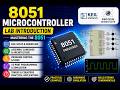 Lab Introduction: Mastering the 8051
 EMT FINAL EXAM VECTOR AND ELECTROSTATIC 2025 16
 EIM - LAB G3 (05/11/2025): PART 2
 EIM LAB TEST - LAB G3 (31/12/2025)
 EIM - LAB G1 (30/12/2025): PART 1
 Digital Filters Shaping Our World
 Computer Networks (29January2026)
 EIM - LAB G2 (31/12/2025): PART 2
 ROYALTY SUPER SLOWED+ REVERB
 Tips for Test 2 Computer Network (9Jan2026)
 Lab 1: Setup KEIL IDE and Assembly Code
 it's okay to start again #NationalInstruments #unimap
 AL NACER! (Hyper Slowed)
 EIM - LAB G2 (31/12/2025): PART 1
