
- Популярные видео
- Авто
- Видео-блоги
- ДТП, аварии
- Для маленьких
- Еда, напитки
- Животные
- Закон и право
- Знаменитости
- Игры
- Искусство
- Комедии
- Красота, мода
- Кулинария, рецепты
- Люди
- Мото
- Музыка
- Мультфильмы
- Наука, технологии
- Новости
- Образование
- Политика
- Праздники
- Приколы
- Природа
- Происшествия
- Путешествия
- Развлечения
- Ржач
- Семья
- Сериалы
- Спорт
- Стиль жизни
- ТВ передачи
- Танцы
- Технологии
- Товары
- Ужасы
- Фильмы
- Шоу-бизнес
- Юмор
SolidWorks 2025 Tutorial – Revolved boss/base (Full Step-by-Step Guide)
SolidWorks 2025 Tutorial – Revolved Boss/Base (Full Step-by-Step Guide)
Welcome to this detailed SolidWorks 2025 Revolved Boss/Base tutorial! In this video, we will guide you step by step through the process of creating 3D solids by revolving a 2D profile sketch around an axis. The Revolved Boss/Base feature is one of the most important SolidWorks tools for mechanical design, product design, and CAD modeling because it allows you to quickly create cylindrical, conical, or symmetric shapes that would be difficult to achieve with simple extrusion.
If you are a beginner, intermediate, or even an advanced SolidWorks learner, this tutorial will help you master the Revolved Boss/Base feature and give you confidence to model professional parts for engineering, manufacturing, or design projects.
🔹 What You Will Learn in This Tutorial
How to start a new part file in SolidWorks 2025.
How to select the correct plane for your design (Front, Top, Right).
How to create a centerline axis for the revolve operation.
How to sketch the correct profile geometry on one side of the axis.
How to fully define sketches with dimensions and constraints.
How to activate the Revolved Boss/Base feature from the Features toolbar.
How to select the Axis of Revolution and set Angle (360° or partial).
How to use the Thin Feature option to create hollow objects like pipes, rings, bottles, or cups.
How to troubleshoot common revolve errors (open sketch, overlapping with axis, thin feature failure).
Pro tips for efficient modeling in SolidWorks 2025.
🔹 Why Revolved Boss/Base is Important
The Revolved Boss/Base tool is extremely useful in 3D CAD modeling because many engineering parts are cylindrical or symmetric. Instead of extruding a shape and adding multiple features, a single revolve can generate the entire geometry in one step.
Common parts created with Revolved Boss/Base:
Shafts and rods
Cylinders and cones
Wheels and pulleys
Mechanical components with rotational symmetry
Open New Part → Select Front Plane → Start Sketch.
Draw a Centerline (Axis of Revolution).
Sketch a closed profile on one side of the centerline (example: half rectangle for cylinder).
Add dimensions and relations until sketch is fully defined.
Exit Sketch → Go to Features → Revolved Boss/Base.
🔹 Who Should Watch This Tutorial?
Students learning SolidWorks CAD design.
Mechanical engineers working with 3D modeling.
Product designers creating bottles, cups, containers, and rings.
Beginners looking for a simple but powerful SolidWorks 2025 tutorial.
Anyone preparing for SolidWorks certification exams (CSWA, CSWP).
🔹 CAD CAM Solution BD – Learn from Anywhere in Bangladesh
We provide professional SolidWorks and AutoCAD training both online and offline.
From basic to advanced courses, we help you become a professional mechanical designer.
📍 Office Address:
895/896 Meghna Tower, Sonir Akhra, Dhaka, Bangladesh
📞 Contact Numbers:
01916553827
01648379708
01301411161
🌍 You can learn from anywhere in Bangladesh through our online classes.
🔹 Related Tutorials on This Channel
SolidWorks 2025 – Revolved Cut (Step-by-Step Guide)
SolidWorks 2025 – Extrude Boss/Base Tutorial
SolidWorks 2025 – Sweep & Loft Tutorial
SolidWorks 2025 – Surface Modeling
SolidWorks 2025 – Mold Design Basics
Make sure to explore these videos to master every SolidWorks feature.
🔹 Keywords for SEO
SolidWorks 2025 tutorial, SolidWorks revolve boss base, revolve boss base feature, SolidWorks revolve tutorial Bangla, SolidWorks Bengali tutorial, CAD design Bangladesh, SolidWorks revolve feature, SolidWorks 2025 Bangla, how to use revolve in SolidWorks, SolidWorks revolve example, revolve boss base vs cut, mechanical design SolidWorks, CAD CAM Solution BD.
🔹 Hashtags
#SolidWorks2025 #RevolvedBossBase #SolidWorksTutorial #CADDesign #BanglaTutorial #CADCAMSOLUTIONBD#MechanicalDesign
#ProductDesign
#SolidWorksBeginner
#SolidWorksBangla
#EngineeringDesign
#SolidWorksTips
#SolidWorksTraining
#CADCAM
#SolidWorksForBeginners
#SolidWorksRevolve#SolidWorks2025
#RevolvedBossBase
#SolidWorksTutorial
#CADDesign
#3DModeling
🔹 Final Words
This SolidWorks 2025 tutorial shows you exactly how to use the Revolved Boss/Base feature with real-world examples and professional tips. After watching, you will be able to create shafts, bottles, wheels, rings, and many other parts quickly and efficiently.
👉 If this tutorial helps you, don’t forget to Like 👍, Comment 💬, and Subscribe 🔔 to our channel CAD CAM Solution BD for more SolidWorks 2025 tutorials.
Stay connected with us for more training updates and professional CAD learning opportunities in Bangladesh.
✅ Subscribe now and start your journey to become a professional mechanical designer with SolidWorks 2025!
Видео SolidWorks 2025 Tutorial – Revolved boss/base (Full Step-by-Step Guide) канала CadCam Solutions BD
Welcome to this detailed SolidWorks 2025 Revolved Boss/Base tutorial! In this video, we will guide you step by step through the process of creating 3D solids by revolving a 2D profile sketch around an axis. The Revolved Boss/Base feature is one of the most important SolidWorks tools for mechanical design, product design, and CAD modeling because it allows you to quickly create cylindrical, conical, or symmetric shapes that would be difficult to achieve with simple extrusion.
If you are a beginner, intermediate, or even an advanced SolidWorks learner, this tutorial will help you master the Revolved Boss/Base feature and give you confidence to model professional parts for engineering, manufacturing, or design projects.
🔹 What You Will Learn in This Tutorial
How to start a new part file in SolidWorks 2025.
How to select the correct plane for your design (Front, Top, Right).
How to create a centerline axis for the revolve operation.
How to sketch the correct profile geometry on one side of the axis.
How to fully define sketches with dimensions and constraints.
How to activate the Revolved Boss/Base feature from the Features toolbar.
How to select the Axis of Revolution and set Angle (360° or partial).
How to use the Thin Feature option to create hollow objects like pipes, rings, bottles, or cups.
How to troubleshoot common revolve errors (open sketch, overlapping with axis, thin feature failure).
Pro tips for efficient modeling in SolidWorks 2025.
🔹 Why Revolved Boss/Base is Important
The Revolved Boss/Base tool is extremely useful in 3D CAD modeling because many engineering parts are cylindrical or symmetric. Instead of extruding a shape and adding multiple features, a single revolve can generate the entire geometry in one step.
Common parts created with Revolved Boss/Base:
Shafts and rods
Cylinders and cones
Wheels and pulleys
Mechanical components with rotational symmetry
Open New Part → Select Front Plane → Start Sketch.
Draw a Centerline (Axis of Revolution).
Sketch a closed profile on one side of the centerline (example: half rectangle for cylinder).
Add dimensions and relations until sketch is fully defined.
Exit Sketch → Go to Features → Revolved Boss/Base.
🔹 Who Should Watch This Tutorial?
Students learning SolidWorks CAD design.
Mechanical engineers working with 3D modeling.
Product designers creating bottles, cups, containers, and rings.
Beginners looking for a simple but powerful SolidWorks 2025 tutorial.
Anyone preparing for SolidWorks certification exams (CSWA, CSWP).
🔹 CAD CAM Solution BD – Learn from Anywhere in Bangladesh
We provide professional SolidWorks and AutoCAD training both online and offline.
From basic to advanced courses, we help you become a professional mechanical designer.
📍 Office Address:
895/896 Meghna Tower, Sonir Akhra, Dhaka, Bangladesh
📞 Contact Numbers:
01916553827
01648379708
01301411161
🌍 You can learn from anywhere in Bangladesh through our online classes.
🔹 Related Tutorials on This Channel
SolidWorks 2025 – Revolved Cut (Step-by-Step Guide)
SolidWorks 2025 – Extrude Boss/Base Tutorial
SolidWorks 2025 – Sweep & Loft Tutorial
SolidWorks 2025 – Surface Modeling
SolidWorks 2025 – Mold Design Basics
Make sure to explore these videos to master every SolidWorks feature.
🔹 Keywords for SEO
SolidWorks 2025 tutorial, SolidWorks revolve boss base, revolve boss base feature, SolidWorks revolve tutorial Bangla, SolidWorks Bengali tutorial, CAD design Bangladesh, SolidWorks revolve feature, SolidWorks 2025 Bangla, how to use revolve in SolidWorks, SolidWorks revolve example, revolve boss base vs cut, mechanical design SolidWorks, CAD CAM Solution BD.
🔹 Hashtags
#SolidWorks2025 #RevolvedBossBase #SolidWorksTutorial #CADDesign #BanglaTutorial #CADCAMSOLUTIONBD#MechanicalDesign
#ProductDesign
#SolidWorksBeginner
#SolidWorksBangla
#EngineeringDesign
#SolidWorksTips
#SolidWorksTraining
#CADCAM
#SolidWorksForBeginners
#SolidWorksRevolve#SolidWorks2025
#RevolvedBossBase
#SolidWorksTutorial
#CADDesign
#3DModeling
🔹 Final Words
This SolidWorks 2025 tutorial shows you exactly how to use the Revolved Boss/Base feature with real-world examples and professional tips. After watching, you will be able to create shafts, bottles, wheels, rings, and many other parts quickly and efficiently.
👉 If this tutorial helps you, don’t forget to Like 👍, Comment 💬, and Subscribe 🔔 to our channel CAD CAM Solution BD for more SolidWorks 2025 tutorials.
Stay connected with us for more training updates and professional CAD learning opportunities in Bangladesh.
✅ Subscribe now and start your journey to become a professional mechanical designer with SolidWorks 2025!
Видео SolidWorks 2025 Tutorial – Revolved boss/base (Full Step-by-Step Guide) канала CadCam Solutions BD
SolidWorks 2025 tutorial SolidWorks revolve boss base revolve boss base feature SolidWorks revolve tutorial Bangla SolidWorks Bengali tutorial CAD design Bangladesh SolidWorks revolve feature SolidWorks 2025 Bangla how to use revolve in SolidWorks SolidWorks revolve example revolve boss base vs cut mechanical design SolidWorks CAD CAM Solution BD. SolidWorks 2025 Tutorial – Revolved boss/base (Full Step-by-Step Guide)
Комментарии отсутствуют
Информация о видео
15 сентября 2025 г. 6:00:49
00:04:09
Другие видео канала
 SolidWorks 2D Sketch Tools Explained | All Tools Overview Part-01 (Beginner to Pro)
 How to Install Mastercam 2025
 How to Use Line, Circle, Copy, Fillet, Trim in AutoCAD
 SolidWorks 2025 Tutorial | Fillet (Complete Guide)
 How to Make 2D Mechanical Sketch of a Cyclist in SolidWorks 2025 | Full Step-by-Step Tutorial
 How to Design an Engine Shaft in SolidWorks | Step-by-Step 3D Shaft Modeling Tutorial
 SolidWorks 2025 Tutorial | How to Use Extrude Boss, Extruded Cut & Mirror (Step by Step Guide)
 How to Make Universal Coupling in SolidWorks | Step-by-Step 3D Mechanical Design Tutorial
 How to Use ARC Shortcut in AutoCAD | #cad #cadcamsolutionbd #mechanicaldesign #cadsoftware
 SolidWorks 2025 Tutorial – Extrude Boss (Beginner Guide)
 CAD CAM Solution BD
 How to Make Mechanical Component in SolidWorks 2025 | Full Step-by-Step Tutorial
 CAD CAM Solution BD #cad #solidworks #solidwork #cadtraining #cadsoftware #mechanicalengineering
 How to Use Tangent and Coincident Relations in SOLIDWORKS #cad #mechanicaldesign #solidworkstutorial
 How to Use Coincident and Concentric Relation in SOLIDWORKS (Bangla Tutorial)#cadcamsolutionbd
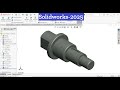 Solidworks Revolved Boss Tutorial
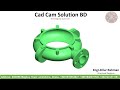 Impeller Housing Design by SolidWorks | Complete 3D CAD Tutorial for Beginners
 How to Make Mechanical Drawing in SolidWorks 2025 | Exercise-09 | Full Step-by-Step Tutorial
 SolidWorks 2025 Tutorial – Extrude Boss (Beginner Guide)
 SolidWorks Basic Practice Drawing Exercise for Beginners - 8 | 2D to 3D Sketching Tutorial
