- Популярные видео
- Авто
- Видео-блоги
- ДТП, аварии
- Для маленьких
- Еда, напитки
- Животные
- Закон и право
- Знаменитости
- Игры
- Искусство
- Комедии
- Красота, мода
- Кулинария, рецепты
- Люди
- Мото
- Музыка
- Мультфильмы
- Наука, технологии
- Новости
- Образование
- Политика
- Праздники
- Приколы
- Природа
- Происшествия
- Путешествия
- Развлечения
- Ржач
- Семья
- Сериалы
- Спорт
- Стиль жизни
- ТВ передачи
- Танцы
- Технологии
- Товары
- Ужасы
- Фильмы
- Шоу-бизнес
- Юмор
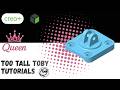
Tier 1 Part - Too Tall Toby 24-01-01 | Creo Parametric Tutorial
Conquer the *quirks of Creo Parametric* and master *3D CAD skills* by *modeling real world parts!!* https://www.TooTallToby.com/practice
While this video offers a focused lesson and often highlights a unique feature or tip, remember that the entire playlist provides a wide range of modeling techniques for tackling diverse design challenges in *Creo.* Ideal for engineering students, CAD learners, and professionals looking to sharpen their *Creo skills.* Whether you're preparing for certification, teaching CAD, or just love a good modeling challenge, these videos will help you build confidence and precision in *Creo.*
**Summary**
Kick off the playlist with the Axle Support in Challenge 24-01-01, the very first practice part in the Too Tall Toby series. This tutorial demonstrates how to approach a straightforward design by maximizing your modeling speed using clever selection techniques rather than tedious geometry trimming.
**Detailed Summary**
The workflow begins strategically by creating a primary layout sketch on the top plane. Rather than clearing out overlapping profile lines manually, we utilize *sketch regions* to seamlessly separate the distinct geometry sections for processing. We then generate individual extrusions for the different heights from a single master layout sketch, holding down the *control key* to grab multiple regions simultaneously. The tutorial also highlights essential navigation tricks like utilizing the *middle mouse button* for quick constraint placements. To wrap up the model, the custom metric template applies the required material density to immediately calculate and verify the final *mass properties.*
*Stay quirky!*
Видео Tier 1 Part - Too Tall Toby 24-01-01 | Creo Parametric Tutorial канала CAD Queen
While this video offers a focused lesson and often highlights a unique feature or tip, remember that the entire playlist provides a wide range of modeling techniques for tackling diverse design challenges in *Creo.* Ideal for engineering students, CAD learners, and professionals looking to sharpen their *Creo skills.* Whether you're preparing for certification, teaching CAD, or just love a good modeling challenge, these videos will help you build confidence and precision in *Creo.*
**Summary**
Kick off the playlist with the Axle Support in Challenge 24-01-01, the very first practice part in the Too Tall Toby series. This tutorial demonstrates how to approach a straightforward design by maximizing your modeling speed using clever selection techniques rather than tedious geometry trimming.
**Detailed Summary**
The workflow begins strategically by creating a primary layout sketch on the top plane. Rather than clearing out overlapping profile lines manually, we utilize *sketch regions* to seamlessly separate the distinct geometry sections for processing. We then generate individual extrusions for the different heights from a single master layout sketch, holding down the *control key* to grab multiple regions simultaneously. The tutorial also highlights essential navigation tricks like utilizing the *middle mouse button* for quick constraint placements. To wrap up the model, the custom metric template applies the required material density to immediately calculate and verify the final *mass properties.*
*Stay quirky!*
Видео Tier 1 Part - Too Tall Toby 24-01-01 | Creo Parametric Tutorial канала CAD Queen
Комментарии отсутствуют
Информация о видео
21 мая 2026 г. 18:23:11
00:02:53
Другие видео канала