
- Популярные видео
- Авто
- Видео-блоги
- ДТП, аварии
- Для маленьких
- Еда, напитки
- Животные
- Закон и право
- Знаменитости
- Игры
- Искусство
- Комедии
- Красота, мода
- Кулинария, рецепты
- Люди
- Мото
- Музыка
- Мультфильмы
- Наука, технологии
- Новости
- Образование
- Политика
- Праздники
- Приколы
- Природа
- Происшествия
- Путешествия
- Развлечения
- Ржач
- Семья
- Сериалы
- Спорт
- Стиль жизни
- ТВ передачи
- Танцы
- Технологии
- Товары
- Ужасы
- Фильмы
- Шоу-бизнес
- Юмор
PEDIT + OVERKILL = Instantly Usable CAD Geometry #AutoCAD #Technique
Learn how to instantly create usable CAD geometry in AutoCAD with a powerful technique that combines the PEDIT command and Overkill. This AutoCAD tutorial will show you how to clean up your drawings and convert PDF to drawing AutoCAD, making it easier to work with your designs. The Overkill command in AutoCAD is a useful tool for removing duplicate objects and cleaning up your drawing, while the PEDIT command allows you to edit polylines and create smooth curves. By combining these two commands, you can quickly and easily create usable CAD geometry from imported PDFs or other messy drawings. This technique is a valuable addition to your AutoCAD tips and tricks arsenal, and will help you to work more efficiently and effectively in AutoCAD. With this method, you can take a messy drawing and turn it into a clean and usable CAD design, making it perfect for architects, engineers, and designers who need to convert PDF to drawing AutoCAD on a regular basis. By following this AutoCAD tutorial, you will learn how to use the PEDIT and Overkill commands to create instant usable CAD geometry, and take your AutoCAD skills to the next level.
AutoCAD PDF cleanup — OVERKILL and PEDIT to clean imported geometry fast.
Run OVERKILL to remove duplicates, then PEDIT → Multiple → JOIN to stitch segments into polylines.
Steps: OVERKILL to delete duplicate/overlapping fragments → PEDIT Multiple → JOIN to convert segments to polylines → SPLINEDIT or PEDIT Fit for curves. Result: clean, editable geometry ready for drafting.
#AutoCAD #PDFImport #OVERKILL #PEDIT
Видео PEDIT + OVERKILL = Instantly Usable CAD Geometry #AutoCAD #Technique канала CAD Super User
AutoCAD PDF cleanup — OVERKILL and PEDIT to clean imported geometry fast.
Run OVERKILL to remove duplicates, then PEDIT → Multiple → JOIN to stitch segments into polylines.
Steps: OVERKILL to delete duplicate/overlapping fragments → PEDIT Multiple → JOIN to convert segments to polylines → SPLINEDIT or PEDIT Fit for curves. Result: clean, editable geometry ready for drafting.
#AutoCAD #PDFImport #OVERKILL #PEDIT
Видео PEDIT + OVERKILL = Instantly Usable CAD Geometry #AutoCAD #Technique канала CAD Super User
Комментарии отсутствуют
Информация о видео
13 февраля 2026 г. 6:48:11
00:00:47
Другие видео канала
 Lock XREF Layers in AutoCAD: Unload vs Detach Explained
 Never Type Dimensions Again—AutoCAD Lengthen Dynamic #AutoCAD #Workflow
 AutoCAD Trick: Join Messy Lines into One Polyline (and Explode Back!)
 Share DWG With Anyone — They Don't Need Software #Autodesk #Workflow
 Dimensions Disappeared? Check Frozen Layer First
 Freeze vs Off: Which Actually Protects Your Work #autocad #tutorial
 Never Lose CTB Plot Styles Again with This Trick #AutoCAD #CADTips #PlotStyles
 AutoCAD Trick: Draw a Perfect Circle Through 3 Points!
 Clean Up Layers Instantly with LAYMRG | AutoCAD Layer Merge Explained!
 Create Reusable AutoCAD Blocks in Minutes #AutoCAD #Blocks
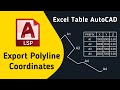 Save Hours of Work | Export AutoCAD Polylines to Excel Fast
 AutoCAD Tip: Check Polyline Direction (and Reverse It Instantly!)
 Discover the EASY Way to Enable Scroll Bars in AutoCAD
 How to Change Linetype in AutoCAD | Quick Linetype Tutorial
 Reusable Status Blocks That Actually Work #AutoCAD #DynamicBlock
 QSELECT vs FILTER — Which AutoCAD Selection Tool Should You Use?
 What Happens When You Use TXT2MTXT in AutoCAD?
 Thicker Lines in Print Without Changing Your Drawing #AutoCAD #Hack
 Boundaries Won't Form? This PEDIT Trick Changes Everything #AutoCAD #Shorts #Fix
 AutoCAD: Reuse Blocks from Any DWG in Seconds (INSERT ▶ Browse)
 AutoCAD Elliptical Arcs: Use ELLIPSE Arc Mode for Advanced Curves
