
- Популярные видео
- Авто
- Видео-блоги
- ДТП, аварии
- Для маленьких
- Еда, напитки
- Животные
- Закон и право
- Знаменитости
- Игры
- Искусство
- Комедии
- Красота, мода
- Кулинария, рецепты
- Люди
- Мото
- Музыка
- Мультфильмы
- Наука, технологии
- Новости
- Образование
- Политика
- Праздники
- Приколы
- Природа
- Происшествия
- Путешествия
- Развлечения
- Ржач
- Семья
- Сериалы
- Спорт
- Стиль жизни
- ТВ передачи
- Танцы
- Технологии
- Товары
- Ужасы
- Фильмы
- Шоу-бизнес
- Юмор
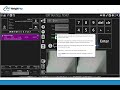
Using the Buy/Sell Ticket Type as a Pile -to-Pile/Production Regrade Ticket
In this video we show how you can use your WeighPay inventory systems default abilities to move inventory from one product to another. In our example we show how to take Dirty Brass out of Clean Brass and move it Dirty Brass (downgrading).
*Requires the use of Outgoing inventory, if you are currently using Incoming inventory you would want to have support turn this feature off.
*You would no longer need to use the Regrade Ticket feature in the back office.
Benefits:
Use connected scales and cameras for accuracy and audit trails when doing internal inventory movements.
Use Waste Products with $0 cost
Create a Waste/Fluff inventory to be landfilled on an outbound ticket to relieve inventory
Control Cost, add in production cost as needed to your Output items
Addresses the need for internal regrading processes where the same material might go through many steps before final its ready for sale.
Add in regrade notes
Using an Internal payment method to post inventory movements, does not create a bill or invoice.
Stay Tuned for our new Pile-to-Pile (P2P) Regrade Ticket Type
Видео Using the Buy/Sell Ticket Type as a Pile -to-Pile/Production Regrade Ticket канала WeighPay Group
*Requires the use of Outgoing inventory, if you are currently using Incoming inventory you would want to have support turn this feature off.
*You would no longer need to use the Regrade Ticket feature in the back office.
Benefits:
Use connected scales and cameras for accuracy and audit trails when doing internal inventory movements.
Use Waste Products with $0 cost
Create a Waste/Fluff inventory to be landfilled on an outbound ticket to relieve inventory
Control Cost, add in production cost as needed to your Output items
Addresses the need for internal regrading processes where the same material might go through many steps before final its ready for sale.
Add in regrade notes
Using an Internal payment method to post inventory movements, does not create a bill or invoice.
Stay Tuned for our new Pile-to-Pile (P2P) Regrade Ticket Type
Видео Using the Buy/Sell Ticket Type as a Pile -to-Pile/Production Regrade Ticket канала WeighPay Group
Комментарии отсутствуют
Информация о видео
24 мая 2024 г. 23:53:59
00:04:00
Другие видео канала
 Green Go Recycling's Positive Experience with WeighPay Software
 WeighPay Tire Recycling Edition Software Demo
 Seafood Software, Weigh Pay Compliance Solutions
 Streamline Your Invoicing and Payments in WeighPay - Accounting Features Demo
 Benefits of Hybrid Cloud Technology for the Recycling Industry
 Buy product groups and shipping groups mp4
 Transform Your Business with WeighPay!
 How to create a ticket Template
 WPO Dashboard Walkthrough
 WPP Dashboard Walkthrough
 Customer Review - Yvonne Cuevas from A1 Hesperia
