
- Популярные видео
- Авто
- Видео-блоги
- ДТП, аварии
- Для маленьких
- Еда, напитки
- Животные
- Закон и право
- Знаменитости
- Игры
- Искусство
- Комедии
- Красота, мода
- Кулинария, рецепты
- Люди
- Мото
- Музыка
- Мультфильмы
- Наука, технологии
- Новости
- Образование
- Политика
- Праздники
- Приколы
- Природа
- Происшествия
- Путешествия
- Развлечения
- Ржач
- Семья
- Сериалы
- Спорт
- Стиль жизни
- ТВ передачи
- Танцы
- Технологии
- Товары
- Ужасы
- Фильмы
- Шоу-бизнес
- Юмор
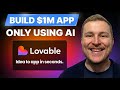
How To Build Your First App with AI (Claude + Lovable)
I built a full SaaS product in one session — YouTube API, AI title generation, and Slack alerts, all on Lovable.
This is a complete walkthrough of building a real product from scratch using Lovable. Not a landing page, not a to-do app — an actual tool with API integrations, a database, AI features, and automated alerts. The product is a YouTube competitor tracker that detects outlier videos, ranks channels on a leaderboard, generates titles using AI, and sends Slack notifications. I walk through every step: planning with plan mode, connecting external APIs, storing secrets, iterating on feedback, and adding AI directly into the app. I left in the bugs and the back-and-forth because that's how building actually works.
What's covered:
- Going from idea to working product in a single Lovable session
- Using plan mode to structure a complex build before writing code
- Setting up a real database with six tables (profiles, competitors, videos, snapshots, outliers)
- Connecting the YouTube Data API v3 — full walkthrough from Google Cloud Console to API key
- Storing API keys securely using Lovable secrets
- Building multi-tenant support — switching between creators, clients, or channels
- Adding outlier detection with configurable thresholds per profile
- Iterating on the UI mid-build — grid views, dashboard stats, filtering
- Adding AI directly into the app for title generation (Gemini Flash vs Gemini 3 Pro)
- Wiring up Slack webhook alerts for automated daily notifications
- When to restart vs iterate — tips for getting better output from Lovable
- What a mature version looks like (VC Brand Index — 107 channels, 41k videos tracked daily)
Timestamps:
0:00 - What we're building
1:08 - Full build plan (two phases)
6:56 - Prompting Lovable with plan mode
9:50 - Comparing two initial builds
10:43 - Adding YouTube API integration
12:52 - How to get a YouTube API key
14:36 - First look at the live build
15:01 - Adding a profile and competitors
16:00 - Competitor data and outlier detection
17:57 - VC Brand Index — what a mature version looks like
20:01 - Iterating on the build (grid view, dashboard fixes)
22:01 - Testing the improvements
25:07 - Phase 2: Adding AI into the app
27:07 - Generating titles with Lovable AI
29:49 - Wiring up Slack webhook alerts
32:52 - Switching AI models (Gemini 3 Pro)
37:00 - Testing the Slack integration
39:52 - Full recap and what's next
Links:
Lovable: https://lovable.dev/?via=sheldonbishop
Wispr Flow: https://ref.wisprflow.ai/sheldon-bishop
Tella: https://refer.tella.com/sheldon-bishop
My newsletter: https://zerotoone.co
Brew Atlas: https://brewatlas.co
I ship AI-built products every week and show the full process. Subscribe if that's your thing.
Видео How To Build Your First App with AI (Claude + Lovable) канала Sheldon Bishop
This is a complete walkthrough of building a real product from scratch using Lovable. Not a landing page, not a to-do app — an actual tool with API integrations, a database, AI features, and automated alerts. The product is a YouTube competitor tracker that detects outlier videos, ranks channels on a leaderboard, generates titles using AI, and sends Slack notifications. I walk through every step: planning with plan mode, connecting external APIs, storing secrets, iterating on feedback, and adding AI directly into the app. I left in the bugs and the back-and-forth because that's how building actually works.
What's covered:
- Going from idea to working product in a single Lovable session
- Using plan mode to structure a complex build before writing code
- Setting up a real database with six tables (profiles, competitors, videos, snapshots, outliers)
- Connecting the YouTube Data API v3 — full walkthrough from Google Cloud Console to API key
- Storing API keys securely using Lovable secrets
- Building multi-tenant support — switching between creators, clients, or channels
- Adding outlier detection with configurable thresholds per profile
- Iterating on the UI mid-build — grid views, dashboard stats, filtering
- Adding AI directly into the app for title generation (Gemini Flash vs Gemini 3 Pro)
- Wiring up Slack webhook alerts for automated daily notifications
- When to restart vs iterate — tips for getting better output from Lovable
- What a mature version looks like (VC Brand Index — 107 channels, 41k videos tracked daily)
Timestamps:
0:00 - What we're building
1:08 - Full build plan (two phases)
6:56 - Prompting Lovable with plan mode
9:50 - Comparing two initial builds
10:43 - Adding YouTube API integration
12:52 - How to get a YouTube API key
14:36 - First look at the live build
15:01 - Adding a profile and competitors
16:00 - Competitor data and outlier detection
17:57 - VC Brand Index — what a mature version looks like
20:01 - Iterating on the build (grid view, dashboard fixes)
22:01 - Testing the improvements
25:07 - Phase 2: Adding AI into the app
27:07 - Generating titles with Lovable AI
29:49 - Wiring up Slack webhook alerts
32:52 - Switching AI models (Gemini 3 Pro)
37:00 - Testing the Slack integration
39:52 - Full recap and what's next
Links:
Lovable: https://lovable.dev/?via=sheldonbishop
Wispr Flow: https://ref.wisprflow.ai/sheldon-bishop
Tella: https://refer.tella.com/sheldon-bishop
My newsletter: https://zerotoone.co
Brew Atlas: https://brewatlas.co
I ship AI-built products every week and show the full process. Subscribe if that's your thing.
Видео How To Build Your First App with AI (Claude + Lovable) канала Sheldon Bishop
Комментарии отсутствуют
Информация о видео
14 февраля 2026 г. 18:15:08
00:41:08
Другие видео канала
 Claude Sonnet 4.6 Is Here (and Better Than Opus?)
 Every Level of Lovable Explained in 40 Minutes
 How to use AI to Build the PERFECT Website (Lovable Tutorial)
 How to use AI to build your SaaS Startup (Lovable + Supabase)
 ChatGPT 5.3 Codex vs. Claude Opus 4.6: Which is better for Coding
 Claude Opus 4.6 Is Here: Everything You Need to Know
 Master Lovable in 43 Minutes (Beginner Tutorial)
 I Built a YouTube Thumbnail Designer Using Lovable & Claude
