- Популярные видео
- Авто
- Видео-блоги
- ДТП, аварии
- Для маленьких
- Еда, напитки
- Животные
- Закон и право
- Знаменитости
- Игры
- Искусство
- Комедии
- Красота, мода
- Кулинария, рецепты
- Люди
- Мото
- Музыка
- Мультфильмы
- Наука, технологии
- Новости
- Образование
- Политика
- Праздники
- Приколы
- Природа
- Происшествия
- Путешествия
- Развлечения
- Ржач
- Семья
- Сериалы
- Спорт
- Стиль жизни
- ТВ передачи
- Танцы
- Технологии
- Товары
- Ужасы
- Фильмы
- Шоу-бизнес
- Юмор
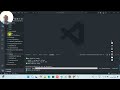
Build a Python Browser Automation Bot Using PyAutoGUI | Open Edge, Search Google & Take Screenshot
In this video, we build a practical Python automation project using PyAutoGUI.
You will learn how to:
✅ Open Microsoft Edge using Python
✅ Search Google automatically
✅ Navigate search results
✅ Open ESPN Cricinfo page
✅ Capture screenshots using Python
✅ Save screenshots automatically to local folder
This project is perfect for beginners who want to understand:
Desktop automation
Keyboard automation
Mouse automation
Browser interaction
Screenshot automation
Python scripting workflows
🧠 Technologies Used:
Python
PyAutoGUI
Pyperclip
Pillow
📌 Install Required Libraries:
pip install pyautogui pyperclip pillow
📂 Project Workflow:
Open Edge browser
Search “CSK vs MI IPL 2026 match”
Navigate Google results
Open ESPN Cricinfo
Take screenshot
Save screenshot automatically
⚠️ Important Engineering Insight:
PyAutoGUI is screen automation, not intelligent browser automation.
It controls:
keyboard
mouse
screen coordinates
It does NOT understand:
HTML
hyperlinks
webpage structure
browser DOM
For professional browser automation, developers usually use:
Selenium
Playwright
Still, PyAutoGUI is excellent for:
✅ Desktop automation
✅ Repetitive office tasks
✅ Legacy software automation
✅ Rapid automation prototypes
📁 Output Screenshot Location:
D:\Projects\Python
🔥 Future Improvements:
OCR integration
Image recognition
AI screen understanding
Dynamic waits
Logging system
Retry mechanisms
If you enjoyed this project:
👍 Like the video
🔔 Subscribe for more Python automation tutorials
💬 Comment your next automation project idea
#Python #PyAutoGUI #Automation #PythonProjects #BrowserAutomation #DesktopAutomation #PythonTutorial #AI #RPA #Selenium #Playwright #AutomationTesting
Видео Build a Python Browser Automation Bot Using PyAutoGUI | Open Edge, Search Google & Take Screenshot канала Abdul Rahman
You will learn how to:
✅ Open Microsoft Edge using Python
✅ Search Google automatically
✅ Navigate search results
✅ Open ESPN Cricinfo page
✅ Capture screenshots using Python
✅ Save screenshots automatically to local folder
This project is perfect for beginners who want to understand:
Desktop automation
Keyboard automation
Mouse automation
Browser interaction
Screenshot automation
Python scripting workflows
🧠 Technologies Used:
Python
PyAutoGUI
Pyperclip
Pillow
📌 Install Required Libraries:
pip install pyautogui pyperclip pillow
📂 Project Workflow:
Open Edge browser
Search “CSK vs MI IPL 2026 match”
Navigate Google results
Open ESPN Cricinfo
Take screenshot
Save screenshot automatically
⚠️ Important Engineering Insight:
PyAutoGUI is screen automation, not intelligent browser automation.
It controls:
keyboard
mouse
screen coordinates
It does NOT understand:
HTML
hyperlinks
webpage structure
browser DOM
For professional browser automation, developers usually use:
Selenium
Playwright
Still, PyAutoGUI is excellent for:
✅ Desktop automation
✅ Repetitive office tasks
✅ Legacy software automation
✅ Rapid automation prototypes
📁 Output Screenshot Location:
D:\Projects\Python
🔥 Future Improvements:
OCR integration
Image recognition
AI screen understanding
Dynamic waits
Logging system
Retry mechanisms
If you enjoyed this project:
👍 Like the video
🔔 Subscribe for more Python automation tutorials
💬 Comment your next automation project idea
#Python #PyAutoGUI #Automation #PythonProjects #BrowserAutomation #DesktopAutomation #PythonTutorial #AI #RPA #Selenium #Playwright #AutomationTesting
Видео Build a Python Browser Automation Bot Using PyAutoGUI | Open Edge, Search Google & Take Screenshot канала Abdul Rahman
Комментарии отсутствуют
Информация о видео
8 мая 2026 г. 18:09:15
00:08:15
Другие видео канала