
- Популярные видео
- Авто
- Видео-блоги
- ДТП, аварии
- Для маленьких
- Еда, напитки
- Животные
- Закон и право
- Знаменитости
- Игры
- Искусство
- Комедии
- Красота, мода
- Кулинария, рецепты
- Люди
- Мото
- Музыка
- Мультфильмы
- Наука, технологии
- Новости
- Образование
- Политика
- Праздники
- Приколы
- Природа
- Происшествия
- Путешествия
- Развлечения
- Ржач
- Семья
- Сериалы
- Спорт
- Стиль жизни
- ТВ передачи
- Танцы
- Технологии
- Товары
- Ужасы
- Фильмы
- Шоу-бизнес
- Юмор
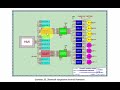
How to make scheduled control of 5 relays with OLED display on ESP32 (Wokwi) with Arduino IoT Cloud?
How to make scheduled control of 5 relays with OLED display connected to ESP32 (Wokwi simulation) using Arduino IoT Cloud?
Here are the steps:
1. Open this wokwi project: https://wokwi.com/projects/396738675898696705
2. Open Arduino IoT Cloud in: https://cloud.arduino.cc, create an account and Sign In.
3. Create a Thing, add 5 variables with CloudSchedule type, name them respectively jadwal1, jadwal2, jadwal3, jadwal4, and jadwal5, make access permission: Read & Write, and Update: On change.
4.After adding variables to the Thing, the next step is to connect the Thing to a Device. Select Device: ESP32 Dev Module, save the ID and Secret Key Device. Replace the Device ID and Secret Key code in the Wokwi program with the new ID and Secret Key Device.
5. Create a Dashboard, select the Scheduler widget, set the start time, duration and recurrence time, press the view button (eye image) to run the Dashboard
6. Run the Wokwi simulation. Note that the ON/OFF of the five relays follows the Scheduler widget settings, and the OLED display can show the condition and ON time of the relays.
For further information, please visit this blog: https://bermainwokwi.blogspot.com/p/koneksi-dengan-arduino-iot-cloud.html#tiga
Видео How to make scheduled control of 5 relays with OLED display on ESP32 (Wokwi) with Arduino IoT Cloud? канала dian artanto
Here are the steps:
1. Open this wokwi project: https://wokwi.com/projects/396738675898696705
2. Open Arduino IoT Cloud in: https://cloud.arduino.cc, create an account and Sign In.
3. Create a Thing, add 5 variables with CloudSchedule type, name them respectively jadwal1, jadwal2, jadwal3, jadwal4, and jadwal5, make access permission: Read & Write, and Update: On change.
4.After adding variables to the Thing, the next step is to connect the Thing to a Device. Select Device: ESP32 Dev Module, save the ID and Secret Key Device. Replace the Device ID and Secret Key code in the Wokwi program with the new ID and Secret Key Device.
5. Create a Dashboard, select the Scheduler widget, set the start time, duration and recurrence time, press the view button (eye image) to run the Dashboard
6. Run the Wokwi simulation. Note that the ON/OFF of the five relays follows the Scheduler widget settings, and the OLED display can show the condition and ON time of the relays.
For further information, please visit this blog: https://bermainwokwi.blogspot.com/p/koneksi-dengan-arduino-iot-cloud.html#tiga
Видео How to make scheduled control of 5 relays with OLED display on ESP32 (Wokwi) with Arduino IoT Cloud? канала dian artanto
Комментарии отсутствуют
Информация о видео
3 мая 2024 г. 8:53:21
00:01:00
Другие видео канала
 SCADA LabVIEW - Modbus Master RTU
 How to control a Servo Motor (Wokwi) with a Slider object in HMI Weintek (EasyBuilder Pro) via MQTT?
 Tugas 5.4 Counter Up dan Down
 Simulasi 2 Konveyor Penyuplai Barang dengan LabVIEW
 soal 4 proses pencampuran.mp4
 Menghubungkan Arduino Uno/Nano/Mega ke IoT (Cara 3)
 How to create an interface using LabVIEW for the temperature PID control circuit in Proteus? Part-1
 LabVIEW kirim data digital ke Arduino
 How to use Outseal Nano for Position PID Control in Proteus with LabVIEW interface? Part-1
 Proyek #01. Lampu Lalu Lintas
 Membuat penyimpanan data berkala secara otomatis
 Menampilkan HMI xArrow di HP Android
 ocr angka 1
 How to use Outseal Nano for Position PID Control in Proteus with LabVIEW interface? Part-3
 Kendali Robot manual dengan Joystick virtual
 Simulasi Datalogger Terhubung Modbus RTU dengan HMI Haiwell, Arduino dan Proteus
 Latihan 4.2 Aplikasi HMI Pemindahan Barang
 Tahap 2 Pengendalian Objek
 Latihan 4.1 Aplikasi Rumah Cerdas
 Kontrol Ruang Pemanas Kayu dengan HMI Haiwell
 Tugas 2.3 Profil Pelanggan
