
- Популярные видео
- Авто
- Видео-блоги
- ДТП, аварии
- Для маленьких
- Еда, напитки
- Животные
- Закон и право
- Знаменитости
- Игры
- Искусство
- Комедии
- Красота, мода
- Кулинария, рецепты
- Люди
- Мото
- Музыка
- Мультфильмы
- Наука, технологии
- Новости
- Образование
- Политика
- Праздники
- Приколы
- Природа
- Происшествия
- Путешествия
- Развлечения
- Ржач
- Семья
- Сериалы
- Спорт
- Стиль жизни
- ТВ передачи
- Танцы
- Технологии
- Товары
- Ужасы
- Фильмы
- Шоу-бизнес
- Юмор
How to create the viral PIXEL trend #motorcycle
How to create the effect in Photoshop
1. Open your image in Photoshop.
2. Duplicate the background layer (Ctrl/Cmd + J).
3. Make a narrow selection of the area you want to stretch (for example, part of a person, object, or background).
4. Copy the selection to a new layer (Ctrl/Cmd + J).
5. Use Edit → Transform → Scale or Filter → Blur → Motion Blur to extend and stretch the selected pixels.
6. Repeat this process on different parts of the image to build up the effect.
7. Use Layer Masks to blend the stretched pixels smoothly into the original image.
8. Adjust colors, contrast, and opacity to enhance the final look.
Additional tools often used
* Filter → Stylize → Wind
* Pixel Sorting plugins
* Liquify Tool
* Motion Blur combined with masking
Видео How to create the viral PIXEL trend #motorcycle канала Bikertwinz
1. Open your image in Photoshop.
2. Duplicate the background layer (Ctrl/Cmd + J).
3. Make a narrow selection of the area you want to stretch (for example, part of a person, object, or background).
4. Copy the selection to a new layer (Ctrl/Cmd + J).
5. Use Edit → Transform → Scale or Filter → Blur → Motion Blur to extend and stretch the selected pixels.
6. Repeat this process on different parts of the image to build up the effect.
7. Use Layer Masks to blend the stretched pixels smoothly into the original image.
8. Adjust colors, contrast, and opacity to enhance the final look.
Additional tools often used
* Filter → Stylize → Wind
* Pixel Sorting plugins
* Liquify Tool
* Motion Blur combined with masking
Видео How to create the viral PIXEL trend #motorcycle канала Bikertwinz
Комментарии отсутствуют
Информация о видео
16 июня 2026 г. 19:23:30
00:00:08
Другие видео канала
 Sun on my bike, open road ahead and ready for endless rides. 🔥☀️#bikelife #bikers
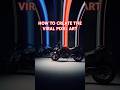 Let’s be creative 🔥🔥 follow for more #motorcycle
 Why we always carry a camera everywhere we go? Cause we love to create amazing things #motorcycle
 Is this not one of the best parts about riding a motorcycle? Skipping the traffic jam! #motorcycle
 Riding my motorcycle, keep hitting corners like it’s nothing #motorcycle #bikersboyz #motorbike
 Even the police can’t stop these moves #motorcycle #wheelie
 This on repeat while driving my motorcycle @MaphraMusic #motorcycle #motorbike
 Easy way to wrap your motorcycle #motorcycle #wrapping
 Crazy corners, knee dragging and motor skills #motorbike #motorcycle
 What’s your gear and speed when passing trough busy traffic? #motorcycle #motorbike
 Great cornering on the motorcycle! #motorcycle #motorrad #bikeride
 Ride your bike and enjoy! #bikersboyz #motorcycle #bikelife
 What do you think of the CF moto bikes? #motorcycle
 Motorcycles in the wild
 Close call and sick tricks on motorcycle! Can’t believe he’s okay…
 Looking for some inspiration for your next photoshoot? We got your back! #motorcycle #motorbike
 This is why we drive a motorcycle #motorbike #motorcycle #bikelife
 Work out, go outside, connect and ride! Improve and love ❤️ #motorcycle #mentalhealth #healthy
 Isn’t this what it’s all about? #motorcycle #motorbike #bikelife #bikersboyz #motorcyclelife
 Motorcycle priorities #motorcycle #motorbiker #bikelife #twowheeler
 Run! Don’t walk to your bikes! Enjoy every moment on two wheels! #motorcycle #motorbike
