
- Популярные видео
- Авто
- Видео-блоги
- ДТП, аварии
- Для маленьких
- Еда, напитки
- Животные
- Закон и право
- Знаменитости
- Игры
- Искусство
- Комедии
- Красота, мода
- Кулинария, рецепты
- Люди
- Мото
- Музыка
- Мультфильмы
- Наука, технологии
- Новости
- Образование
- Политика
- Праздники
- Приколы
- Природа
- Происшествия
- Путешествия
- Развлечения
- Ржач
- Семья
- Сериалы
- Спорт
- Стиль жизни
- ТВ передачи
- Танцы
- Технологии
- Товары
- Ужасы
- Фильмы
- Шоу-бизнес
- Юмор
How to Connect Claude Code to AutoCAD and Build Your First Skill (The easy way)
(Link updated) FREE 1:1 CAD Clarity Call: https://nas.com/vistrux/sessions/cad-clarity-call
45 minutes, no pitch. We look at your workflow, and I tell you exactly where the leverage is
--
Most engineers think automating AutoCAD requires knowing how to code. It doesn't. In this video I walk you through the exact setup I use to run agentic workflows inside AutoCAD - no coding background needed.
You'll go from zero to having Claude Desktop installed, connected to AutoCAD, and running your first skill, a structured pad footing design that spits out a PDF calc sheet and draws directly in AutoCAD.
I also break down the SET Framework, the folder structure that makes this repeatable across any automation you build.
What you'll need:
- Claude Desktop (paid account required - $20/month)
- AutoCAD
- The SET Framework folder (free download link below)
Not ready for paid Claude yet? Watch the below video, it's the free alternative using Google Antigravity so you can get a feel for agentic workflows before spending anything.
Setup an Agentic Workflow in AutoCAD (Free): https://youtu.be/6s0BTKpS2qA
---
Downloads Section:
Create/Login Claude Account: https://claude.ai/
Download Claude Desktop: https://claude.ai/download/
Free Download - SET Framework Folder: https://drive.google.com/drive/folders/1zi3TeWEkbtLifA4nbsHVbV5JxAZh8h-2?usp=sharing
---
Chapters
0:00 Introduction
0:29 What You'll Learn (Overview & Prerequisites)
2:34 Downloading Claude Desktop
3:40 Creating Your Claude Account
5:01 Downloading the SET Framework Folder
5:50 Opening Claude Code
7:07 Connecting Claude to AutoCAD
7:56 Claude, Claude Code & Claude Skills Explained
10:09 The SET Framework: Skills, Engine, Tools
12:58 Why Python Instead of Excel
15:17 Building Your First Skill
20:46 Claude Generates the Skill Live
25:05 Reviewing the PDF Output
25:54 Testing & Verifying the Skill
28:53 AutoCAD Drawing Output
30:18 Where to Go From Here
Видео How to Connect Claude Code to AutoCAD and Build Your First Skill (The easy way) канала Vistrux | Agentic AI for CAD
45 minutes, no pitch. We look at your workflow, and I tell you exactly where the leverage is
--
Most engineers think automating AutoCAD requires knowing how to code. It doesn't. In this video I walk you through the exact setup I use to run agentic workflows inside AutoCAD - no coding background needed.
You'll go from zero to having Claude Desktop installed, connected to AutoCAD, and running your first skill, a structured pad footing design that spits out a PDF calc sheet and draws directly in AutoCAD.
I also break down the SET Framework, the folder structure that makes this repeatable across any automation you build.
What you'll need:
- Claude Desktop (paid account required - $20/month)
- AutoCAD
- The SET Framework folder (free download link below)
Not ready for paid Claude yet? Watch the below video, it's the free alternative using Google Antigravity so you can get a feel for agentic workflows before spending anything.
Setup an Agentic Workflow in AutoCAD (Free): https://youtu.be/6s0BTKpS2qA
---
Downloads Section:
Create/Login Claude Account: https://claude.ai/
Download Claude Desktop: https://claude.ai/download/
Free Download - SET Framework Folder: https://drive.google.com/drive/folders/1zi3TeWEkbtLifA4nbsHVbV5JxAZh8h-2?usp=sharing
---
Chapters
0:00 Introduction
0:29 What You'll Learn (Overview & Prerequisites)
2:34 Downloading Claude Desktop
3:40 Creating Your Claude Account
5:01 Downloading the SET Framework Folder
5:50 Opening Claude Code
7:07 Connecting Claude to AutoCAD
7:56 Claude, Claude Code & Claude Skills Explained
10:09 The SET Framework: Skills, Engine, Tools
12:58 Why Python Instead of Excel
15:17 Building Your First Skill
20:46 Claude Generates the Skill Live
25:05 Reviewing the PDF Output
25:54 Testing & Verifying the Skill
28:53 AutoCAD Drawing Output
30:18 Where to Go From Here
Видео How to Connect Claude Code to AutoCAD and Build Your First Skill (The easy way) канала Vistrux | Agentic AI for CAD
Комментарии отсутствуют
Информация о видео
29 марта 2026 г. 12:30:00
00:30:55
Другие видео канала
 How to Turn PDF Drawing Sets into Transmittals Automatically (Google Antigravity, FREE Setup)
 Will AI Replace AutoCAD Drafters? What Engineering Firms Need to Hear First
 How I Cut AutoCAD Architect DWG Setup From 2 Hours to 15 Minutes (For Engineering Firms, With AI)
 I Tested 2 AI Approaches in AutoCAD on Real Workflows. One Worked. One Didn't.
![Task-Based Automation vs Agentic Workflows in AutoCAD [Difference Explained for Engineers]](https://i.ytimg.com/vi/qHxY2czDQwM/default.jpg) Task-Based Automation vs Agentic Workflows in AutoCAD [Difference Explained for Engineers]
Task-Based Automation vs Agentic Workflows in AutoCAD [Difference Explained for Engineers]
 3 Engineers. 3 Wrong AutoCAD Diagnoses. Here’s What I Found
 3 Reasons Engineering Firms Can't Automate Their Drawings (And How to Fix Each One)
 You're Automating the Wrong Things in AutoCAD (How I fixed it)
 The First REAL Agentic AutoCAD Automation Setup - No Coding (Google Antigravity)
 How I Set Up an Agentic Workflow for AutoCAD Drafting (No Coding Required)
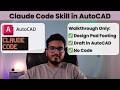 Claude Code Skill for Pad Footing Design & Draft in AutoCAD (Walkthrough)
