
- Популярные видео
- Авто
- Видео-блоги
- ДТП, аварии
- Для маленьких
- Еда, напитки
- Животные
- Закон и право
- Знаменитости
- Игры
- Искусство
- Комедии
- Красота, мода
- Кулинария, рецепты
- Люди
- Мото
- Музыка
- Мультфильмы
- Наука, технологии
- Новости
- Образование
- Политика
- Праздники
- Приколы
- Природа
- Происшествия
- Путешествия
- Развлечения
- Ржач
- Семья
- Сериалы
- Спорт
- Стиль жизни
- ТВ передачи
- Танцы
- Технологии
- Товары
- Ужасы
- Фильмы
- Шоу-бизнес
- Юмор
How to Upgrade Business Central On-Prem 25 to 27 (Step-by-Step Data Upgrade Guide)
This video shows how to perform a Business Central On-Prem data upgrade from v25 to v27, including all upgrade steps, breaking changes, and Subscription & Recurring Billing fixes.
⭐ WHAT YOU’LL LEARN
How Business Central 25 ➜ 27 data upgrade works
Required upgrade steps based on Microsoft documentation
How to fix breaking changes in Subscription & Recurring Billing
How to run data upgrade commands and sync schema
How to avoid common errors during BC v27 upgrades
PowerShell commands & scripts to automate the upgrade (https://github.com/postsaurav/DataUpgrade)
❓ KEY QUESTIONS ANSWERED
How do I upgrade Business Central On-Prem 2024 Wave 2 (v25) to 2025 Wave 2 (v27)?
What are the mandatory data upgrade steps?
What breaks during Subscription & Recurring Billing upgrades?
How do renamed tables/fields cause sync issues in v27?
What is the correct order of schema sync, extension upgrade, and data upgrade?
How do I resolve extension validation and dependency errors?
What changes are required in custom extensions?
Upgrading Business Central On-Prem from Version 25 to Version 27 is a multi-step process that requires careful planning, schema synchronization, and handling of breaking changes introduced in 2025 Release Wave 2.
In this tutorial, we walk through every step of the BC data upgrade, following Microsoft’s official upgrade guidance. You’ll learn how to prepare the environment, upgrade system/application symbols, publish extensions, run data upgrade tasks, and validate that all tables are correctly synchronized.
A major focus of this release is the breaking changes in Subscription & Recurring Billing caused by renamed tables and fields. These changes often lead to sync errors during the upgrade. This video shows how to identify the renamed objects and fix these issues before running the upgrade.
You’ll also see recommended PowerShell commands and automation scripts, which will be available in GitHub for download.
By the end of the video, you'll understand the full BC 25 ➜ 27 upgrade flow and how to avoid the most common issues developers and administrators face.
⏩ Related Links
📌 Upgrade Steps: https://learn.microsoft.com/en-us/dynamics365/business-central/dev-itpro/upgrade/upgrade-unmodified-application-to-v27
📌 Compatibility matrix: https://learn.microsoft.com/en-us/dynamics365/business-central/dev-itpro/upgrade/upgrade-v14-v15-compatibility
📌 Known Issues: https://learn.microsoft.com/en-us/dynamics365/business-central/dev-itpro/upgrade/known-issues#renamed-tables-and-fields-in-subscription-billing-extension-cause-synch-errors-on-upgrade
📌 Git Repo: https://github.com/postsaurav/DataUpgrade
⏩ RELATED PLAYLISTS
📌 Upgrades to Business Central: https://www.youtube.com/playlist?list=PL2-PuYsxlF1dbjgfnT1df4OLsSMLTwrd9
📌 Business Central Installation: https://www.youtube.com/playlist?list=PL2-PuYsxlF1eMqvZcLBuZ-XoE9iJ18lia
👍 CALL TO ACTION
If you want more Business Central tutorials, API guides, upgrades, and tips, subscribe to the channel and turn on notifications!
Видео How to Upgrade Business Central On-Prem 25 to 27 (Step-by-Step Data Upgrade Guide) канала saurav dhyani
⭐ WHAT YOU’LL LEARN
How Business Central 25 ➜ 27 data upgrade works
Required upgrade steps based on Microsoft documentation
How to fix breaking changes in Subscription & Recurring Billing
How to run data upgrade commands and sync schema
How to avoid common errors during BC v27 upgrades
PowerShell commands & scripts to automate the upgrade (https://github.com/postsaurav/DataUpgrade)
❓ KEY QUESTIONS ANSWERED
How do I upgrade Business Central On-Prem 2024 Wave 2 (v25) to 2025 Wave 2 (v27)?
What are the mandatory data upgrade steps?
What breaks during Subscription & Recurring Billing upgrades?
How do renamed tables/fields cause sync issues in v27?
What is the correct order of schema sync, extension upgrade, and data upgrade?
How do I resolve extension validation and dependency errors?
What changes are required in custom extensions?
Upgrading Business Central On-Prem from Version 25 to Version 27 is a multi-step process that requires careful planning, schema synchronization, and handling of breaking changes introduced in 2025 Release Wave 2.
In this tutorial, we walk through every step of the BC data upgrade, following Microsoft’s official upgrade guidance. You’ll learn how to prepare the environment, upgrade system/application symbols, publish extensions, run data upgrade tasks, and validate that all tables are correctly synchronized.
A major focus of this release is the breaking changes in Subscription & Recurring Billing caused by renamed tables and fields. These changes often lead to sync errors during the upgrade. This video shows how to identify the renamed objects and fix these issues before running the upgrade.
You’ll also see recommended PowerShell commands and automation scripts, which will be available in GitHub for download.
By the end of the video, you'll understand the full BC 25 ➜ 27 upgrade flow and how to avoid the most common issues developers and administrators face.
⏩ Related Links
📌 Upgrade Steps: https://learn.microsoft.com/en-us/dynamics365/business-central/dev-itpro/upgrade/upgrade-unmodified-application-to-v27
📌 Compatibility matrix: https://learn.microsoft.com/en-us/dynamics365/business-central/dev-itpro/upgrade/upgrade-v14-v15-compatibility
📌 Known Issues: https://learn.microsoft.com/en-us/dynamics365/business-central/dev-itpro/upgrade/known-issues#renamed-tables-and-fields-in-subscription-billing-extension-cause-synch-errors-on-upgrade
📌 Git Repo: https://github.com/postsaurav/DataUpgrade
⏩ RELATED PLAYLISTS
📌 Upgrades to Business Central: https://www.youtube.com/playlist?list=PL2-PuYsxlF1dbjgfnT1df4OLsSMLTwrd9
📌 Business Central Installation: https://www.youtube.com/playlist?list=PL2-PuYsxlF1eMqvZcLBuZ-XoE9iJ18lia
👍 CALL TO ACTION
If you want more Business Central tutorials, API guides, upgrades, and tips, subscribe to the channel and turn on notifications!
Видео How to Upgrade Business Central On-Prem 25 to 27 (Step-by-Step Data Upgrade Guide) канала saurav dhyani
#msdnyn365bc #MVPVuzz bc25 to bc27 business central 2025 wave 2 data upgrade business central subscription billing upgrade recurring billing errors bc upgrade steps schema sync business central powershell business central business central v27 dynamics 365 business central upgrade business central on prem upgrade fix sync errors bc27 renamed tables bc27 upgrade breaking changes business central developers business central administrators bc data upgrade guide
Комментарии отсутствуют
Информация о видео
1 декабря 2025 г. 15:30:06
00:45:53
Другие видео канала
 Leveraging the InstructionalText Property in Business Central 2024 Release Wave 1
 #bcopendiscussion - 2020-12-05 - Import Attachment via API.
 Extension Marketplace to be Replaced by Microsoft AppSource in #msdyn365bc
 Major and Minor Update Scheduling in #msdyn365bc
 Whats New in Microsoft Dynamics NAV 2017 - Part 2
 Add non inventory items on requisition and planning worksheets.
 1’st #bcopendiscussion - Exploring New Features in Business Central 24.
 07. #bcopenquiz- Season 1, Episode 07
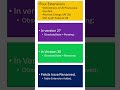 GB Localization Changes in BC 27 Explained #shorts
 Using AL Explorer with Wildcards in #MSDyn365BC: A Complete Guide
 Introducing #BCOpenQuiz: Test Your Knowledge of Microsoft Dynamics 365 Business Central!
 Edhate Consulting: A New Chapter in Dynamics 365 Excellence
 Business Central 2023 Release Wave 2 Online is Now Generally Available!
 Data Upgrade NAV 2016 ➡️ BC 26 IN | India Localization | Ultimate Guide (Part 3)
 Fixing Universal Code Errors in #msdyn365bc on-prem
 What's new and planned for #msdyn365bc 2023 Release Wave 2.
 Two Digit Year Evaluates to 1950-2049 Range.
 Business Central 2025 Wave 2: System Requirements & Installation Guide
 New pages for report layout administration.
 Introducing the "Business Foundation" Extension for Business Central!
 Simplify Navigation: Share Readable Deep Links in #msdyn365bc to Pages and Records.
