
- Популярные видео
- Авто
- Видео-блоги
- ДТП, аварии
- Для маленьких
- Еда, напитки
- Животные
- Закон и право
- Знаменитости
- Игры
- Искусство
- Комедии
- Красота, мода
- Кулинария, рецепты
- Люди
- Мото
- Музыка
- Мультфильмы
- Наука, технологии
- Новости
- Образование
- Политика
- Праздники
- Приколы
- Природа
- Происшествия
- Путешествия
- Развлечения
- Ржач
- Семья
- Сериалы
- Спорт
- Стиль жизни
- ТВ передачи
- Танцы
- Технологии
- Товары
- Ужасы
- Фильмы
- Шоу-бизнес
- Юмор
Green Screen Remove Kaise Karen CapCut Mein (Hindi) | Chroma Key Tutorial 2026 #NovelaFilmAcademy
CapCut mein green screen hatana ab aur bhi aasaan hai! 🎬
In this comprehensive step-by-step Hindi tutorial, we show you how to professionally remove a green screen in CapCut using the powerful Chroma Key feature. Learn professional video editing and compositing techniques to create clean, seamless, and professional-looking footage. Perfect for video editors, content creators, and reels makers who want to master background removal on mobile!
💎 ENHANCE YOUR CAPCUT TOOLKIT
* Free Plugins: https://aejuice.com/free-plugins/?ref...
* I Want It All Bundle: https://aejuice.com/all-access/?ref=n...
📚 MASTER Premiere EDITING
* Premiere Pro Playlist: https://rb.gy/3pfaz
What you will learn in this Short:
🎬 CAPCUT CHROMA KEY — GREEN SCREEN REMOVAL
* Import Background Video: Add your background video onto the main track in CapCut.
* Add Overlay: Deselect all footage, select the Overlay option, and click on Add Overlay.
* Import Green Screen Video: Add your green screen footage as an overlay and expand it to fit the full screen.
* Open Cutout Section: Select the overlay layer and navigate to the Cutout section.
* Select Chroma Key: Tap on Chroma Key to activate the green screen removal tool.
* Move the Selector: Drag the Chroma Key Selector over the green area you want to remove.
* Adjust Intensity: Use the intensity slider — around 20 is recommended — until the green screen is fully and cleanly removed.
* Add Shadow (Optional): Add a shadow effect to your subject for a more refined and professional look.
* Export Your Video: Once satisfied with the result, export your final video.
How to access these:
Import background video → Deselect all → Overlay → Add Overlay → Import green screen video → Expand to fit screen → Select overlay layer → Cutout → Chroma Key → Move selector over green area → Adjust intensity to ~20 → Add shadow (optional) → Export!
💡 PRO TIP:
The key to a clean green screen removal in CapCut is keeping the intensity slider around 20 — too low and green remains, too high and your subject starts disappearing. Always check the edges of your subject carefully for a seamless, professional result!
🎥 WATCH MORE TUTORIALS
* Master Speed Ramping in Premiere Pro: https://youtu.be/V6IQG8xLHsc
* How to Remove Green Screen in Premiere Pro: https://youtu.be/PEE00RvPW6M
* Master Mask Reveal Transitions: https://youtu.be/PremiereMaskReveal
* Building Move Animation in After Effects: https://youtu.be/BuildingMove
* Remove Objects from Video: https://youtu.be/ObjectRemoval
* Create Stunning Parallax Effects: https://youtu.be/ParallaxEffect
* Stabilized Motion in After Effects: https://youtu.be/StabilizedMotion
* Create 3D Text Effects in After Effects: https://youtu.be/AE3DText
* Elements Envato: https://elements.envato.com
🚀 ABOUT NOVELA FILM ACADEMY
Our tutorials are designed to empower you with the essential skills needed for a successful career in video editing, motion graphics, and visual effects. We provide professional industry insights from our 15+ years of experience in film production and digital content creation. Master the professional techniques used by industry experts worldwide. Subscribe Now to Novela Film Academy and unleash your creative potential!
* Website: www.novelafilms.com
* Email: yash@novelafilms.com
* Mobile: +91-9960358744
📱 CONNECT WITH US
* Instagram: https://www.instagram.com/novelafilmacademy/
* LinkedIn: https://www.linkedin.com/company/novelafilmacademy/
* Facebook: https://www.facebook.com/novelafilmacademy/
#Shorts #CapCut #GreenScreen #ChromaKey #BackgroundRemoval #NovelaFilmAcademy #HindiTutorial #LearnEditing #CapCutTutorial #VideoEditing #MobileEditing #CapCutTips #Compositing #ReelsEditing #GreenScreenRemoval
Видео Green Screen Remove Kaise Karen CapCut Mein (Hindi) | Chroma Key Tutorial 2026 #NovelaFilmAcademy канала Novela Film Academy - Hindi Tutorials
In this comprehensive step-by-step Hindi tutorial, we show you how to professionally remove a green screen in CapCut using the powerful Chroma Key feature. Learn professional video editing and compositing techniques to create clean, seamless, and professional-looking footage. Perfect for video editors, content creators, and reels makers who want to master background removal on mobile!
💎 ENHANCE YOUR CAPCUT TOOLKIT
* Free Plugins: https://aejuice.com/free-plugins/?ref...
* I Want It All Bundle: https://aejuice.com/all-access/?ref=n...
📚 MASTER Premiere EDITING
* Premiere Pro Playlist: https://rb.gy/3pfaz
What you will learn in this Short:
🎬 CAPCUT CHROMA KEY — GREEN SCREEN REMOVAL
* Import Background Video: Add your background video onto the main track in CapCut.
* Add Overlay: Deselect all footage, select the Overlay option, and click on Add Overlay.
* Import Green Screen Video: Add your green screen footage as an overlay and expand it to fit the full screen.
* Open Cutout Section: Select the overlay layer and navigate to the Cutout section.
* Select Chroma Key: Tap on Chroma Key to activate the green screen removal tool.
* Move the Selector: Drag the Chroma Key Selector over the green area you want to remove.
* Adjust Intensity: Use the intensity slider — around 20 is recommended — until the green screen is fully and cleanly removed.
* Add Shadow (Optional): Add a shadow effect to your subject for a more refined and professional look.
* Export Your Video: Once satisfied with the result, export your final video.
How to access these:
Import background video → Deselect all → Overlay → Add Overlay → Import green screen video → Expand to fit screen → Select overlay layer → Cutout → Chroma Key → Move selector over green area → Adjust intensity to ~20 → Add shadow (optional) → Export!
💡 PRO TIP:
The key to a clean green screen removal in CapCut is keeping the intensity slider around 20 — too low and green remains, too high and your subject starts disappearing. Always check the edges of your subject carefully for a seamless, professional result!
🎥 WATCH MORE TUTORIALS
* Master Speed Ramping in Premiere Pro: https://youtu.be/V6IQG8xLHsc
* How to Remove Green Screen in Premiere Pro: https://youtu.be/PEE00RvPW6M
* Master Mask Reveal Transitions: https://youtu.be/PremiereMaskReveal
* Building Move Animation in After Effects: https://youtu.be/BuildingMove
* Remove Objects from Video: https://youtu.be/ObjectRemoval
* Create Stunning Parallax Effects: https://youtu.be/ParallaxEffect
* Stabilized Motion in After Effects: https://youtu.be/StabilizedMotion
* Create 3D Text Effects in After Effects: https://youtu.be/AE3DText
* Elements Envato: https://elements.envato.com
🚀 ABOUT NOVELA FILM ACADEMY
Our tutorials are designed to empower you with the essential skills needed for a successful career in video editing, motion graphics, and visual effects. We provide professional industry insights from our 15+ years of experience in film production and digital content creation. Master the professional techniques used by industry experts worldwide. Subscribe Now to Novela Film Academy and unleash your creative potential!
* Website: www.novelafilms.com
* Email: yash@novelafilms.com
* Mobile: +91-9960358744
📱 CONNECT WITH US
* Instagram: https://www.instagram.com/novelafilmacademy/
* LinkedIn: https://www.linkedin.com/company/novelafilmacademy/
* Facebook: https://www.facebook.com/novelafilmacademy/
#Shorts #CapCut #GreenScreen #ChromaKey #BackgroundRemoval #NovelaFilmAcademy #HindiTutorial #LearnEditing #CapCutTutorial #VideoEditing #MobileEditing #CapCutTips #Compositing #ReelsEditing #GreenScreenRemoval
Видео Green Screen Remove Kaise Karen CapCut Mein (Hindi) | Chroma Key Tutorial 2026 #NovelaFilmAcademy канала Novela Film Academy - Hindi Tutorials
Комментарии отсутствуют
Информация о видео
22 мая 2026 г. 19:30:17
00:00:59
Другие видео канала
 Adobe Premiere Pro Mein Paper Tear Transition Kaise Banaye | Easy Hindi Tutorial
 Netflix Logo Animation | After Effects Tutorial | Hindi Tutorial | #tutorial #aftereffects
 Premiere Pro Mein Speed Ramping & Time Remapping Se Slow Motion Video Kaise Banaye | Hindi Tutorial
 How to Remove Green Screen in Premiere Pro | Premiere Pro Hindi Tutorial (For Beginners)
 Cinematic Sand Text Animation in After Effects | Hindi Tutorial (No Plugins)
 Create Professional Smooth Text Animations in Premiere Pro! #PremierePro #NovelaFilmAcademy
 Premiere Pro Se Video Ka Background Remove Kaise Kare | Hindi Tutorial
 Parallax Effect in After Effects (Hindi) | 3D Camera Animation Tutorial 2026
 How to Remove Green Screen in Premiere Pro | Step-by-Step Tutorial (Hindi Explained)
 How to Create Realistic Water Drop Effect in After Effects | Hindi Tutorial
 VHS Effect Premiere Pro | Premiere Pro Tutorial (Beginner) | Hindi Tutorial
 Premiere Pro 2025 Mein Smooth Motion Tracking Ka Complete Editor’s Guide | Hindi Tutorial
 Premiere Pro Mein Mask Reveal Transition Kaise Banaye | Easy Hindi Tutorial
 After Effects में 5 Best Text Animations सीखें | Professional Title Animation Tutorial (Hindi)
 2D Walk Cycle Animation in After Effects Tutorial | Hindi Tutorial
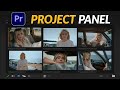 How to Use Project Panel in Premiere Pro | Beginner Hindi Tutorial
 Remove Video Background in CapCut (Hindi) | Background Removal Tutorial 2026 #NovelaFilmAcademy
 Motion Tracking in After Effects (Hindi) | Attach Graphics to Objects 2026
 Stabilize Shaky Footage in After Effects (Hindi) | Stabilize Motion Tutorial 2026
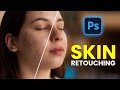 Photoshop Skin Retouching Tutorial Hindi | Easy & Natural Method
 After Effects AI: Background Remove कैसे करें? | Roto Brush 3.0 Tutorial in Hindi (2026)
