
- Популярные видео
- Авто
- Видео-блоги
- ДТП, аварии
- Для маленьких
- Еда, напитки
- Животные
- Закон и право
- Знаменитости
- Игры
- Искусство
- Комедии
- Красота, мода
- Кулинария, рецепты
- Люди
- Мото
- Музыка
- Мультфильмы
- Наука, технологии
- Новости
- Образование
- Политика
- Праздники
- Приколы
- Природа
- Происшествия
- Путешествия
- Развлечения
- Ржач
- Семья
- Сериалы
- Спорт
- Стиль жизни
- ТВ передачи
- Танцы
- Технологии
- Товары
- Ужасы
- Фильмы
- Шоу-бизнес
- Юмор
iOS 27 Not Showing? Fix It and Update to iOS 27 Beta Now!
Fix iOS 27 Beta Not Showing with Reiboot👉 https://bit.ly/43MZ4Fv
Should you upgrade your iPhone to iOS 27? Check here: https://www.tenorshare.com/ios-upgrade-downgrade-companion.html
Want to install iOS 27 Beta, but it's not showing up on your iPhone? In this video, we'll explain why the iOS 27 Beta update may be missing from Software Update and show you how to fix it. Whether your Apple ID isn't enrolled in the Apple Developer Program, your device isn't properly configured, or you're looking for an easier way to upgrade, we've got you covered.
Get developer beta access: https://developer.apple.com/
⏱ *TIMESTAMP*
00:00 Introduction
00:33 Why iOS 27 Is Not Showing Yet
00:48 Back Up Your iPhone Before Updating
01:13 Enable iOS 27 Developer Beta Access
02:02 Update to iOS 27 Beta with ReiBoot
💡 *How to Fix iOS 27 Not Showing & Update to iOS 27 Beta*
*Method 1: Enable iOS 27 Developer Beta Access*
Download the Apple Developer app from the App Store. Sign in using your Apple ID. Complete Apple Developer Program enrollment. Open Settings - General - Software Update. Tap Beta Updates. Select iOS 27 Developer Beta. Return to Software Update and refresh the page. Download and install iOS 27 Beta when it becomes available.
*Method 2: Check Why iOS 27 Beta Isn't Showing*
Confirm Apple has officially released iOS 27 Beta. Verify your iPhone supports iOS 27. Make sure you're signed in with the enrolled Apple ID. Check that Beta Updates are enabled. Connect to a stable Wi-Fi network. Restart your iPhone and check again.
*Method 3: Upgrade to iOS 27 Beta Using ReiBoot*
Install and launch Tenorshare ReiBoot on your computer. Connect your iPhone using a USB cable. Select iOS Upgrade/Downgrade. Choose Upgrade.
Download the latest iOS 27 Beta firmware. Click Start Upgrade. Wait for the installation to complete. Your iPhone will automatically restart into iOS 27 Beta.
👇You might also want to know
iOS 27 Upgrade Decision Guide: https://www.tenorshare.com/ios-upgrade-downgrade-companion.html
#tenorshare #reiboot #icarefone #wwdc26 #ios27 #ipados27 #iPhone #WWDC26 #DeveloperBeta
🔔 Subscribe Here (it's FREE!): https://bit.ly/30eZwvG
----------Social Media-------------
Free AI Photo Editor: https://pixpretty.tenorshare.ai/
Free iPhone Wallpaper: https://www.pinterest.com/pixpretty/
More iPhone Tech Tips: https://www.tiktok.com/@tenorshare_tech_tips
Tenorshare Official Facebook: https://www.facebook.com/TenorshareOfficial/ Tenorshare Official Twitter: https://twitter.com/Tenorshare_Inc
Tenorshare Official Website: https://www.tenorshare.com/
Tenorshare iAnyGo Discord: https://discord.com/invite/qDFjcjsDXe
Tenorshare AI Youtube: https://www.youtube.com/@TenorshareAI
Tenorshare AI Bypass: https://ai.tenorshare.com/
Tenorshare AI Diagrimo: https://www.tenorshare.ai/diagrimo.html
Видео iOS 27 Not Showing? Fix It and Update to iOS 27 Beta Now! канала TenorshareOfficial
Should you upgrade your iPhone to iOS 27? Check here: https://www.tenorshare.com/ios-upgrade-downgrade-companion.html
Want to install iOS 27 Beta, but it's not showing up on your iPhone? In this video, we'll explain why the iOS 27 Beta update may be missing from Software Update and show you how to fix it. Whether your Apple ID isn't enrolled in the Apple Developer Program, your device isn't properly configured, or you're looking for an easier way to upgrade, we've got you covered.
Get developer beta access: https://developer.apple.com/
⏱ *TIMESTAMP*
00:00 Introduction
00:33 Why iOS 27 Is Not Showing Yet
00:48 Back Up Your iPhone Before Updating
01:13 Enable iOS 27 Developer Beta Access
02:02 Update to iOS 27 Beta with ReiBoot
💡 *How to Fix iOS 27 Not Showing & Update to iOS 27 Beta*
*Method 1: Enable iOS 27 Developer Beta Access*
Download the Apple Developer app from the App Store. Sign in using your Apple ID. Complete Apple Developer Program enrollment. Open Settings - General - Software Update. Tap Beta Updates. Select iOS 27 Developer Beta. Return to Software Update and refresh the page. Download and install iOS 27 Beta when it becomes available.
*Method 2: Check Why iOS 27 Beta Isn't Showing*
Confirm Apple has officially released iOS 27 Beta. Verify your iPhone supports iOS 27. Make sure you're signed in with the enrolled Apple ID. Check that Beta Updates are enabled. Connect to a stable Wi-Fi network. Restart your iPhone and check again.
*Method 3: Upgrade to iOS 27 Beta Using ReiBoot*
Install and launch Tenorshare ReiBoot on your computer. Connect your iPhone using a USB cable. Select iOS Upgrade/Downgrade. Choose Upgrade.
Download the latest iOS 27 Beta firmware. Click Start Upgrade. Wait for the installation to complete. Your iPhone will automatically restart into iOS 27 Beta.
👇You might also want to know
iOS 27 Upgrade Decision Guide: https://www.tenorshare.com/ios-upgrade-downgrade-companion.html
#tenorshare #reiboot #icarefone #wwdc26 #ios27 #ipados27 #iPhone #WWDC26 #DeveloperBeta
🔔 Subscribe Here (it's FREE!): https://bit.ly/30eZwvG
----------Social Media-------------
Free AI Photo Editor: https://pixpretty.tenorshare.ai/
Free iPhone Wallpaper: https://www.pinterest.com/pixpretty/
More iPhone Tech Tips: https://www.tiktok.com/@tenorshare_tech_tips
Tenorshare Official Facebook: https://www.facebook.com/TenorshareOfficial/ Tenorshare Official Twitter: https://twitter.com/Tenorshare_Inc
Tenorshare Official Website: https://www.tenorshare.com/
Tenorshare iAnyGo Discord: https://discord.com/invite/qDFjcjsDXe
Tenorshare AI Youtube: https://www.youtube.com/@TenorshareAI
Tenorshare AI Bypass: https://ai.tenorshare.com/
Tenorshare AI Diagrimo: https://www.tenorshare.ai/diagrimo.html
Видео iOS 27 Not Showing? Fix It and Update to iOS 27 Beta Now! канала TenorshareOfficial
tenorshare ios 27 not showing ios 27 beta not showing ios 27 update not showing ios 27 developer beta not showing how to get ios 27 beta install ios 27 beta ios 27 beta update missing how to update to ios 27 ios 27 developer beta download apple developer beta ios 27 ios 27 beta update wwdc 2026 ios 27 download ios 27 beta fix ios 27 not showing ios 27 update missing on iphone iphone ios 27 beta guide tenorshare reiboot ios 27
Комментарии отсутствуют
Информация о видео
4 ч. 17 мин. назад
00:03:31
Другие видео канала
 How to Download & Install iPadOS 27 Beta on iPad | Step by Step Guide 2026 (Update to iOS 27)
 iOS 27 Beta Download Guide for iPhone (Developer Beta Access Explained) #shorts
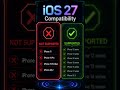 iOS 27 Supported Devices List Released! Is Your iPhone Still Compatible? (WWDC 2026)
 How to Download & Install iOS 27 Beta Early? | WWDC26 Guide
 How to Download & Install iPadOS 27 Beta on iPad #shorts
 iOS 27 Not Showing? Fix It and Get the Update Now! #shorts
 How to Fix Unable to Check For Update on iPhone iOS 27 Beta | 2026 Upgrade Error Fix
 WWDC26 | Tim Cook last "Good Morning" at an Apple Event?!🌎👋! #ios27 #siri
