
- Популярные видео
- Авто
- Видео-блоги
- ДТП, аварии
- Для маленьких
- Еда, напитки
- Животные
- Закон и право
- Знаменитости
- Игры
- Искусство
- Комедии
- Красота, мода
- Кулинария, рецепты
- Люди
- Мото
- Музыка
- Мультфильмы
- Наука, технологии
- Новости
- Образование
- Политика
- Праздники
- Приколы
- Природа
- Происшествия
- Путешествия
- Развлечения
- Ржач
- Семья
- Сериалы
- Спорт
- Стиль жизни
- ТВ передачи
- Танцы
- Технологии
- Товары
- Ужасы
- Фильмы
- Шоу-бизнес
- Юмор
Windows 11 WinGet Repair Tutorial | Fix Apps Using PowerShell (L2/L3 Support)
🚀 Windows 11 WinGet Repair Tutorial | Fix Applications Using PowerShell | L2/L3 IT Support
Welcome to M365 Admin & Support Hub!
In this practical Windows 11 troubleshooting tutorial, you will learn how to use the WinGet Repair command to troubleshoot and repair supported Windows applications using Windows Terminal and PowerShell.
This video is designed for IT Support Engineers, Desktop Support Engineers, System Administrators, Microsoft 365 Administrators, and anyone preparing for L2/L3 IT Support interviews.
🎯 What You Will Learn in This Video:
✅ What is WinGet Repair in Windows 11?
✅ How WinGet Repair works and its limitations
✅ How to open Windows Terminal as Administrator
✅ How to verify the WinGet version
✅ How to create an application inventory using WinGet
✅ How to search and identify the correct application package
✅ How to use the WinGet Repair command
✅ How to handle UAC prompts and administrator permissions
✅ How to troubleshoot unsupported repair operations
✅ How to fix package not found and access denied errors
✅ How to validate the application after repair
✅ How to back up application data and settings
✅ Real-world L2/L3 troubleshooting scenarios
✅ How to document troubleshooting steps and Root Cause Analysis (RCA)
💻 WinGet Commands Covered in This Tutorial:
🔹 Check WinGet Version:
winget --version
🔹 List Installed Applications:
winget list
🔹 Search for an Application:
winget search "App Name"
🔹 Repair an Application Using Package ID:
winget repair --id "Package.ID"
🔹 Repair an Application Using Name:
winget repair --name "Application Name"
📌 Real-World IT Support Scenario
Imagine a user reports that an application crashes immediately after opening. As an IT Support Engineer, you need to identify the installed application, verify whether WinGet supports repair, perform the repair using the appropriate permissions, and validate that the original issue is resolved.
This tutorial demonstrates a structured troubleshooting workflow:
Identify → Backup → Permission → Repair → Validate → Document RCA
⚠️ Important: WinGet Repair is package-dependent. Not every application supports this operation. If repair is unavailable, use the application's built-in repair option or Windows Settings when available.
🎯 Who Should Watch This Video?
• Desktop Support Engineers
• IT Support Engineers (L1/L2/L3)
• Windows System Administrators
• Microsoft 365 Administrators
• Technical Support Engineers
• IT Freshers and Job Seekers
• Anyone learning Windows 11 troubleshooting
🚀 About M365 Admin & Support Hub
Learn practical skills in Microsoft 365, Exchange Online, Microsoft Entra ID, Microsoft Intune, Azure, Windows troubleshooting, PowerShell, IT Support, Security, Migration, and Real-World Technical Troubleshooting.
👍 Like this video if you find it helpful.
💬 Comment below if you have questions or troubleshooting scenarios.
🔔 Subscribe to M365 Admin & Support Hub and turn on notifications for more practical IT tutorials.
🔄 Share this video with your IT Support colleagues and friends.
Learn. Practice. Troubleshoot. Grow!
#Windows11 #WinGet #PowerShell #WindowsTroubleshooting #ITSupport #DesktopSupport #L2Support #L3Support #Microsoft365 #SystemAdministrator
Видео Windows 11 WinGet Repair Tutorial | Fix Apps Using PowerShell (L2/L3 Support) канала M365 Admin & Support Hub
Welcome to M365 Admin & Support Hub!
In this practical Windows 11 troubleshooting tutorial, you will learn how to use the WinGet Repair command to troubleshoot and repair supported Windows applications using Windows Terminal and PowerShell.
This video is designed for IT Support Engineers, Desktop Support Engineers, System Administrators, Microsoft 365 Administrators, and anyone preparing for L2/L3 IT Support interviews.
🎯 What You Will Learn in This Video:
✅ What is WinGet Repair in Windows 11?
✅ How WinGet Repair works and its limitations
✅ How to open Windows Terminal as Administrator
✅ How to verify the WinGet version
✅ How to create an application inventory using WinGet
✅ How to search and identify the correct application package
✅ How to use the WinGet Repair command
✅ How to handle UAC prompts and administrator permissions
✅ How to troubleshoot unsupported repair operations
✅ How to fix package not found and access denied errors
✅ How to validate the application after repair
✅ How to back up application data and settings
✅ Real-world L2/L3 troubleshooting scenarios
✅ How to document troubleshooting steps and Root Cause Analysis (RCA)
💻 WinGet Commands Covered in This Tutorial:
🔹 Check WinGet Version:
winget --version
🔹 List Installed Applications:
winget list
🔹 Search for an Application:
winget search "App Name"
🔹 Repair an Application Using Package ID:
winget repair --id "Package.ID"
🔹 Repair an Application Using Name:
winget repair --name "Application Name"
📌 Real-World IT Support Scenario
Imagine a user reports that an application crashes immediately after opening. As an IT Support Engineer, you need to identify the installed application, verify whether WinGet supports repair, perform the repair using the appropriate permissions, and validate that the original issue is resolved.
This tutorial demonstrates a structured troubleshooting workflow:
Identify → Backup → Permission → Repair → Validate → Document RCA
⚠️ Important: WinGet Repair is package-dependent. Not every application supports this operation. If repair is unavailable, use the application's built-in repair option or Windows Settings when available.
🎯 Who Should Watch This Video?
• Desktop Support Engineers
• IT Support Engineers (L1/L2/L3)
• Windows System Administrators
• Microsoft 365 Administrators
• Technical Support Engineers
• IT Freshers and Job Seekers
• Anyone learning Windows 11 troubleshooting
🚀 About M365 Admin & Support Hub
Learn practical skills in Microsoft 365, Exchange Online, Microsoft Entra ID, Microsoft Intune, Azure, Windows troubleshooting, PowerShell, IT Support, Security, Migration, and Real-World Technical Troubleshooting.
👍 Like this video if you find it helpful.
💬 Comment below if you have questions or troubleshooting scenarios.
🔔 Subscribe to M365 Admin & Support Hub and turn on notifications for more practical IT tutorials.
🔄 Share this video with your IT Support colleagues and friends.
Learn. Practice. Troubleshoot. Grow!
#Windows11 #WinGet #PowerShell #WindowsTroubleshooting #ITSupport #DesktopSupport #L2Support #L3Support #Microsoft365 #SystemAdministrator
Видео Windows 11 WinGet Repair Tutorial | Fix Apps Using PowerShell (L2/L3 Support) канала M365 Admin & Support Hub
Windows 11 WinGet WinGet Repair winget repair command Windows 11 troubleshooting PowerShell repair apps Windows 11 Windows application repair WinGet tutorial WinGet commands Windows Terminal Desktop Support L2 Support IT troubleshooting Windows 11 repair application troubleshooting Microsoft Windows System Administrator IT Support Engineer real world IT support Windows package manager technical support Windows apps repair WinGet tutorial for beginners
Комментарии отсутствуют
Информация о видео
5 ч. 28 мин. назад
00:02:43
Другие видео канала
 ShareGate Migration Tutorial 2026 | Step-by-Step SharePoint & Microsoft 365 Migration
 Microsoft 365 User Onboarding – Complete Admin Process | Step-by-Step M365 Admin Guide
 Windows Autopilot Device Preparation | User-Driven Microsoft Entra Join in Intune | Windows 11
 Microsoft Entra ID Connect & Cloud Sync | Complete Setup, Configuration & Troubleshooting Guide
 Microsoft 365 Exchange Online L2/SME Mail Flow & DNS Troubleshooting | Complete Guide
 Microsoft Intune MDM vs MAM Explained | Complete Guide for IT Admins | Series 3
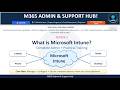 Microsoft Intune Complete Training | What is Intune | MDM MAM Compliance Apps RBAC & Troubleshooting
 Active Directory Troubleshooting: 7 Common Problems & Step-by-Step Solutions | Windows Server AD DS
 Microsoft 365 Apps Enterprise Architecture: Intune Deployment, OCPS & Security Synergy
 Executive Masterclass: IMAP Migration to Microsoft 365 | Complete Step-by-Step Enterprise Handbook
 Active Directory vs Microsoft Entra ID: Complete Technical Guide AD DS, Hybrid Identity Intune & MFA
 Microsoft 365 Admin Center: What to Do Before Deleting a User? | Backup, OneDrive & Mailbox
 Microsoft 365 PowerShell Commands Every Admin Needs | Graph & Exchange Online
 SharePoint Issues Troubleshooting, Sites, Files, Permissions, Sync & External Sharing, Microsoft 365
 Microsoft Entra ID Administrative Units: Real-World Practical Lab & Workflow
 Microsoft 365 License Automation Entra ID Group-Based Licensing +PowerShell + RBAC #windows #coding
 Exchange Online Email Delivery Troubleshooting | Microsoft 365 Mail Flow | Message Trace | L2/SME
 Microsoft Intune Windows 11 Enrollment Step-by-Step Entra Join + Auto Enrollment + Compliance + Apps
 #itsupport #cloudcomputing #powershell #microsoft365Teams Issues Chat Meetings Calls
 ShareGate Migration Tutorial 2026 | Step-by-Step SharePoint & Microsoft 365 Migration
 Microsoft Intune Series 4: How Entra ID & Intune Work Together | Conditional Access & Compliance
