- Популярные видео
- Авто
- Видео-блоги
- ДТП, аварии
- Для маленьких
- Еда, напитки
- Животные
- Закон и право
- Знаменитости
- Игры
- Искусство
- Комедии
- Красота, мода
- Кулинария, рецепты
- Люди
- Мото
- Музыка
- Мультфильмы
- Наука, технологии
- Новости
- Образование
- Политика
- Праздники
- Приколы
- Природа
- Происшествия
- Путешествия
- Развлечения
- Ржач
- Семья
- Сериалы
- Спорт
- Стиль жизни
- ТВ передачи
- Танцы
- Технологии
- Товары
- Ужасы
- Фильмы
- Шоу-бизнес
- Юмор
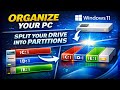
Fix Missing Drive in Windows 11 | Hide & Unhide Partitions Easily
Ever had a drive suddenly disappear from File Explorer in Windows 11? Don’t panic — your data isn’t gone! In this step‑by‑step tutorial, I’ll show you how to hide and unhide drive partitions using Disk Management and Command Prompt.
👉 What you’ll learn in this video:
- How to restore a missing drive in Windows 11
- How to hide partitions for privacy or a cleaner Explorer view
- How to unhide partitions instantly by reassigning drive letters
- Advanced method using Diskpart in Command Prompt
This guide is perfect if your drive vanished after installation, partition setup, or you simply want more control over your storage.
💡 Remember: hiding a drive doesn’t delete your data — it just removes the drive letter until you bring it back.
🔔 Subscribe to MRDIY TECH HUB for more quick fixes, Windows tips, and tech tutorials.
👍 Like this video if it helped you, and share it with friends who might be struggling with missing drives.
Ever had a drive suddenly disappear from File Explorer in Windows 11? Don’t panic — your data isn’t gone! In this step-by-step tutorial, I’ll show you how to fix a missing partition using Disk Management and Command Prompt.
This guide is perfect if your hard drive vanished after installation, partition setup, or you simply want more control over your storage. Learn crucial Windows tips for recovery and avoid future headaches.
🔔 Subscribe to MRDIY TECH HUB for more quick fixes, Windows tips, and tech tutorials.
Видео Fix Missing Drive in Windows 11 | Hide & Unhide Partitions Easily канала MRDIY Tech Hub
👉 What you’ll learn in this video:
- How to restore a missing drive in Windows 11
- How to hide partitions for privacy or a cleaner Explorer view
- How to unhide partitions instantly by reassigning drive letters
- Advanced method using Diskpart in Command Prompt
This guide is perfect if your drive vanished after installation, partition setup, or you simply want more control over your storage.
💡 Remember: hiding a drive doesn’t delete your data — it just removes the drive letter until you bring it back.
🔔 Subscribe to MRDIY TECH HUB for more quick fixes, Windows tips, and tech tutorials.
👍 Like this video if it helped you, and share it with friends who might be struggling with missing drives.
Ever had a drive suddenly disappear from File Explorer in Windows 11? Don’t panic — your data isn’t gone! In this step-by-step tutorial, I’ll show you how to fix a missing partition using Disk Management and Command Prompt.
This guide is perfect if your hard drive vanished after installation, partition setup, or you simply want more control over your storage. Learn crucial Windows tips for recovery and avoid future headaches.
🔔 Subscribe to MRDIY TECH HUB for more quick fixes, Windows tips, and tech tutorials.
Видео Fix Missing Drive in Windows 11 | Hide & Unhide Partitions Easily канала MRDIY Tech Hub
Комментарии отсутствуют
Информация о видео
21 декабря 2025 г. 15:57:40
00:03:37
Другие видео канала