
- Популярные видео
- Авто
- Видео-блоги
- ДТП, аварии
- Для маленьких
- Еда, напитки
- Животные
- Закон и право
- Знаменитости
- Игры
- Искусство
- Комедии
- Красота, мода
- Кулинария, рецепты
- Люди
- Мото
- Музыка
- Мультфильмы
- Наука, технологии
- Новости
- Образование
- Политика
- Праздники
- Приколы
- Природа
- Происшествия
- Путешествия
- Развлечения
- Ржач
- Семья
- Сериалы
- Спорт
- Стиль жизни
- ТВ передачи
- Танцы
- Технологии
- Товары
- Ужасы
- Фильмы
- Шоу-бизнес
- Юмор
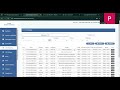
How to send WhatsApp Messages on Msgclub Business API Panel?
Embedded Signup, Add Payment and Send Whatsapp
Step 6 -
After completion of this process you will be redirected to “ Plan Info “ page where you see a button “ Number configuration “ to start Embaded Signup.
Note - Before click on “finish“ button click on “add payment configuration“ to add Debit/Credit card.
Step 7 -
After successful completion of Add card on FB account, click on Template -- Broadcast Template -- Create Template.
You can create different types of templates as per your business need. You can create unlimited templates.
Step 8 -
Send whatsapp from the Broadcast Option shown on the left side by adding mobile number and selecting template.
Видео How to send WhatsApp Messages on Msgclub Business API Panel? канала Msgclub
Step 6 -
After completion of this process you will be redirected to “ Plan Info “ page where you see a button “ Number configuration “ to start Embaded Signup.
Note - Before click on “finish“ button click on “add payment configuration“ to add Debit/Credit card.
Step 7 -
After successful completion of Add card on FB account, click on Template -- Broadcast Template -- Create Template.
You can create different types of templates as per your business need. You can create unlimited templates.
Step 8 -
Send whatsapp from the Broadcast Option shown on the left side by adding mobile number and selecting template.
Видео How to send WhatsApp Messages on Msgclub Business API Panel? канала Msgclub
Комментарии отсутствуют
Информация о видео
27 января 2025 г. 17:21:03
00:10:41
Другие видео канала
 How to Send Dynamic URL in WhatsApp Template via Verify API | MsgClub Guide
 WhatsApp Sender
 How to Create a Catalog on Meta & Connect It to Your WhatsApp Account
 How to Verify Your Meta Business Account: Step-by-Step Guide
 How to Check Delivery Reports in Voice Service | Step-by-Step Guide
 Streamlining SMS with PE-TM Chain: Connect Your Entity to Telemarketer Easily! from Airtel Panel
 How to extract data using the IndiaMART Data Scraping Tool
 Learn how to create Rich Card RCS Template
 process for DLT Entity Registration on BSNL provider
 Verified WhatsApp Custom Template with Offer Code (Marketing)| Create, Send & Mobile Preview
 only template mapping
 how to map PE-TM chain in BSNL panel
 file upload in our panel
 How to Get a Template Approved on Vodafone Idea (Vi) DLT Panel
 How to Send Flow Template with Header & Body Parameters via WhatsApp Verify API | MsgClub Tutorial
 Verified WhatsApp Flow Template with Image Header (Utility)| Create, Send & Mobile Preview
 How to Create a WhatsApp Message Template with Image, Text & Button | MsgClub Tutorial
 Learn How to Use Chat Templates in MsgClub | WhatsApp Business API
 check restriction on meta for process verify whatsapp
 How to Whitelist Short URLs in Videocon | MSGclub Channel
