- Популярные видео
- Авто
- Видео-блоги
- ДТП, аварии
- Для маленьких
- Еда, напитки
- Животные
- Закон и право
- Знаменитости
- Игры
- Искусство
- Комедии
- Красота, мода
- Кулинария, рецепты
- Люди
- Мото
- Музыка
- Мультфильмы
- Наука, технологии
- Новости
- Образование
- Политика
- Праздники
- Приколы
- Природа
- Происшествия
- Путешествия
- Развлечения
- Ржач
- Семья
- Сериалы
- Спорт
- Стиль жизни
- ТВ передачи
- Танцы
- Технологии
- Товары
- Ужасы
- Фильмы
- Шоу-бизнес
- Юмор
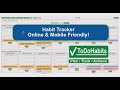
TodoHabits Tutorial: How to Use the To-Do List, Calendar & Weekly Planner
Learn how to use the to-do list and weekly planner inside TodoHabits.com.
In this beginner-friendly walkthrough, Dan shows how to add tasks, format items, complete and move them, create new weeks, and set up recurring events using the built-in calendar.
You’ll also see where the habit tracker, project manager, journal, and event planner fit into the TodoHabits workflow.
What you’ll learn in this tutorial:
How to add and format tasks
Creating new weeks
Drag-and-drop task movement
Completing items and earning stars
Adding new tasks when you need more space
Creating recurring calendar events
Editing and deleting events
Overview of habit tracking, projects, journaling, and planning
Playlist:
https://www.youtube.com/watch?v=isNt4f8jy84&list=PLiZS7x_iLkWVifoL988TYE8hVQWmenwYQ
If this guide helped you get started, feel free to subscribe and leave a comment with questions or suggestions for future videos.
Time Stamps:
0:38 Add New Task
0:50 Bold or Text Styling
1:00 Add New Week
1:35 Checkbox and getting a GOLD STAR
1:46 Move Task to another Day or Week
2:00 Add Extra Task
2:35 Add Recurring Events
2:40 Accessing Calendar
2:45 Delete Event
3:00 Create Calendar Event
3:15 Create Recurring Event
3:20 Add Email Reminders
3:30 Revert Back To One Time Event
4:05 Accessing Calendar Event in the To Do list
4:25 Habit Tracker
4:30 Project Manager
4:35 Personal Journal
4:40 Event Planner
Full script (accessibility version):
https://todohabits.com/todoHabits-tutorial-script.html
Try TodoHabits here:
https://TodoHabits.com
Видео TodoHabits Tutorial: How to Use the To-Do List, Calendar & Weekly Planner канала My Web Designs
In this beginner-friendly walkthrough, Dan shows how to add tasks, format items, complete and move them, create new weeks, and set up recurring events using the built-in calendar.
You’ll also see where the habit tracker, project manager, journal, and event planner fit into the TodoHabits workflow.
What you’ll learn in this tutorial:
How to add and format tasks
Creating new weeks
Drag-and-drop task movement
Completing items and earning stars
Adding new tasks when you need more space
Creating recurring calendar events
Editing and deleting events
Overview of habit tracking, projects, journaling, and planning
Playlist:
https://www.youtube.com/watch?v=isNt4f8jy84&list=PLiZS7x_iLkWVifoL988TYE8hVQWmenwYQ
If this guide helped you get started, feel free to subscribe and leave a comment with questions or suggestions for future videos.
Time Stamps:
0:38 Add New Task
0:50 Bold or Text Styling
1:00 Add New Week
1:35 Checkbox and getting a GOLD STAR
1:46 Move Task to another Day or Week
2:00 Add Extra Task
2:35 Add Recurring Events
2:40 Accessing Calendar
2:45 Delete Event
3:00 Create Calendar Event
3:15 Create Recurring Event
3:20 Add Email Reminders
3:30 Revert Back To One Time Event
4:05 Accessing Calendar Event in the To Do list
4:25 Habit Tracker
4:30 Project Manager
4:35 Personal Journal
4:40 Event Planner
Full script (accessibility version):
https://todohabits.com/todoHabits-tutorial-script.html
Try TodoHabits here:
https://TodoHabits.com
Видео TodoHabits Tutorial: How to Use the To-Do List, Calendar & Weekly Planner канала My Web Designs
Комментарии отсутствуют
Информация о видео
7 декабря 2025 г. 15:18:54
00:05:07
Другие видео канала