- Популярные видео
- Авто
- Видео-блоги
- ДТП, аварии
- Для маленьких
- Еда, напитки
- Животные
- Закон и право
- Знаменитости
- Игры
- Искусство
- Комедии
- Красота, мода
- Кулинария, рецепты
- Люди
- Мото
- Музыка
- Мультфильмы
- Наука, технологии
- Новости
- Образование
- Политика
- Праздники
- Приколы
- Природа
- Происшествия
- Путешествия
- Развлечения
- Ржач
- Семья
- Сериалы
- Спорт
- Стиль жизни
- ТВ передачи
- Танцы
- Технологии
- Товары
- Ужасы
- Фильмы
- Шоу-бизнес
- Юмор
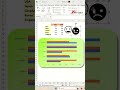
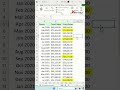
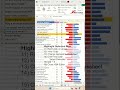
Create a dynamic chart using the scroll bar in Excel - Excel Tips and Tricks
Learn how to create a dynamic chart using the scroll bar in Excel. After that, you can easily answer question to can you make a dynamic chart in Excel. Or how do I create a dynamic range chart in Excel and how do I keep a chart in view when scrolling in Excel?,
Here are the steps outlined in the video.
Populate Working Table
1) Select cells A4
2) =INDEX(A21:A63,$B$1)
3) Drag formula down the chart area.
4) Repeat this for the remaining columns
Sales
=INDEX(B21:B63,$B$1)
Expense
=INDEX(C21:C63,$B$1)
Revenue
=INDEX(D21:D63,$B$1)
Accum
=INDEX(E21:E63,$B$1)
Insert Line Chart
1) Select any cell in Working Table
2) Ctrl + A
3) Insert ~ Charts ~ Line
4) Reposition the line graph to cover the Working Table
Scrolling Chart
1) Developer ~ Controls ~ Insert ~ Scroll bar (form control)
2) Click and drag anywhere to place the scroll bar.
3) Right-click on scroll bar
4) Format Control...
5) Set these values.
Current value = 1
Minimum value = 1
Cell Link = B1
6) OK
🔗🔗 LINKS TO SIMILIAR VIDEOS 🔗🔗
Create a dynamic chart using the scroll bar in Excel - PART 1 - Excel Tips and Tricks
https://youtube.com/shorts/s3j7uTG2L8o?si=X9Jt9oupcQyBBj8s
Create a dynamic chart using the scroll bar in Excel - PART 2 - Excel Tips and Tricks
https://youtube.com/shorts/YrWc0NBwUYI?si=ulcfLItMv7ElUkll
How do I create a dynamic chart using the scroll bar in Excel?,Can you make a dynamic chart in Excel?,How do I create a dynamic range chart in Excel?,How do I keep a chart in view when scrolling in Excel?,
#excel #tips #shorts #fyp
Видео Create a dynamic chart using the scroll bar in Excel - Excel Tips and Tricks канала Jasmine Jones
Here are the steps outlined in the video.
Populate Working Table
1) Select cells A4
2) =INDEX(A21:A63,$B$1)
3) Drag formula down the chart area.
4) Repeat this for the remaining columns
Sales
=INDEX(B21:B63,$B$1)
Expense
=INDEX(C21:C63,$B$1)
Revenue
=INDEX(D21:D63,$B$1)
Accum
=INDEX(E21:E63,$B$1)
Insert Line Chart
1) Select any cell in Working Table
2) Ctrl + A
3) Insert ~ Charts ~ Line
4) Reposition the line graph to cover the Working Table
Scrolling Chart
1) Developer ~ Controls ~ Insert ~ Scroll bar (form control)
2) Click and drag anywhere to place the scroll bar.
3) Right-click on scroll bar
4) Format Control...
5) Set these values.
Current value = 1
Minimum value = 1
Cell Link = B1
6) OK
🔗🔗 LINKS TO SIMILIAR VIDEOS 🔗🔗
Create a dynamic chart using the scroll bar in Excel - PART 1 - Excel Tips and Tricks
https://youtube.com/shorts/s3j7uTG2L8o?si=X9Jt9oupcQyBBj8s
Create a dynamic chart using the scroll bar in Excel - PART 2 - Excel Tips and Tricks
https://youtube.com/shorts/YrWc0NBwUYI?si=ulcfLItMv7ElUkll
How do I create a dynamic chart using the scroll bar in Excel?,Can you make a dynamic chart in Excel?,How do I create a dynamic range chart in Excel?,How do I keep a chart in view when scrolling in Excel?,
#excel #tips #shorts #fyp
Видео Create a dynamic chart using the scroll bar in Excel - Excel Tips and Tricks канала Jasmine Jones
Комментарии отсутствуют
Информация о видео
11 июня 2026 г. 19:00:10
00:01:16
Другие видео канала