- Популярные видео
- Авто
- Видео-блоги
- ДТП, аварии
- Для маленьких
- Еда, напитки
- Животные
- Закон и право
- Знаменитости
- Игры
- Искусство
- Комедии
- Красота, мода
- Кулинария, рецепты
- Люди
- Мото
- Музыка
- Мультфильмы
- Наука, технологии
- Новости
- Образование
- Политика
- Праздники
- Приколы
- Природа
- Происшествия
- Путешествия
- Развлечения
- Ржач
- Семья
- Сериалы
- Спорт
- Стиль жизни
- ТВ передачи
- Танцы
- Технологии
- Товары
- Ужасы
- Фильмы
- Шоу-бизнес
- Юмор
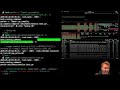
Local AI - Setting up the OATs Coding Agent - Environment Variables and Config File
It's not always easy to jump into a new git repository. Hopefully this video can show you the initial setup if you are having issues.
Here are the latest environment variables needed to run the coder agent locally with a default vllm-small provider:
Note: I copy and paste the ./oats/config/coder.json to /opt/ds/oats.json so connectivity and credentials are separated from the public git repo.
export CODER_CONFIG_FILE=/opt/ds/oats.json
Note: I cloned the open-agent-tools-coder github repo to: /opt/ds/oats Please use the absolute path to your local cloned repo.
export CODER_TOOL_USES_INDEX=/opt/ds/oats/.ai/AGENT.repo_uses.python.tools.json
Note: This assumes a 5090 or greater nvidia GPU. For a 4070 use 8000 for the max context length:
export CODER_CTX_LEN=262100
Note: I try to avoid burning tokens on costly, cloud AI models. If you want coder to be able talk to cloud models set this to 1, otherwise leave as 0 and coder will never load up the cloud AI providers:
export CODER_DISABLED_CLOUD_MODELS=0
Note: The git repo includes two vLLM docker compose instances. The LLM is hosted in vllm-small:
export VLLM_MODEL_ID=hosted_vllm/chat:latest
export VLLM_PROVIDER_ID=vllm-small
Note: I use feature flags to enable new coder functionality. Most users just need everything enabled by default:
export CODER_PROFILE=full
Optional - Environment Variable Keys for enabling coder to chat with cloud AI models. I have these disabled in my env by running: unset OPENAI_API_KEY so I know coder cannot authenticate with these services:
export ANTHROPIC_API_KEY=KEY
export AZURE_OPENAI_API_KEY
export AZURE_OPENAI_ENDPOINT
export COHERE_API_KEY
export GOOGLE_API_KEY
export GOOGLE_GENERATIVE_AI_API_KEY
export GROQ_API_KEY
export MISTRAL_API_KEY
export OPENAI_API_KEY
export OPENROUTER_API_KEY
export TOGETHER_API_KEY
Видео Local AI - Setting up the OATs Coding Agent - Environment Variables and Config File канала Local AI Coding Agents with Self-Hosted AI Models
Here are the latest environment variables needed to run the coder agent locally with a default vllm-small provider:
Note: I copy and paste the ./oats/config/coder.json to /opt/ds/oats.json so connectivity and credentials are separated from the public git repo.
export CODER_CONFIG_FILE=/opt/ds/oats.json
Note: I cloned the open-agent-tools-coder github repo to: /opt/ds/oats Please use the absolute path to your local cloned repo.
export CODER_TOOL_USES_INDEX=/opt/ds/oats/.ai/AGENT.repo_uses.python.tools.json
Note: This assumes a 5090 or greater nvidia GPU. For a 4070 use 8000 for the max context length:
export CODER_CTX_LEN=262100
Note: I try to avoid burning tokens on costly, cloud AI models. If you want coder to be able talk to cloud models set this to 1, otherwise leave as 0 and coder will never load up the cloud AI providers:
export CODER_DISABLED_CLOUD_MODELS=0
Note: The git repo includes two vLLM docker compose instances. The LLM is hosted in vllm-small:
export VLLM_MODEL_ID=hosted_vllm/chat:latest
export VLLM_PROVIDER_ID=vllm-small
Note: I use feature flags to enable new coder functionality. Most users just need everything enabled by default:
export CODER_PROFILE=full
Optional - Environment Variable Keys for enabling coder to chat with cloud AI models. I have these disabled in my env by running: unset OPENAI_API_KEY so I know coder cannot authenticate with these services:
export ANTHROPIC_API_KEY=KEY
export AZURE_OPENAI_API_KEY
export AZURE_OPENAI_ENDPOINT
export COHERE_API_KEY
export GOOGLE_API_KEY
export GOOGLE_GENERATIVE_AI_API_KEY
export GROQ_API_KEY
export MISTRAL_API_KEY
export OPENAI_API_KEY
export OPENROUTER_API_KEY
export TOGETHER_API_KEY
Видео Local AI - Setting up the OATs Coding Agent - Environment Variables and Config File канала Local AI Coding Agents with Self-Hosted AI Models
Комментарии отсутствуют
Информация о видео
21 мая 2026 г. 4:51:50
00:01:45
Другие видео канала