
- Популярные видео
- Авто
- Видео-блоги
- ДТП, аварии
- Для маленьких
- Еда, напитки
- Животные
- Закон и право
- Знаменитости
- Игры
- Искусство
- Комедии
- Красота, мода
- Кулинария, рецепты
- Люди
- Мото
- Музыка
- Мультфильмы
- Наука, технологии
- Новости
- Образование
- Политика
- Праздники
- Приколы
- Природа
- Происшествия
- Путешествия
- Развлечения
- Ржач
- Семья
- Сериалы
- Спорт
- Стиль жизни
- ТВ передачи
- Танцы
- Технологии
- Товары
- Ужасы
- Фильмы
- Шоу-бизнес
- Юмор
OBS Audio Help
I've been having a couple problems with OBS. If you have any ideas, I'm open to hear them.
Problem 1: I use Foobar 2000 to play mp3s during my streams. The music is separated from the game sound in VoiceMeeter Potato. The stream VODs are fine. The music isn't there, no problem. But I also record a local version, and that has the music in it quite faintly. Nothing I do seems to fix that.
Right now, I'm stuck downloading my VOD from Twitch so I can upload a music free version to YouTube. That's not a big deal, but it's an extra step I'd like to avoid if I could.
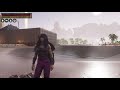
Problem 2: as you can see in the bottom right corner, Foobar 2000 doesn't actually display the artist or the song in a way that OBS captures. It displays it in the title bar, but OBS doesn't capture the title bar, and I don't see any options in Foobar 2000 to create a section where it displays it in the actual app. Any thoughts? Even if it means switching apps, I'd be willing to entertain it. I think my current display area for it is too big, but I can't really shrink it down much more and still have it be useful. Maybe if I found a way to adjust the opacity of it, or even just a different program that would be smaller, look good, and still display the info I want it to.
Видео OBS Audio Help канала DanDroidx
Problem 1: I use Foobar 2000 to play mp3s during my streams. The music is separated from the game sound in VoiceMeeter Potato. The stream VODs are fine. The music isn't there, no problem. But I also record a local version, and that has the music in it quite faintly. Nothing I do seems to fix that.
Right now, I'm stuck downloading my VOD from Twitch so I can upload a music free version to YouTube. That's not a big deal, but it's an extra step I'd like to avoid if I could.
Problem 2: as you can see in the bottom right corner, Foobar 2000 doesn't actually display the artist or the song in a way that OBS captures. It displays it in the title bar, but OBS doesn't capture the title bar, and I don't see any options in Foobar 2000 to create a section where it displays it in the actual app. Any thoughts? Even if it means switching apps, I'd be willing to entertain it. I think my current display area for it is too big, but I can't really shrink it down much more and still have it be useful. Maybe if I found a way to adjust the opacity of it, or even just a different program that would be smaller, look good, and still display the info I want it to.
Видео OBS Audio Help канала DanDroidx
Комментарии отсутствуют
Информация о видео
4 мая 2026 г. 2:08:22
00:03:45
Другие видео канала
 EARN in Chernohog Heist
 BPC Encore
 28 August Yemen 75-61
 Conan Exiles Ending
 This is what's wrong with CoD - Spawning to death
 Stanley Parable - Carball
 17 July Drone 189-153
 inFamous: Second Son
 19 July Cargo 75-44
 Conan Exiles - Golem Assembly 2 - Canopy Overlook Base
 30 June Express 75-58
 Some BPC play on Studio (Black Ops 2)
 28 June Carrier 75-58
 4.5 star run on the KAP-40
 8 June Yemen 61-58
 12 July Aftermath 75-34
 RDO - Gang Hideouts
 EARN - Client Mission: Steal Goods
 27 August Express 75-61
 18 July Yemen 75-52
 Yenisei Keep video 1
