- Популярные видео
- Авто
- Видео-блоги
- ДТП, аварии
- Для маленьких
- Еда, напитки
- Животные
- Закон и право
- Знаменитости
- Игры
- Искусство
- Комедии
- Красота, мода
- Кулинария, рецепты
- Люди
- Мото
- Музыка
- Мультфильмы
- Наука, технологии
- Новости
- Образование
- Политика
- Праздники
- Приколы
- Природа
- Происшествия
- Путешествия
- Развлечения
- Ржач
- Семья
- Сериалы
- Спорт
- Стиль жизни
- ТВ передачи
- Танцы
- Технологии
- Товары
- Ужасы
- Фильмы
- Шоу-бизнес
- Юмор
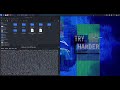
Android APK Static Application Security Testing (SAST) Walkthrough
In this video, I perform a Basic Static Analysis (SAST) on an Android APK using Kali Linux. This security assessment ensures that the application handles sensitive data (like chat logs) securely, following privacy-first principles and zero-data persistence.
Chapters:
0:00 Intro & Environment Setup
0:07 Step 1: Decompiling the APK with Apktool
0:32 Step 2: Android Manifest Security Audit (Manual)
1:20 Step 3: Scanning Web Assets for Hardcoded Secrets
2:10 Step 4: Scanning Configuration Files (strings.xml)
3:33 Step 5: Reverse Engineering with JADX-GUI
4:12 Outro & Manifest Check within JADX
Technical Steps & Commands:
1. Decompile APK
apktool d app-release.apk
We inspect the app's structure and resources.
2. AndroidManifest.xml Checkup
mousepad AndroidManifest.xml
Audit for: android:allowBackup, android:debuggable, and unnecessary permissions.
3. Web Assets Scanning
grep -rE "key|password|secret|http:" assets/public/
Searching for hardcoded credentials in the Ionic/Capacitor web layer.
4. Config & Strings Audit
grep -rE "key|password|secret|http:" res/values/strings.xml
Checking for leaked API keys in native resource files.
5. Source Code Audit
jadx-gui "$PWD/app-release.apk"
Deep dive into the Java/Kotlin logic to verify secure memory handling.
Tools used:
Kali Linux (WSL Win-KeX)
Apktool
JADX
Mousepad
#AndroidSecurity #Pentesting #CyberSecurity #IonicFramework #Capacitor #SAST #KaliLinux
Видео Android APK Static Application Security Testing (SAST) Walkthrough канала Alessandry Cruz
Chapters:
0:00 Intro & Environment Setup
0:07 Step 1: Decompiling the APK with Apktool
0:32 Step 2: Android Manifest Security Audit (Manual)
1:20 Step 3: Scanning Web Assets for Hardcoded Secrets
2:10 Step 4: Scanning Configuration Files (strings.xml)
3:33 Step 5: Reverse Engineering with JADX-GUI
4:12 Outro & Manifest Check within JADX
Technical Steps & Commands:
1. Decompile APK
apktool d app-release.apk
We inspect the app's structure and resources.
2. AndroidManifest.xml Checkup
mousepad AndroidManifest.xml
Audit for: android:allowBackup, android:debuggable, and unnecessary permissions.
3. Web Assets Scanning
grep -rE "key|password|secret|http:" assets/public/
Searching for hardcoded credentials in the Ionic/Capacitor web layer.
4. Config & Strings Audit
grep -rE "key|password|secret|http:" res/values/strings.xml
Checking for leaked API keys in native resource files.
5. Source Code Audit
jadx-gui "$PWD/app-release.apk"
Deep dive into the Java/Kotlin logic to verify secure memory handling.
Tools used:
Kali Linux (WSL Win-KeX)
Apktool
JADX
Mousepad
#AndroidSecurity #Pentesting #CyberSecurity #IonicFramework #Capacitor #SAST #KaliLinux
Видео Android APK Static Application Security Testing (SAST) Walkthrough канала Alessandry Cruz
Комментарии отсутствуют
Информация о видео
18 ч. 43 мин. назад
00:04:23
Другие видео канала