
- Популярные видео
- Авто
- Видео-блоги
- ДТП, аварии
- Для маленьких
- Еда, напитки
- Животные
- Закон и право
- Знаменитости
- Игры
- Искусство
- Комедии
- Красота, мода
- Кулинария, рецепты
- Люди
- Мото
- Музыка
- Мультфильмы
- Наука, технологии
- Новости
- Образование
- Политика
- Праздники
- Приколы
- Природа
- Происшествия
- Путешествия
- Развлечения
- Ржач
- Семья
- Сериалы
- Спорт
- Стиль жизни
- ТВ передачи
- Танцы
- Технологии
- Товары
- Ужасы
- Фильмы
- Шоу-бизнес
- Юмор
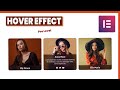
Image Card Hover Effect with Border Animation in Elementor | Elementor Pro Tutorial
In this tutorial, I'll show you how you can make angled Image Card Hover Effect with Border Animation in Elementor with Advanced Image Overlay Animation.
Today I’ll show you how you can create a beautiful Image Hover effect in your WordPress Website by using Elementor Pro. And you can see an angled image overlay with an awesome border animation on hover. And the image is also moving a little bit top with a shadow under that which makes it feel like a 3d movement.
First, we take an 3 column layout and inside the first column take an image. We also take an divider widget and make it's position absolute to use it as the overlay above the image.
To create the image hover text, we also take an image box widget and also place that on the middle of the overlay. Lastly, we add some custom code to achieve that Elementor magic card hover effect.
Then, we just duplicate the first column and change the other column's content. Also check this on the tablet and mobile devices.
So, that's how you can create this WordPress image hover effects in Elementor. if you enjoy this Elementor tips and tricks tutorial and want to get more advanced animation, don't forget to like and subscribe to this channel.
✅Get code snippet for Angled Image Card Hover Effect:
https://drive.google.com/file/d/1ATxfNAdFbJxmjL6FtDBxL-QFS4VM9mIV/view?usp=sharing
#wordpress #elementor #imagehovereffect
Видео Image Card Hover Effect with Border Animation in Elementor | Elementor Pro Tutorial канала Custom WP
Today I’ll show you how you can create a beautiful Image Hover effect in your WordPress Website by using Elementor Pro. And you can see an angled image overlay with an awesome border animation on hover. And the image is also moving a little bit top with a shadow under that which makes it feel like a 3d movement.
First, we take an 3 column layout and inside the first column take an image. We also take an divider widget and make it's position absolute to use it as the overlay above the image.
To create the image hover text, we also take an image box widget and also place that on the middle of the overlay. Lastly, we add some custom code to achieve that Elementor magic card hover effect.
Then, we just duplicate the first column and change the other column's content. Also check this on the tablet and mobile devices.
So, that's how you can create this WordPress image hover effects in Elementor. if you enjoy this Elementor tips and tricks tutorial and want to get more advanced animation, don't forget to like and subscribe to this channel.
✅Get code snippet for Angled Image Card Hover Effect:
https://drive.google.com/file/d/1ATxfNAdFbJxmjL6FtDBxL-QFS4VM9mIV/view?usp=sharing
#wordpress #elementor #imagehovereffect
Видео Image Card Hover Effect with Border Animation in Elementor | Elementor Pro Tutorial канала Custom WP
elementor advanced animation image hover effect elementor image overlay in elementor image hover text elementor image overlay wordpress border animation elementor border hover effects border animation on hover wordpress image hover effects card effect elementor elementor card hover elementor magic card hover effect elementor hover effect elementor hover animation elementor tips and tricks elementor cool effects wordpress cool effects creative hover effects
Комментарии отсутствуют
Информация о видео
28 апреля 2025 г. 10:00:43
00:05:30
Другие видео канала
 Stop Spam Emails From Elementor Form on WordPress | Google reCAPTCHA | WordPress tutorial
 Sora AI - OpenAI Shocks the AI Video World | Text To Video Model
 How to add Facebook Chat to Wordpress Website | Wordpress Tutorials 2021
 Off-canvas mobile menu in WordPress | Slide out mobile menu | Elementor Pro
 Button Hover Effect With Elementor Pro & CSS | WordPress Elementor Pro Tutorial
 Create Animations with your Voice | Animated Avatar For FREE
 Card Hover Effect Like a Pro | WordPress Elementor Pro Tutorial
 YouTube Automation Secret Successful Creators Use Daily |
 Elementor COOL Button Hover Effect | Wordpress Elementor Pro Tricks
 Create Product Design Using AI | AI Tool for Free Product Photography
 Make Viral Historical Videos Using AI | Best Niche For Youtube Automation
 Create a Custom Page Loader with Lottie Animation in Elementor!
 Elementor Floating / Sticky Social Icons | Elementor Pro Tutorials | Elementor Tips & Tricks
 Elementor hover effects image to text on hover | Elementor tips and tricks
 Elementor Card Hover Effect | WordPress Elementor tutorials | Elementor Tips & Tricks
 Elementor Creative Image Hover Effect | WordPress Elementor Tutorial
 Elementor Image hover effect | WordPress Elementor Pro Tutorial
 Best AI for Image to-Image generation | Image to Anime, Cartoon, or 3D Animation Style | 100% FREE
 Advanced Pricing Table Design in Elementor for FREE WordPress Elementor Tutorial
 Create an Animated Popup Design in Elementor | Elementor Tutorial
