
- Популярные видео
- Авто
- Видео-блоги
- ДТП, аварии
- Для маленьких
- Еда, напитки
- Животные
- Закон и право
- Знаменитости
- Игры
- Искусство
- Комедии
- Красота, мода
- Кулинария, рецепты
- Люди
- Мото
- Музыка
- Мультфильмы
- Наука, технологии
- Новости
- Образование
- Политика
- Праздники
- Приколы
- Природа
- Происшествия
- Путешествия
- Развлечения
- Ржач
- Семья
- Сериалы
- Спорт
- Стиль жизни
- ТВ передачи
- Танцы
- Технологии
- Товары
- Ужасы
- Фильмы
- Шоу-бизнес
- Юмор
Create Users in Microsoft Entra ID with Microsoft Graph PowerShell SDK
In this short 10-minute tutorial, you’ll learn step-by-step how to create new users in Microsoft Entra ID (Azure Active Directory) using the Microsoft Graph PowerShell SDK. Perfect for IT admins, cloud engineers, and anyone managing Microsoft 365 environments.
🔹 What you’ll learn:
How to connect to Microsoft Graph with PowerShell
The basics of the New-MgUser cmdlet
Setting up user details (DisplayName, UPN, MailNickname)
Configuring password profiles and login policies
Best practices for secure user creation
👉 Whether you’re preparing for a Microsoft certification or managing an enterprise environment, this tutorial will give you the practical skills to get started fast.
📌 Don’t forget to like 👍, share 🔄, and subscribe 🔔 for more Microsoft Entra ID, Azure, and PowerShell tutorials.
#MicrosoftEntra #AzureAD #PowerShell #MicrosoftGraph #CloudComputing
Видео Create Users in Microsoft Entra ID with Microsoft Graph PowerShell SDK канала Gilles Tanko
🔹 What you’ll learn:
How to connect to Microsoft Graph with PowerShell
The basics of the New-MgUser cmdlet
Setting up user details (DisplayName, UPN, MailNickname)
Configuring password profiles and login policies
Best practices for secure user creation
👉 Whether you’re preparing for a Microsoft certification or managing an enterprise environment, this tutorial will give you the practical skills to get started fast.
📌 Don’t forget to like 👍, share 🔄, and subscribe 🔔 for more Microsoft Entra ID, Azure, and PowerShell tutorials.
#MicrosoftEntra #AzureAD #PowerShell #MicrosoftGraph #CloudComputing
Видео Create Users in Microsoft Entra ID with Microsoft Graph PowerShell SDK канала Gilles Tanko
Комментарии отсутствуют
Информация о видео
3 сентября 2025 г. 11:42:02
00:12:33
Другие видео канала
 Request access to the Azure OpenAI Service. ShareForce7 is you partner to develop OpenAi solution.
 3D in SharePoint mit WebGL (ThreeJS & SPFx-React)
 Dokumentenmanagement in SharePoint
 Hello World Excel Add-in with OfficeJS & TypeScript
 Create Users in Microsoft Entra ID – 10-Minute Tutorial
 SharePoint SPFX-Part 1
 Google Workspace vs Microsoft 365 as Collaboration platform
 Excel Functions Multilanguage
 Connect SharePoint List to Excelsheet using Data Tab in Excel
 Windows Task-Manager einfach erklärt
 Create SharePoint Site List and Library
 Microsoft Fabric Explained in 5 Minutes | The Future of Data Analytics
 FireBaseToSharePoint Part1: With FireSharp and C#
 Create SharePoint WebPart with SPFx
 ThreeJS and SharePoint SPFx: Texture on 3D Object
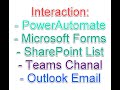 Flow integration with Forms, SharePoint, Teams and Outlook
 azure devops branching strategy
 Automate SharePoint Site Creation with PnP-Powershell
 Write a SharePoint E-Book content using ChatGPT
 O365 Microsoft Forms and Teams
