- Популярные видео
- Авто
- Видео-блоги
- ДТП, аварии
- Для маленьких
- Еда, напитки
- Животные
- Закон и право
- Знаменитости
- Игры
- Искусство
- Комедии
- Красота, мода
- Кулинария, рецепты
- Люди
- Мото
- Музыка
- Мультфильмы
- Наука, технологии
- Новости
- Образование
- Политика
- Праздники
- Приколы
- Природа
- Происшествия
- Путешествия
- Развлечения
- Ржач
- Семья
- Сериалы
- Спорт
- Стиль жизни
- ТВ передачи
- Танцы
- Технологии
- Товары
- Ужасы
- Фильмы
- Шоу-бизнес
- Юмор
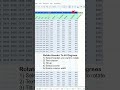
How to Rank Duplicate Values in Excel without Skipping Numbers in Excel - Excel Tips and Tricks
In this video, I'll show you how to rank Hduplicate values in Excel without skipping numbers.
Here's the formula feature in my video.
=RANK.EQ(D5, $D$5:$D$22, 0)
Let's break it down.
The formula =RANK.EQ(D5,$D$5:$D$22,0) calculates the rank of the value in cell D5 relative to the range D5:D22, where 0 specifies descending order (higher values get a lower rank number, e.g., the highest value is ranked 1). If multiple values are identical, they receive the same rank, and subsequent ranks are skipped (e.g., two 1st-place values result in the next rank being 3). The $ signs lock the reference range ($D$5:$D$22) to ensure it doesn’t change when the formula is copied to other cells. Essentially, this function determines the position of D5’s value compared to the listed values, with ties handled equally.
Rank duplicate but do not skip numbers
=RANK.EQ(D5, $D$5:$D$22, 0) + COUNTIF($D$5:D5, D5) - 1
Let's break it down.
This formula calculates the competitive rank of the value in cell D5 within the range D5:D22, where higher values receive better ranks (due to the 0 for descending order), while intelligently handling duplicate values to prevent rank skipping. The RANK.EQ function first assigns the standard competition rank (where ties receive the same rank), then the COUNTIF portion counts how many times the current value has appeared up to that point in the list and adjusts the rank by adding this running count minus one - ensuring that while identical values get the same base rank, subsequent ranks continue sequentially without gaps. For example, if two values tie for 2nd place, the next unique value will be ranked 3rd rather than 4th, creating a more intuitive ranking system where no positions are skipped due to ties.
#excel #tips #shorts #fyp
Видео How to Rank Duplicate Values in Excel without Skipping Numbers in Excel - Excel Tips and Tricks канала Jasmine Jones
Here's the formula feature in my video.
=RANK.EQ(D5, $D$5:$D$22, 0)
Let's break it down.
The formula =RANK.EQ(D5,$D$5:$D$22,0) calculates the rank of the value in cell D5 relative to the range D5:D22, where 0 specifies descending order (higher values get a lower rank number, e.g., the highest value is ranked 1). If multiple values are identical, they receive the same rank, and subsequent ranks are skipped (e.g., two 1st-place values result in the next rank being 3). The $ signs lock the reference range ($D$5:$D$22) to ensure it doesn’t change when the formula is copied to other cells. Essentially, this function determines the position of D5’s value compared to the listed values, with ties handled equally.
Rank duplicate but do not skip numbers
=RANK.EQ(D5, $D$5:$D$22, 0) + COUNTIF($D$5:D5, D5) - 1
Let's break it down.
This formula calculates the competitive rank of the value in cell D5 within the range D5:D22, where higher values receive better ranks (due to the 0 for descending order), while intelligently handling duplicate values to prevent rank skipping. The RANK.EQ function first assigns the standard competition rank (where ties receive the same rank), then the COUNTIF portion counts how many times the current value has appeared up to that point in the list and adjusts the rank by adding this running count minus one - ensuring that while identical values get the same base rank, subsequent ranks continue sequentially without gaps. For example, if two values tie for 2nd place, the next unique value will be ranked 3rd rather than 4th, creating a more intuitive ranking system where no positions are skipped due to ties.
#excel #tips #shorts #fyp
Видео How to Rank Duplicate Values in Excel without Skipping Numbers in Excel - Excel Tips and Tricks канала Jasmine Jones
short excel short shorts Excel tips and tricks Microsoft Excel tutorials Microsoft Excel Excel 2016 Excel 2013 Excel 2019 Microsoft 365 Excel 365 excel tips excel short tips how to Excel tips and tricks Excel Rank function rank without skipping numbers RANK.eq rank.avg return multiple match results in excel rank function with duplicates Rank and Countif Excel Tutorials Excel 2010 Advanced Excel tricks Excel online course Excel for analysts
Комментарии отсутствуют
Информация о видео
1 апреля 2025 г. 18:00:57
00:02:42
Другие видео канала