
- Популярные видео
- Авто
- Видео-блоги
- ДТП, аварии
- Для маленьких
- Еда, напитки
- Животные
- Закон и право
- Знаменитости
- Игры
- Искусство
- Комедии
- Красота, мода
- Кулинария, рецепты
- Люди
- Мото
- Музыка
- Мультфильмы
- Наука, технологии
- Новости
- Образование
- Политика
- Праздники
- Приколы
- Природа
- Происшествия
- Путешествия
- Развлечения
- Ржач
- Семья
- Сериалы
- Спорт
- Стиль жизни
- ТВ передачи
- Танцы
- Технологии
- Товары
- Ужасы
- Фильмы
- Шоу-бизнес
- Юмор
EPLAN Electric P8 Beginner’s Guide: How to Insert Symbols (IEC vs NFPA/NEC + Symbol Variants)
You can purchase our Udemy courses using the links below:
https://www.udemy.com/course/mastering-eplan-course-on-electrical-engineering-design/?referralCode=9AE229DB34A02BD35F3A
https://www.udemy.com/course/mastering-eplan-2-course-on-electrical-engineering-design/?referralCode=8EF1C397C27D96BAD8C9
https://www.udemy.com/course/mastering-eplan-3-course-on-electrical-engineering-design/?referralCode=4BD19E1D57340644F0CB
In this tutorial, part 26 of the EPLAN 50 Series, you’ll learn how to insert symbols into the EPLAN drawing window and understand how symbols are organized inside EPLAN’s Insert Center.
We also explore the important differences between IEC symbols and NFPA/NEC symbols, when to use them, and how to add both symbol libraries into EPLAN.
In this video, you’ll learn:
* How symbols are organized in EPLAN’s Insert Center
* How to quickly find symbols in EPLAN
* How to insert symbols into the drawing window
* The difference between IEC symbols and NFPA/NEC symbols
* When and why different symbol standards are used
* How to add IEC symbol libraries into EPLAN
* How to add NFPA/NEC symbol libraries into EPLAN
* Understanding symbol variants in EPLAN
* Why one symbol variant differs from another
* Best practices for selecting the correct symbol type and variant
⸻
🎯 Who this video is for:
* Beginners learning EPLAN Electric P8
* Electrical engineers and designers
* Engineers working with IEC or NFPA/NEC standards
* Anyone wanting to improve schematic creation in EPLAN
⸻
📌 Why this matters:
Understanding symbols and symbol variants is essential for creating accurate, standardized, and professional electrical schematics. Choosing the correct standard (IEC or NFPA/NEC) ensures your drawings meet regional and industry requirements.
⸻
💡 Pro Tip:
Before starting a project, confirm whether your customer or company follows IEC or NFPA/NEC standards to avoid needing major revisions later.
⸻
👍 If this tutorial helped you, don’t forget to like, subscribe, and turn on notifications for more EPLAN tutorials.
⸻
#eplan #eplanp8 #tutorial #layer #management #training #electricalengineering #electrical #design #ecad #automation #engineering #controlpanel #engineeringtutorial #caddesign #beginners #industrial #series #learn #helping #tips #professional #line #thickness #colors #visibility #settings #locked #background #type #work #windows #ribbon #export #import #name #create #description #delete #remove #custom #insert #center #celebration #elements #free #video #recent #favorite #tags #symbols #device #macros #NEC #IEC #NFPA #schematic #series #training
Видео EPLAN Electric P8 Beginner’s Guide: How to Insert Symbols (IEC vs NFPA/NEC + Symbol Variants) канала Arm Reach Robots
https://www.udemy.com/course/mastering-eplan-course-on-electrical-engineering-design/?referralCode=9AE229DB34A02BD35F3A
https://www.udemy.com/course/mastering-eplan-2-course-on-electrical-engineering-design/?referralCode=8EF1C397C27D96BAD8C9
https://www.udemy.com/course/mastering-eplan-3-course-on-electrical-engineering-design/?referralCode=4BD19E1D57340644F0CB
In this tutorial, part 26 of the EPLAN 50 Series, you’ll learn how to insert symbols into the EPLAN drawing window and understand how symbols are organized inside EPLAN’s Insert Center.
We also explore the important differences between IEC symbols and NFPA/NEC symbols, when to use them, and how to add both symbol libraries into EPLAN.
In this video, you’ll learn:
* How symbols are organized in EPLAN’s Insert Center
* How to quickly find symbols in EPLAN
* How to insert symbols into the drawing window
* The difference between IEC symbols and NFPA/NEC symbols
* When and why different symbol standards are used
* How to add IEC symbol libraries into EPLAN
* How to add NFPA/NEC symbol libraries into EPLAN
* Understanding symbol variants in EPLAN
* Why one symbol variant differs from another
* Best practices for selecting the correct symbol type and variant
⸻
🎯 Who this video is for:
* Beginners learning EPLAN Electric P8
* Electrical engineers and designers
* Engineers working with IEC or NFPA/NEC standards
* Anyone wanting to improve schematic creation in EPLAN
⸻
📌 Why this matters:
Understanding symbols and symbol variants is essential for creating accurate, standardized, and professional electrical schematics. Choosing the correct standard (IEC or NFPA/NEC) ensures your drawings meet regional and industry requirements.
⸻
💡 Pro Tip:
Before starting a project, confirm whether your customer or company follows IEC or NFPA/NEC standards to avoid needing major revisions later.
⸻
👍 If this tutorial helped you, don’t forget to like, subscribe, and turn on notifications for more EPLAN tutorials.
⸻
#eplan #eplanp8 #tutorial #layer #management #training #electricalengineering #electrical #design #ecad #automation #engineering #controlpanel #engineeringtutorial #caddesign #beginners #industrial #series #learn #helping #tips #professional #line #thickness #colors #visibility #settings #locked #background #type #work #windows #ribbon #export #import #name #create #description #delete #remove #custom #insert #center #celebration #elements #free #video #recent #favorite #tags #symbols #device #macros #NEC #IEC #NFPA #schematic #series #training
Видео EPLAN Electric P8 Beginner’s Guide: How to Insert Symbols (IEC vs NFPA/NEC + Symbol Variants) канала Arm Reach Robots
Комментарии отсутствуют
Информация о видео
5 июня 2026 г. 2:01:53
00:28:37
Другие видео канала
 EPLAN Electric P8: Workspace / Layout - Save for using 1, 2, 3 monitors #eplan #eplanp8 #electrical
 Busbar Power Measurement Explained | Siemens CT & Janitza Analyzer #like #2026 #edit #me #youtube
 EPLAN Electric P8 - Pro Panel Design Work. #electrical #eplan #eplanp8 #design #smartwiring
 EPLAN Electric P8: Structure Page Numbering #eplan #eplanp8 #electrical #design
 EPLAN Electric P8 Beginner’s Guide: System Data vs Project Data Explained (Why Your Data Differs)
 PLC Memory Types Explained | Program Memory vs Data Memory vs Retentive Memory (Beginner Guide) #plc
 EPLAN Electric P8 Beginner’s Guide: User Settings Explained (Dark Mode, Cursor, Colors & More)
 NPN & PNP switching methods: What's the difference? Wiring of each type in EPLAN #electrical #eplan
 EPLAN Electric P8 Beginner’s Guide: Schematic Pages Explained (Avoid This Beginner Mistake)
 EPLAN Electric P8 Beginner’s Guide: Insert Center Explained (Symbols, Devices, Macros & Favorites)
 EPLAN Electric P8 Beginner’s Guide: Company Settings Explained (Warning Before Changing Settings!)
 Modern PLCs Explained: What Changed and What Stayed the Same | PLC Basics #plc #scada #2026 #learn
 Top 10 PLC brands in industrial automation #plc #programming #2026 #automation #top #1000subscriber
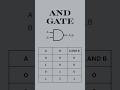 Logic Gates Explained: Symbols, Boolean Expressions & Truth Tables #youtubeshorts #engineering #2026
 EPLAN Electric P8: Generate, Update & Freeze Project Reports #electrical #eplan #eplanp8
 History of PLCs - From Relay Logic to Software
 PLC Core Components Explained: CPU, Power Supply, and I/O Modules | PLC Basics #2026 #plc #learning
 EPLAN Electric P8: Adding 3D components (snap to mounting surface/grid) #eplan #electrical #2025
 Backup Siemens PLC program by uploading it from PLC to PC with TIA Portal.
 EPLAN Electric P8 Beginner’s Guide: How to Insert Images into Drawings (Keep Source vs Copy Image)
 PLC CPU and Scan Cycle Explained | How PLCs Process Inputs and Outputs #plc #2026 #industrial
