
- Популярные видео
- Авто
- Видео-блоги
- ДТП, аварии
- Для маленьких
- Еда, напитки
- Животные
- Закон и право
- Знаменитости
- Игры
- Искусство
- Комедии
- Красота, мода
- Кулинария, рецепты
- Люди
- Мото
- Музыка
- Мультфильмы
- Наука, технологии
- Новости
- Образование
- Политика
- Праздники
- Приколы
- Природа
- Происшествия
- Путешествия
- Развлечения
- Ржач
- Семья
- Сериалы
- Спорт
- Стиль жизни
- ТВ передачи
- Танцы
- Технологии
- Товары
- Ужасы
- Фильмы
- Шоу-бизнес
- Юмор
How to Edit URLs in WordPress (#1 Way to Edit Slugs for SEO)
🔥 Turn messy WordPress permalinks into clean SEO-friendly URLs
👉https://www.skool.com/theconversionclinic/about
In this video, I explain what a permalink is, how permalinks work in WordPress, and how to edit the slug for any post or page.
I show the do’s and don’ts for WordPress permalink settings, including using a descriptive slug, lowercase URLs, hyphens, and a user-friendly permalink structure.
I also cover changing permalinks safely, when to change the permalink structure, and why 301 redirects matter for SEO.
You’ll see how I use Settings → Permalinks in the WordPress dashboard, when I use a custom structure like /blog/, and when the default permalink structure should be avoided.
If you want cleaner URLs, better user experience, and stronger SEO on your WordPress website, this is the #1 way to edit slugs for SEO.
⏩ Skip to Section
0:00 What a permalink is
0:39 Why I use the focus keyword in the slug
1:26 WordPress URL and slug best practices
2:23 Why permalink structure and shallow URLs matter for SEO
4:19 Changing permalinks and why 301 redirects matter
5:08 How to avoid messy URLs
5:22 URL structure tips for international SEO
6:01 How to change permalink settings in WordPress
6:28 How to use custom structure for blog posts
7:06 When to use /blog/ vs post name
📺More videos from The Conversion Clinic
How to Block Countries From Your WordPress Website (200+ Countries = $1,000s Saved):https://www.youtube.com/watch?v=16z-SbqDPAs
How to Remove Comments in WordPress (I Deleted 76,221 in Minutes — Here’s How):https://www.youtube.com/watch?v=Hg3DRRW832A
📚 Related resources
On Page SEO Services — Boost Sales With Search In 2026:https://josiahroche.co/blog/on-page-seo-services
Why You Need An SEO Audit — Save Thousands With 4 Quick Wins:https://josiahroche.co/blog/why-you-need-an-seo-audit
❓FAQs
Q1 What is a permalink in WordPress?
A permalink is the permanent link for a page or post on your WordPress site.
It is the full URL people and any search engine use to find that content.
Q2 What is the difference between a permalink and a slug?
A permalink is the full URL.
The slug is the last part of the URL you edit in WordPress.
Q3 How do I edit URLs in WordPress?
I edit the slug on the post or page itself.
For site-wide URLs, I go to Settings → Permalinks in the WordPress dashboard.
Q4 What is the best permalink structure for SEO?
I prefer a short, descriptive, user-friendly permalink structure.
For most websites, post name or a simple custom structure works best.
Q5 Should I use keywords in my permalink?
Yes, I usually add the focus keyword if it fits naturally.
A clear permalink can help SEO and make the URL easier to understand.
Q6 What should I avoid in WordPress permalinks?
I avoid long URLs, capital letters, underscores, and unreadable ID numbers.
I also avoid stuffing too many words into the slug.
Q7 Is changing permalinks bad for SEO?
Changing permalinks can hurt SEO if you do not add a 301 redirect.
When I change the permalink, I make sure the old URL points to the new one.
Q8 Where are permalink settings in WordPress?
You will find permalink settings under Settings → Permalinks.
This is where you change the permalink structure for your WordPress website.
Q9 Should I use /blog/ in my permalink structure?
I use /blog/ on a blog-heavy WordPress site.
If the site is simpler, I usually stick with the post name.
Q10 What is the default permalink structure in WordPress?
The default permalink structure is usually plain and not very user-friendly.
I normally change it early so the URLs are cleaner and better for SEO.
📞 Need help getting your marketing off the ground? Book a call:https://josiahroche.co/book-meeting/
👍 Subscribe to The Conversion Clinic:https://www.youtube.com/@TheConversionClinic
🌐 Connect with me
☑ Website -- https://josiahroche.co/
☑ LinkedIn -- https://www.linkedin.com/in/josiahroche/
☑ Instagram -- https://www.instagram.com/josiahroche.co/
☑ Podcast -- https://open.spotify.com/show/2S4f67HNYsjuCKPUcq1yO7?si=9f536af2fed24e34&nd=1&dlsi=5ef3e155581a44bc
☑ TikTok -- https://www.tiktok.com/@jrrmarketing
#wordpress #permalink #url #seo
Видео How to Edit URLs in WordPress (#1 Way to Edit Slugs for SEO) канала Josiah Roche — Google Ads + SEO Training
👉https://www.skool.com/theconversionclinic/about
In this video, I explain what a permalink is, how permalinks work in WordPress, and how to edit the slug for any post or page.
I show the do’s and don’ts for WordPress permalink settings, including using a descriptive slug, lowercase URLs, hyphens, and a user-friendly permalink structure.
I also cover changing permalinks safely, when to change the permalink structure, and why 301 redirects matter for SEO.
You’ll see how I use Settings → Permalinks in the WordPress dashboard, when I use a custom structure like /blog/, and when the default permalink structure should be avoided.
If you want cleaner URLs, better user experience, and stronger SEO on your WordPress website, this is the #1 way to edit slugs for SEO.
⏩ Skip to Section
0:00 What a permalink is
0:39 Why I use the focus keyword in the slug
1:26 WordPress URL and slug best practices
2:23 Why permalink structure and shallow URLs matter for SEO
4:19 Changing permalinks and why 301 redirects matter
5:08 How to avoid messy URLs
5:22 URL structure tips for international SEO
6:01 How to change permalink settings in WordPress
6:28 How to use custom structure for blog posts
7:06 When to use /blog/ vs post name
📺More videos from The Conversion Clinic
How to Block Countries From Your WordPress Website (200+ Countries = $1,000s Saved):https://www.youtube.com/watch?v=16z-SbqDPAs
How to Remove Comments in WordPress (I Deleted 76,221 in Minutes — Here’s How):https://www.youtube.com/watch?v=Hg3DRRW832A
📚 Related resources
On Page SEO Services — Boost Sales With Search In 2026:https://josiahroche.co/blog/on-page-seo-services
Why You Need An SEO Audit — Save Thousands With 4 Quick Wins:https://josiahroche.co/blog/why-you-need-an-seo-audit
❓FAQs
Q1 What is a permalink in WordPress?
A permalink is the permanent link for a page or post on your WordPress site.
It is the full URL people and any search engine use to find that content.
Q2 What is the difference between a permalink and a slug?
A permalink is the full URL.
The slug is the last part of the URL you edit in WordPress.
Q3 How do I edit URLs in WordPress?
I edit the slug on the post or page itself.
For site-wide URLs, I go to Settings → Permalinks in the WordPress dashboard.
Q4 What is the best permalink structure for SEO?
I prefer a short, descriptive, user-friendly permalink structure.
For most websites, post name or a simple custom structure works best.
Q5 Should I use keywords in my permalink?
Yes, I usually add the focus keyword if it fits naturally.
A clear permalink can help SEO and make the URL easier to understand.
Q6 What should I avoid in WordPress permalinks?
I avoid long URLs, capital letters, underscores, and unreadable ID numbers.
I also avoid stuffing too many words into the slug.
Q7 Is changing permalinks bad for SEO?
Changing permalinks can hurt SEO if you do not add a 301 redirect.
When I change the permalink, I make sure the old URL points to the new one.
Q8 Where are permalink settings in WordPress?
You will find permalink settings under Settings → Permalinks.
This is where you change the permalink structure for your WordPress website.
Q9 Should I use /blog/ in my permalink structure?
I use /blog/ on a blog-heavy WordPress site.
If the site is simpler, I usually stick with the post name.
Q10 What is the default permalink structure in WordPress?
The default permalink structure is usually plain and not very user-friendly.
I normally change it early so the URLs are cleaner and better for SEO.
📞 Need help getting your marketing off the ground? Book a call:https://josiahroche.co/book-meeting/
👍 Subscribe to The Conversion Clinic:https://www.youtube.com/@TheConversionClinic
🌐 Connect with me
☑ Website -- https://josiahroche.co/
☑ LinkedIn -- https://www.linkedin.com/in/josiahroche/
☑ Instagram -- https://www.instagram.com/josiahroche.co/
☑ Podcast -- https://open.spotify.com/show/2S4f67HNYsjuCKPUcq1yO7?si=9f536af2fed24e34&nd=1&dlsi=5ef3e155581a44bc
☑ TikTok -- https://www.tiktok.com/@jrrmarketing
#wordpress #permalink #url #seo
Видео How to Edit URLs in WordPress (#1 Way to Edit Slugs for SEO) канала Josiah Roche — Google Ads + SEO Training
How to Edit URLs in WordPress Permalink Change URL Slug WordPress Edit WordPress URL Slug Update Slug in WordPress Slugs WordPress WordPress Slugs SEO-Friendly URLs URL Structure Website Optimization URL Customization Website SEO URL Configuration Slug Customization WordPress Basics URL Optimization wordpress seo url wordpress search slug seo friendly url wordpress rewrite url custom search slug wordpress slug customize wordpress change search slug
Комментарии отсутствуют
Информация о видео
4 августа 2025 г. 19:00:55
00:07:48
Другие видео канала
 3 Reasons Why Thin Content Is Destroying Your Google Rankings (And How to Bulk It Up Fast)
 How to Get Rid of Spam Leads Without Raising Your Ad Spend
 How to Get Refund From Google Ads (Block 5,000+ IPs With This Tool)
 5 Things Google Ads Agencies Don’t Tell You (But You Need to Know)
 YouTube Campaign Strategy That’s Driving Better Leads and Conversions
 Most businesses do not track ROI and CAC. Here is how to fix it
 How To Use Feature.com To Build Links
 How to Use Negative Keywords in Google Ads (3 Ways to Use Them)
 What Is Lost IS Budget in Google Ads? (3-Mins to Know If You Should Spend More)
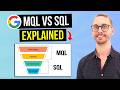 MQL vs SQL Explained — (3 Ways to Tell If a Lead Is Sales-Qualified)
 How Google Ads Enhanced Conversions Works (3 Reasons You’ll Waste $10K+ Without It)
 What Is Indexing in SEO? (Get on Google and Bing Automatically)
 The Right Way to Write Blog Posts in 2025
 How To Use AI To Write Your Google Business Profile Description
 How Local Businesses Can Get More Leads on a Small Budget
 Why I Host 100+ Client Sites on Cloudways (And Won’t Switch in 2026)
 The Simple Framework for Using Manual CPC
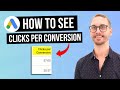 How to See Clicks Per Conversion in Google Ads (1 Formula = Better ROAS)
 How to Redirect a Page in WordPress (301 vs 302 vs 307 Explained)
 Josiah Roche Review — JRR Marketing (Updated 2026)
 Use NeuronWriter To Optimise Old Content For SEO
