
- Популярные видео
- Авто
- Видео-блоги
- ДТП, аварии
- Для маленьких
- Еда, напитки
- Животные
- Закон и право
- Знаменитости
- Игры
- Искусство
- Комедии
- Красота, мода
- Кулинария, рецепты
- Люди
- Мото
- Музыка
- Мультфильмы
- Наука, технологии
- Новости
- Образование
- Политика
- Праздники
- Приколы
- Природа
- Происшествия
- Путешествия
- Развлечения
- Ржач
- Семья
- Сериалы
- Спорт
- Стиль жизни
- ТВ передачи
- Танцы
- Технологии
- Товары
- Ужасы
- Фильмы
- Шоу-бизнес
- Юмор
How To Split Screen On An Android Phone - Best Guide
Split screen on Android lets you run two apps simultaneously, boosting multitasking productivity on phones and tablets running Android 7.0 or later
What is Split Screen on Android?
Split screen (also called multi-window mode) enables two apps to run simultaneously on your screen. You can scroll, type, or interact with each app independently. It’s ideal for:
Watching a video while texting
Referencing a document while browsing the internet
Comparing prices across two shopping apps
Using messaging and productivity apps side by side
Steps to Enable Split Screen
1. Open Recent Apps
On most devices, tap the Recent Apps button (square icon) or swipe up and hold if using gesture navigation
The recent apps view shows all your currently open apps.
2. Select the First App
In the recent apps carousel, tap and hold the app icon at the top of the app card.
Choose "Split screen" or "Split top" (stock Android) or "Open in split screen view" (Samsung) from the dropdown
The first app moves to the top (or left in landscape mode).
3. Select the Second App
Tap a second app displayed in the remaining space or open a new app from your home screen.
Both apps now run in split screen mode.
4. Adjust Split Screen Size
Drag the divider bar between the apps to change the space each occupies (common ratios: 50/50, 70/30, 30/70).
On Samsung devices, double-tapping the divider can swap app positions
5. Exit Split Screen
Drag the divider fully to the top or bottom of the screen to close one app.
Alternatively, press the home button to exit and return to single-app full-screen mode
...
Twitter: https://twitter.com/YourSixStudios?lang=en
Twitch: https://www.twitch.tv/yoursixstudios
Discord: https://discord.gg/6DfFDnK6
Instagram: https://www.instagram.com/yoursixstudios/ -
((( Subscribe to my LIVE STREAMING )))
((( Gaming Channel "YourSixGaming" )))
https://www.youtube.com/channel/UCvgTpqI_3ZF8XL-jmwLXYKw?sub_confirmation=1 ...
((( Subscribe to my ADVENTURE CHANNEL )))
((( Travel, Cameras & More "YourSixAdventures)))
https://www.youtube.com/channel/UCvnlEu1SSvbBUcnn2RTgMbA?sub_confirmation=1
Видео How To Split Screen On An Android Phone - Best Guide канала YourSixTech
What is Split Screen on Android?
Split screen (also called multi-window mode) enables two apps to run simultaneously on your screen. You can scroll, type, or interact with each app independently. It’s ideal for:
Watching a video while texting
Referencing a document while browsing the internet
Comparing prices across two shopping apps
Using messaging and productivity apps side by side
Steps to Enable Split Screen
1. Open Recent Apps
On most devices, tap the Recent Apps button (square icon) or swipe up and hold if using gesture navigation
The recent apps view shows all your currently open apps.
2. Select the First App
In the recent apps carousel, tap and hold the app icon at the top of the app card.
Choose "Split screen" or "Split top" (stock Android) or "Open in split screen view" (Samsung) from the dropdown
The first app moves to the top (or left in landscape mode).
3. Select the Second App
Tap a second app displayed in the remaining space or open a new app from your home screen.
Both apps now run in split screen mode.
4. Adjust Split Screen Size
Drag the divider bar between the apps to change the space each occupies (common ratios: 50/50, 70/30, 30/70).
On Samsung devices, double-tapping the divider can swap app positions
5. Exit Split Screen
Drag the divider fully to the top or bottom of the screen to close one app.
Alternatively, press the home button to exit and return to single-app full-screen mode
...
Twitter: https://twitter.com/YourSixStudios?lang=en
Twitch: https://www.twitch.tv/yoursixstudios
Discord: https://discord.gg/6DfFDnK6
Instagram: https://www.instagram.com/yoursixstudios/ -
((( Subscribe to my LIVE STREAMING )))
((( Gaming Channel "YourSixGaming" )))
https://www.youtube.com/channel/UCvgTpqI_3ZF8XL-jmwLXYKw?sub_confirmation=1 ...
((( Subscribe to my ADVENTURE CHANNEL )))
((( Travel, Cameras & More "YourSixAdventures)))
https://www.youtube.com/channel/UCvnlEu1SSvbBUcnn2RTgMbA?sub_confirmation=1
Видео How To Split Screen On An Android Phone - Best Guide канала YourSixTech
Комментарии отсутствуют
Информация о видео
22 мая 2026 г. 4:00:25
00:01:18
Другие видео канала
 How To Set Parental Controls On Android - Fast Tutorial
 How To Enable Google Assistant On Android Phone - Fast Tutorial
 How to Setup Hey Google on Android - Settings Tutorial
 How to Download & Install Latest Software Update on Android Phone - Best Guide
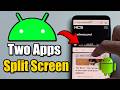 How to Use Split Screen Mode on an Android Phone & See Two Apps At The Same Time - Fast Guide
 How to Clone Apps on Android Phone - Duplicate Apps
 How To Download Music On Android - Full Guide
 How to Update Software to Latest Version on Samsung Phone - Fast Guide
