- Популярные видео
- Авто
- Видео-блоги
- ДТП, аварии
- Для маленьких
- Еда, напитки
- Животные
- Закон и право
- Знаменитости
- Игры
- Искусство
- Комедии
- Красота, мода
- Кулинария, рецепты
- Люди
- Мото
- Музыка
- Мультфильмы
- Наука, технологии
- Новости
- Образование
- Политика
- Праздники
- Приколы
- Природа
- Происшествия
- Путешествия
- Развлечения
- Ржач
- Семья
- Сериалы
- Спорт
- Стиль жизни
- ТВ передачи
- Танцы
- Технологии
- Товары
- Ужасы
- Фильмы
- Шоу-бизнес
- Юмор
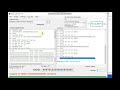
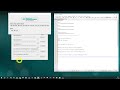
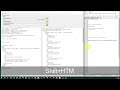
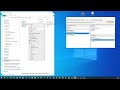
C# tool - Export data from MS-SQL Database table to XML or TXT/CSV file
With this application you can:
1. Export data from MS-SQL database table to XML report format
2. Export data from MS-SQL database table to CSV / TXT report format
3. DELETE data after exporting
4. Check number of rows in selected MS-SQL table
5. Check the size of selected table in MegaBytes on SQL server
6. Preview reports before exporting data to XML (as XML or as TreeView)
7. Preview first 20 rows of selected table (Form will automatically close after 2 min.)
8. Check 'PrimaryKey' for selected table
9. Check if Duplicate values exist, load CSV data and check
10. Preview any external XML as TreeView
11. Open any CSV file and convert it to XML file
12. Export data to default XML schema format
NOTE BEFORE START
**********************************************
If selected database table does not contain PRIMARY KEY, it will be added/created for purpose to sort data before exporting.
This key will not interfere with Coding DLL regarding Update table data, when used again same table (now with one column extra) because PRIMARY KEY is set to be auto incremented and unique.
TARGET FRAMEWORK: .NET Framework 4.8
Example of exporting data from large data set:
https://youtu.be/NTY2eGEs1NM
Видео C# tool - Export data from MS-SQL Database table to XML or TXT/CSV file канала Emir Delic
1. Export data from MS-SQL database table to XML report format
2. Export data from MS-SQL database table to CSV / TXT report format
3. DELETE data after exporting
4. Check number of rows in selected MS-SQL table
5. Check the size of selected table in MegaBytes on SQL server
6. Preview reports before exporting data to XML (as XML or as TreeView)
7. Preview first 20 rows of selected table (Form will automatically close after 2 min.)
8. Check 'PrimaryKey' for selected table
9. Check if Duplicate values exist, load CSV data and check
10. Preview any external XML as TreeView
11. Open any CSV file and convert it to XML file
12. Export data to default XML schema format
NOTE BEFORE START
**********************************************
If selected database table does not contain PRIMARY KEY, it will be added/created for purpose to sort data before exporting.
This key will not interfere with Coding DLL regarding Update table data, when used again same table (now with one column extra) because PRIMARY KEY is set to be auto incremented and unique.
TARGET FRAMEWORK: .NET Framework 4.8
Example of exporting data from large data set:
https://youtu.be/NTY2eGEs1NM
Видео C# tool - Export data from MS-SQL Database table to XML or TXT/CSV file канала Emir Delic
Комментарии отсутствуют
Информация о видео
4 ноября 2025 г. 12:10:57
00:11:05
Другие видео канала