
- Популярные видео
- Авто
- Видео-блоги
- ДТП, аварии
- Для маленьких
- Еда, напитки
- Животные
- Закон и право
- Знаменитости
- Игры
- Искусство
- Комедии
- Красота, мода
- Кулинария, рецепты
- Люди
- Мото
- Музыка
- Мультфильмы
- Наука, технологии
- Новости
- Образование
- Политика
- Праздники
- Приколы
- Природа
- Происшествия
- Путешествия
- Развлечения
- Ржач
- Семья
- Сериалы
- Спорт
- Стиль жизни
- ТВ передачи
- Танцы
- Технологии
- Товары
- Ужасы
- Фильмы
- Шоу-бизнес
- Юмор
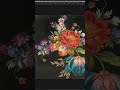
How I Saved This Blurry Design (AI Method) #upscale #textile
In this video, I worked on a real textile design requirement where a blurry low-quality artwork needed to be transformed into a clean, sharp, and professional print-ready textile file. 🎨🧵
The designer had already tried multiple upscale methods before, but the final artwork was still blurry, soft, and lacking proper textile detailing.
This is one of the most common problems in textile workflows today — normal upscaling may increase image size, but it usually does not recover the real surface quality required for textile production.
So instead of using a basic upscale process, the artwork was refined using the Textile-Designer.Ai workflow with a focus on real textile finishing and production-ready enhancement. 🚀
✨ In this workflow demonstration:
• Blur to HD enhancement
• Detail recovery & edge refinement
• Color balancing & cleanup
• Texture improvement
• Surface detailing
• High-resolution optimization
• Print-ready textile finishing
The purpose of this process was not just to make the image “look HD.”
The real goal was to create a cleaner and more usable artwork suitable for:
✔ Digital textile printing
✔ Fashion design production
✔ Surface pattern workflows
✔ Embroidery development
✔ Fabric manufacturing process
One important thing most designers miss:
Upscaling alone is not enough for textile production.
A proper workflow also needs:
✅ Clean detailing
✅ Balanced colors
✅ Sharp edges
✅ Texture clarity
✅ Professional finishing
That is where Textile-Designer.Ai workflow helps speed up and improve the overall textile design process. ✨
This video showcases the complete transformation from blurry reference artwork to professional textile-ready quality.
And this is only Day 1 of the real client requirement series. 👀
More workflow demonstrations, embroidery effects, motif enhancements, print-ready conversions, and AI-powered textile processes will be uploaded regularly. 🚀
💡 If you want to learn more about the workflow, tools, and live demonstrations:
Comment: **Textile-Designer.Ai**
📩 Workflow details, demo access, and related information will be shared via DM.
Powered By:
🧵 Textile-Designer.Ai
🖌 Photoshop Workflow
#TextileDesignerAI #TextileDesign #PrintReady #Upscale #BlurToHD #DigitalPrinting #SurfacePatternDesign #FashionDesign #EmbroideryDesign #CreativeWorkflow #TextilePrinting #AIWorkflow #PhotoshopWorkflow #8KQuality #TextileIndustry
Raj Textile AI
Captain Textile AI
textile designer AI
Видео How I Saved This Blurry Design (AI Method) #upscale #textile канала Captain Textile Ai
The designer had already tried multiple upscale methods before, but the final artwork was still blurry, soft, and lacking proper textile detailing.
This is one of the most common problems in textile workflows today — normal upscaling may increase image size, but it usually does not recover the real surface quality required for textile production.
So instead of using a basic upscale process, the artwork was refined using the Textile-Designer.Ai workflow with a focus on real textile finishing and production-ready enhancement. 🚀
✨ In this workflow demonstration:
• Blur to HD enhancement
• Detail recovery & edge refinement
• Color balancing & cleanup
• Texture improvement
• Surface detailing
• High-resolution optimization
• Print-ready textile finishing
The purpose of this process was not just to make the image “look HD.”
The real goal was to create a cleaner and more usable artwork suitable for:
✔ Digital textile printing
✔ Fashion design production
✔ Surface pattern workflows
✔ Embroidery development
✔ Fabric manufacturing process
One important thing most designers miss:
Upscaling alone is not enough for textile production.
A proper workflow also needs:
✅ Clean detailing
✅ Balanced colors
✅ Sharp edges
✅ Texture clarity
✅ Professional finishing
That is where Textile-Designer.Ai workflow helps speed up and improve the overall textile design process. ✨
This video showcases the complete transformation from blurry reference artwork to professional textile-ready quality.
And this is only Day 1 of the real client requirement series. 👀
More workflow demonstrations, embroidery effects, motif enhancements, print-ready conversions, and AI-powered textile processes will be uploaded regularly. 🚀
💡 If you want to learn more about the workflow, tools, and live demonstrations:
Comment: **Textile-Designer.Ai**
📩 Workflow details, demo access, and related information will be shared via DM.
Powered By:
🧵 Textile-Designer.Ai
🖌 Photoshop Workflow
#TextileDesignerAI #TextileDesign #PrintReady #Upscale #BlurToHD #DigitalPrinting #SurfacePatternDesign #FashionDesign #EmbroideryDesign #CreativeWorkflow #TextilePrinting #AIWorkflow #PhotoshopWorkflow #8KQuality #TextileIndustry
Raj Textile AI
Captain Textile AI
textile designer AI
Видео How I Saved This Blurry Design (AI Method) #upscale #textile канала Captain Textile Ai
Комментарии отсутствуют
Информация о видео
15 мая 2026 г. 17:18:06
00:00:55
Другие видео канала
 I Tried The Best AI Fashion Design Tools
 AI Color Transfer Tool Explained | One Image Colors → Another Image #shorts #design
 How To Create a Photoshop Action Sequence (Tutorial)
 No Complex Prompts Needed | AI Extracts Textile Designs Perfectly #textiledesignerai #design #shorts
 No Drawing Skills Needed for Perfect Flats Anymore #fashion #design #textile
 Designing made easy with Petch Tools..✨#photoshop #shorts
 I Spent $1,000,000 On The World's RAREST Pokémon Cards
 Photoshop Textile Design 🔥 | AI Textile Design #shorts
 क्या Textile Designer भी ये Trick जानते हैं? 🤔 | AI Magic
 This Dress Design is Absolutely Stunning ✨ #shorts #pattern
 3d printing Sadi...✨🙌#shorts #printing
 AI vs Photoshop: The Battle for Textile Design
 #design #photoshop #shorts #trending
 "Revolutionizing Fabrics: How AI is Transforming Textile Design in 2025!"
 धुंधली तस्वीर = Pro Texture Design | 1 Click में #shorts #youtubeshorts
 Photoshop Magic and the Art World Scandal
 Photoshop Design Tutorial 🔥 Amazing Creative Poster Design | Photoshop ll #shorts
 "Quick Photoshop Border Trick You’ll Love 😍" #shorts #photoshop
 This floral detail technique will blow your mind #textiledesign #arttutorial #diy
 "Creative design that speaks louder than words ✨🎨#shorts #photoshop
