
- Популярные видео
- Авто
- Видео-блоги
- ДТП, аварии
- Для маленьких
- Еда, напитки
- Животные
- Закон и право
- Знаменитости
- Игры
- Искусство
- Комедии
- Красота, мода
- Кулинария, рецепты
- Люди
- Мото
- Музыка
- Мультфильмы
- Наука, технологии
- Новости
- Образование
- Политика
- Праздники
- Приколы
- Природа
- Происшествия
- Путешествия
- Развлечения
- Ржач
- Семья
- Сериалы
- Спорт
- Стиль жизни
- ТВ передачи
- Танцы
- Технологии
- Товары
- Ужасы
- Фильмы
- Шоу-бизнес
- Юмор
Revit Running Slow? Do THIS! 🚀
Is your Revit lagging? You might have too many windows open! ⚙️
Did you know that every open view in Revit consumes system resources? If your project is starting to feel slow, it's time to clear the clutter. In this video, I’ll show you the "magic" button that closes all inactive windows instantly, leaving only your current work area open.
What you’ll learn:
Why many open views drain your PC's performance.
Where to find the Close Inactive Views command.
How to boost Revit speed in just one click.
Timestamps:
0:00 — Why your Revit is slowing down
0:12 — The magic "Close Inactive Views" button
0:21 — Subscribe for more Revit productivity tips!
🚀 Want to work 2x faster in Revit?
Check out the full playlist with all my Revit tips and tricks:
🔗 https://www.youtube.com/playlist?list=PLnIGeP5R66pdQBz5C0LmOZSQcoeBntAJz
#Revit #BIM #HVAC #Engineering #BekhBimExpert
Видео Revit Running Slow? Do THIS! 🚀 канала Tetiana Bekh
Did you know that every open view in Revit consumes system resources? If your project is starting to feel slow, it's time to clear the clutter. In this video, I’ll show you the "magic" button that closes all inactive windows instantly, leaving only your current work area open.
What you’ll learn:
Why many open views drain your PC's performance.
Where to find the Close Inactive Views command.
How to boost Revit speed in just one click.
Timestamps:
0:00 — Why your Revit is slowing down
0:12 — The magic "Close Inactive Views" button
0:21 — Subscribe for more Revit productivity tips!
🚀 Want to work 2x faster in Revit?
Check out the full playlist with all my Revit tips and tricks:
🔗 https://www.youtube.com/playlist?list=PLnIGeP5R66pdQBz5C0LmOZSQcoeBntAJz
#Revit #BIM #HVAC #Engineering #BekhBimExpert
Видео Revit Running Slow? Do THIS! 🚀 канала Tetiana Bekh
Revit BIM HVAC MEP Engineering BIM families Revit tutorial Tetiana Bekh Revit tips Revit productivity Close Inactive Views Speed up Revit Revit shortcut BIM Manager HVAC engineering MEP modeling Architecture Construction Revit workflow Revit for beginners Autodesk Revit How to speed up Revit Revit MEP BIM Coordination Revit interface hacks
Комментарии отсутствуют
Информация о видео
25 апреля 2026 г. 22:00:43
00:00:29
Другие видео канала
 Accidentally Deselected Everything in Revit? Do This!
 Revit Quirk: Why "Inherit Size" Disappears in Ceiling Plans
 How to Locate and Manage Families in Seconds
 Revit MEP: View Filters Explained (AHU Example)
 Revit Shortcut: How to switch windows instantly
 Revit Selection Box: See Any Element in 3D Instantly!
 How to Create Custom Supply & Return Symbols in Revit Fabrication Parts (CAMduct Tutorial)
 Parametric Revit Family in 60 Seconds 🏗️
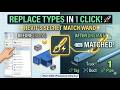 Revit Tips: Match Type Properties (MA)
 Revit Quirk: Floor Plan vs. RCP
 How to check Line Weights in Revit (Thin Lines Trick)
 Revit Model Disappeared? 2 Ways to Find It!
 How to use Match Type Properties in Revit MEP
 Revit Selection Secrets: Right vs. Left! 🖱️
 The Fastest Way to Restore Revit Properties & Browser
