
- Популярные видео
- Авто
- Видео-блоги
- ДТП, аварии
- Для маленьких
- Еда, напитки
- Животные
- Закон и право
- Знаменитости
- Игры
- Искусство
- Комедии
- Красота, мода
- Кулинария, рецепты
- Люди
- Мото
- Музыка
- Мультфильмы
- Наука, технологии
- Новости
- Образование
- Политика
- Праздники
- Приколы
- Природа
- Происшествия
- Путешествия
- Развлечения
- Ржач
- Семья
- Сериалы
- Спорт
- Стиль жизни
- ТВ передачи
- Танцы
- Технологии
- Товары
- Ужасы
- Фильмы
- Шоу-бизнес
- Юмор
How to Connect Databricks to ADLS Gen2 Using SAS Token | Secure Azure Data Lake Access |day 41
In this video, we’ll learn how to connect Azure Databricks to Azure Data Lake Storage Gen2 (ADLS Gen2) using a Shared Access Signature (SAS) token. This is one of the most common and secure ways to grant limited-time access to your data without exposing storage account keys.
We’ll cover:
What is a SAS Token and why it’s used
How to generate a SAS token in Azure Portal
Step-by-step process to configure the connection in Azure Databricks
Reading and writing files from ADLS Gen2 using SAS authentication
Security best practices for managing and rotating SAS tokens
By the end of this video, you’ll know how to securely connect your Databricks workspace to ADLS Gen2 using SAS Tokens, enabling safe and controlled data access in your Azure Data Engineering projects.
🔗 Watch the complete Azure Data Engineering Project playlist:
channel link : www.youtube.com/@MYDATALAB-hemanth
DE project play list link :https://www.youtube.com/playlist?list=PLjBl1R1Enhq8GsdVPsjQd7bZ5tOACqrf-
windows cli play list :https://www.youtube.com/playlist?list=PLjBl1R1Enhq-m72khhrr5VZF5PLRuXP0e
numpy basics play list:https://www.youtube.com/playlist?list=PLjBl1R1Enhq-ngcXvF_7tYEDvoI-mHUfC
python basics :https://www.youtube.com/playlist?list=PLjBl1R1Enhq-YorRZXcRAL3H5_OKwY90k
📺 Subscribe for more Azure Data Engineering tutorials:
https://www.youtube.com/@MYDATALAB-hemanth
Видео How to Connect Databricks to ADLS Gen2 Using SAS Token | Secure Azure Data Lake Access |day 41 канала MY DATA LAB
We’ll cover:
What is a SAS Token and why it’s used
How to generate a SAS token in Azure Portal
Step-by-step process to configure the connection in Azure Databricks
Reading and writing files from ADLS Gen2 using SAS authentication
Security best practices for managing and rotating SAS tokens
By the end of this video, you’ll know how to securely connect your Databricks workspace to ADLS Gen2 using SAS Tokens, enabling safe and controlled data access in your Azure Data Engineering projects.
🔗 Watch the complete Azure Data Engineering Project playlist:
channel link : www.youtube.com/@MYDATALAB-hemanth
DE project play list link :https://www.youtube.com/playlist?list=PLjBl1R1Enhq8GsdVPsjQd7bZ5tOACqrf-
windows cli play list :https://www.youtube.com/playlist?list=PLjBl1R1Enhq-m72khhrr5VZF5PLRuXP0e
numpy basics play list:https://www.youtube.com/playlist?list=PLjBl1R1Enhq-ngcXvF_7tYEDvoI-mHUfC
python basics :https://www.youtube.com/playlist?list=PLjBl1R1Enhq-YorRZXcRAL3H5_OKwY90k
📺 Subscribe for more Azure Data Engineering tutorials:
https://www.youtube.com/@MYDATALAB-hemanth
Видео How to Connect Databricks to ADLS Gen2 Using SAS Token | Secure Azure Data Lake Access |day 41 канала MY DATA LAB
connect databricks to adls gen2 using sas token azure databricks sas connection databricks adls gen2 authentication azure sas token tutorial azure data lake gen2 connection databricks secure data access sas token azure data lake databricks data engineering azure storage sas key connect databricks to azure storage azure databricks tutorial adls gen2 integration
Комментарии отсутствуют
Информация о видео
29 октября 2025 г. 4:30:15
00:15:16
Другие видео канала
 How to Mount an Azure Storage Account to DBFS (Step-by-Step Guide) |day 52
 How to Rename a File in Windows CLI Using the REN Command | Day 11 Tutorial
 How to Create an Empty File in Windows CLI | Day 9 Tutorial
 What is a Trigger in Azure Data Factory? | Schedule Trigger Explained with Real-Time Example |day 19
 What is Azure Data Factory? | Where ADF Fits & Orchestration Explained | #1
 Introduction to Apache Spark | Why Spark Was Developed? | Big Data & Data Engineering | day 23
 Python Memory Model Explained | Stack, Heap, Objects | 8
 Why Python for Data science Domain| Internals, Ecosystem & Real-World Use Cases |day1
 Clone Notebook in Databricks | Process CSV File End-to-End | Float Data Type Explained | day 61
 Process JSON File in Databricks | Reorder Columns & Cast Data Types | day 62
 🚀git and github full tutorial (telugu)
 Indexing and Slicing in Python | Positive & Negative Index | Python Tutorial #18
 How to Update Notebooks with Key Vault Secrets? | Existing Notebook ఎలా Modify చేయాలి?| day 49
 Role of Azure Data Factory in Azure | How ADF Fits in Cloud Architecture | #5
 🚀 control flow statement python in telugu
 Python Code Execution Life Cycle | From Writing Code to Program Termination | day 4
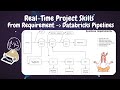 How to Gather Business Requirements & Convert Them into Data Engineering Code | day 53
 List Comprehension in Python | Write Clean & Fast Loops | Python Tutorial #27
 What is DBFS in Databricks? | Databricks File System Explained for Data Engineers | day 36
 How to Navigate Folders in Windows CLI Using the CD Command | Day 3 Tutorial
 know about Display Schema, Infer Schema & Explicit Schema in Databricks Spark | DF Statistics | 55
