
- Популярные видео
- Авто
- Видео-блоги
- ДТП, аварии
- Для маленьких
- Еда, напитки
- Животные
- Закон и право
- Знаменитости
- Игры
- Искусство
- Комедии
- Красота, мода
- Кулинария, рецепты
- Люди
- Мото
- Музыка
- Мультфильмы
- Наука, технологии
- Новости
- Образование
- Политика
- Праздники
- Приколы
- Природа
- Происшествия
- Путешествия
- Развлечения
- Ржач
- Семья
- Сериалы
- Спорт
- Стиль жизни
- ТВ передачи
- Танцы
- Технологии
- Товары
- Ужасы
- Фильмы
- Шоу-бизнес
- Юмор
2. Imports | Module 4 | LAND4 for Archicad® – Online Course
-
*2. Importing Survey Data and Foundation Files*
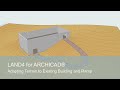
This video is *Chapter 2 of Module 4* in the free LAND4 for Archicad online course: Create and Adapt Terrain to Building Foundation. To access the full course and download materials, visit: https://visit.land4cad.com/freeonlinecourse.
*In this Video*
Here, you will learn how to import the external data used as the basis for the entire Module 4 exercise. The focus is on bringing surveyor data and foundation geometry into the project using the correct LAND4 and Archicad workflows.
You will work with an XYZ file containing surveyor measurements and a building foundation provided as an Archicad module. Correct import settings and placement are essential, as this data forms the reference for all terrain modelling, grading, and CUT and FILL analysis in the following chapters.
*Timestamps*
00:00 Introduction – Import overview
00:16 Importing survey data (XYZ)
01:29 Importing the foundation module (.MOD)
The chapter ensures that all base data is correctly imported and prepared before moving on to creating the existing terrain surfaces.
*Course materials:*
All accompanying course materials, including prepared project files, are available for download so you can follow the exercise step by step:
https://visit.land4cad.com/freeonlinecourse.
*Watch the next video:* https://youtu.be/bcamk_EBU08
*Watch the full Module 4 playlist:* https://www.youtube.com/playlist?list=PLJAK2V7Sc20ql7zzGa4igjushW8Z7fGqo
*Links*
Free Online LAND4 Course: https://visit.land4cad.com/freeonlinecourse
Written documentation: https://visit.land4cad.com/support
To order LAND4, go to https://visit.land4cad.com/order
To download LAND4, go to https://visit.land4cad.com/download
To subscribe to our Newsletter: https://visit.land4cad.com/Newsletter-signup
Don't forget to LIKE the video if you found it helpful and SUBSCRIBE to our channel (https://www.youtube.com/@UCycPX0yC2Chay54rjJVKdIA) for more LAND4 tutorials and tips!
Visit our website at https://land4cad.com for more information and resources.
_LAND Software A/S specialises in creating innovative software solutions for landscape professionals. LAND4 is our flagship product, a BIM landscape plugin designed to seamlessly integrate with ARCHICAD and streamline your design process._
#LAND4 #landscapingwitharchicad #BIM #LandscapeDesign #Architecture #3DModeling #Tutorial #CAD #landscapingsoftware #Surveying
Видео 2. Imports | Module 4 | LAND4 for Archicad® – Online Course канала Land Software A/S
*2. Importing Survey Data and Foundation Files*
This video is *Chapter 2 of Module 4* in the free LAND4 for Archicad online course: Create and Adapt Terrain to Building Foundation. To access the full course and download materials, visit: https://visit.land4cad.com/freeonlinecourse.
*In this Video*
Here, you will learn how to import the external data used as the basis for the entire Module 4 exercise. The focus is on bringing surveyor data and foundation geometry into the project using the correct LAND4 and Archicad workflows.
You will work with an XYZ file containing surveyor measurements and a building foundation provided as an Archicad module. Correct import settings and placement are essential, as this data forms the reference for all terrain modelling, grading, and CUT and FILL analysis in the following chapters.
*Timestamps*
00:00 Introduction – Import overview
00:16 Importing survey data (XYZ)
01:29 Importing the foundation module (.MOD)
The chapter ensures that all base data is correctly imported and prepared before moving on to creating the existing terrain surfaces.
*Course materials:*
All accompanying course materials, including prepared project files, are available for download so you can follow the exercise step by step:
https://visit.land4cad.com/freeonlinecourse.
*Watch the next video:* https://youtu.be/bcamk_EBU08
*Watch the full Module 4 playlist:* https://www.youtube.com/playlist?list=PLJAK2V7Sc20ql7zzGa4igjushW8Z7fGqo
*Links*
Free Online LAND4 Course: https://visit.land4cad.com/freeonlinecourse
Written documentation: https://visit.land4cad.com/support
To order LAND4, go to https://visit.land4cad.com/order
To download LAND4, go to https://visit.land4cad.com/download
To subscribe to our Newsletter: https://visit.land4cad.com/Newsletter-signup
Don't forget to LIKE the video if you found it helpful and SUBSCRIBE to our channel (https://www.youtube.com/@UCycPX0yC2Chay54rjJVKdIA) for more LAND4 tutorials and tips!
Visit our website at https://land4cad.com for more information and resources.
_LAND Software A/S specialises in creating innovative software solutions for landscape professionals. LAND4 is our flagship product, a BIM landscape plugin designed to seamlessly integrate with ARCHICAD and streamline your design process._
#LAND4 #landscapingwitharchicad #BIM #LandscapeDesign #Architecture #3DModeling #Tutorial #CAD #landscapingsoftware #Surveying
Видео 2. Imports | Module 4 | LAND4 for Archicad® – Online Course канала Land Software A/S
Комментарии отсутствуют
Информация о видео
20 февраля 2026 г. 15:38:30
00:02:16
Другие видео канала
 Preparing Surveyor Data for Import | LAND4 (V4) for ARCHICAD®
 Water reservoir/Retention basin Volumetrics | LAND4 (V4) for ARCHICAD®
 1. Introduction | Module 4 | LAND4 for Archicad® – Online Course
 Filtering Point Cloud using CloudCompare | LAND4 (V4) for ARCHICAD®
 Create Landscape Project | Module 3 | LAND4 for Archicad® – Online Course
 Parking Lot (1/3): From Sketch to Site Design | LAND4 (V4) for ARCHICAD®
 Intro: Constructing Parking Lot | LAND4 (V4) for use with ARCHICAD®
 6. Creating New Terrain Subsoil | Module 4 | LAND4 for Archicad® – Online Course
 9. Final Plans | Module 4 | LAND4 for Archicad® – Online Course
 Understand Elements, Tools and Settings | Module 1 | LAND4 for Archicad® – Online Course
 Parking Lot (3/3): Final terrain, incl volume calculations | LAND4 (V4) for ARCHICAD®
 Terrain Meets Foundation Workflow – Online Course | LAND4 for Archicad®
 4. Creating the Existing Terrain Subsoil | Module 4 | LAND4 for Archicad® – Online Course
 LAND4 Just Got Even Better – Explore What’s New in Version 5 | LAND4 for use with ARCHICAD®
 Intro: Round roof on building - creative and fast | LAND4 (V4) for ARCHICAD®
 Presentation, GRAPHISOFT BIMClub Online | LAND4 for ARCHICAD®
 5. Adjusting Foundation Module to Terrain | Module 4 | LAND4 for Archicad® – Online Course
 8. Topsoil Deposit Plan | Module 4 | LAND4 for Archicad® – Online Course
 Creating roof on round building | LAND4 (V4) for ARCHICAD®
 Adapting Terrain to Existing Building and Ramp | LAND4 (V4) for ARCHICAD®
