
- Популярные видео
- Авто
- Видео-блоги
- ДТП, аварии
- Для маленьких
- Еда, напитки
- Животные
- Закон и право
- Знаменитости
- Игры
- Искусство
- Комедии
- Красота, мода
- Кулинария, рецепты
- Люди
- Мото
- Музыка
- Мультфильмы
- Наука, технологии
- Новости
- Образование
- Политика
- Праздники
- Приколы
- Природа
- Происшествия
- Путешествия
- Развлечения
- Ржач
- Семья
- Сериалы
- Спорт
- Стиль жизни
- ТВ передачи
- Танцы
- Технологии
- Товары
- Ужасы
- Фильмы
- Шоу-бизнес
- Юмор
How to Create Post Purchase Pro Widget in Dynamatic | Shopify App/Dynamatic App Post Purchase Upsell
In this tutorial, you’ll learn how to create a Post Purchase Pro widget inside the Dynamatic App step by step. This complete guide will show you how to build a fully functional post-purchase upsell page that appears right after customers complete their order on your Shopify store.
We’ll walk through every option inside the Dynamatic widget editor, including:
Creating and naming your widget
Adding personalized text blocks
Setting up urgency timers
Configuring single & multi-product upsells
Adding discounts, badges, and shipping settings
Customizing product images, buttons, and variants
Creating product bundles and FAQ sections
Connecting the widget to a post-purchase flow
Activating it inside Shopify checkout settings
How To Create Audience Tutorial: https://youtu.be/WuR7NVwsRrQ
By the end of this video, your Dynamatic Post Purchase Pro upsell system will be fully ready to increase conversions and boost your store revenue.
🚀 Power your store with Dynamatic Cart & Upsell Engine
📨 Support: support@ecompropeller.com
🌐 Website: https://dynamaticapp.com
🛍️ Shopify App: https://apps.shopify.com/navidium-cart-and-upsells
🚀 Perfect for Shopify merchants looking to maximize post-purchase revenue with smart upsell funnels.
🔔 Don’t forget to subscribe for more Shopify growth and conversion optimization tutorials.
Видео How to Create Post Purchase Pro Widget in Dynamatic | Shopify App/Dynamatic App Post Purchase Upsell канала Navidium Apps
We’ll walk through every option inside the Dynamatic widget editor, including:
Creating and naming your widget
Adding personalized text blocks
Setting up urgency timers
Configuring single & multi-product upsells
Adding discounts, badges, and shipping settings
Customizing product images, buttons, and variants
Creating product bundles and FAQ sections
Connecting the widget to a post-purchase flow
Activating it inside Shopify checkout settings
How To Create Audience Tutorial: https://youtu.be/WuR7NVwsRrQ
By the end of this video, your Dynamatic Post Purchase Pro upsell system will be fully ready to increase conversions and boost your store revenue.
🚀 Power your store with Dynamatic Cart & Upsell Engine
📨 Support: support@ecompropeller.com
🌐 Website: https://dynamaticapp.com
🛍️ Shopify App: https://apps.shopify.com/navidium-cart-and-upsells
🚀 Perfect for Shopify merchants looking to maximize post-purchase revenue with smart upsell funnels.
🔔 Don’t forget to subscribe for more Shopify growth and conversion optimization tutorials.
Видео How to Create Post Purchase Pro Widget in Dynamatic | Shopify App/Dynamatic App Post Purchase Upsell канала Navidium Apps
Dynamatic Dynamatic app Post Purchase Pro Shopify upsell post purchase upsell Shopify post purchase page Shopify tutorial Shopify marketing upsell funnel Shopify conversion optimization ecommerce upsell Shopify apps Dynamatic tutorial Shopify post purchase flow one click upsell Shopify sales funnel ecommerce marketing Shopify checkout upsell product upsell Shopify Shopify guide increase Shopify sales Shopify automation Shopify revenue growth Shopify
Комментарии отсутствуют
Информация о видео
12 мая 2026 г. 13:34:16
00:07:00
Другие видео канала
 Return Request Approved! Customer Packing Slip Generation Mail | Navidium Returns & Exchanges
 How to Set Up Cart & Upsell By Navidium on Shopify | Cart & Upsell By Navidium App Tutorial
 Cart & Upsell By Navidium for Shopify | AI-Powered Ultimate Shopify Upsell App
 Dynamatic Discount Tutorial | Dynamatic Cart & Upsell Engine
 Dynamatic Bundle Builder Tutorial | Create Custom Product Bundles on Shopify
 How to Go Live with Navidium Returns & Exchanges on Shopify
 How to Use Cart Theme in Dynamatic | Dynamatic App Guide
 Cart & Upsell by Navidium – Complete Shopify Cart Drawer Tutorial
 How to Use Audiences in the Dynamatic App | Complete Walkthrough & Examples
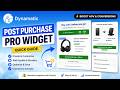 Post Purchase Pro Widget Tutorial (Quick Guide) | Boost AOV with Shopify Upsells
 Approve Manual Warranty Registrations In Navidium Warranty App
 How to Create a Reorder Page in Dynamatic | Boost Repeat Sales with Dynamatic Reorder Page
 Template Testing in Dynamatic App Shopify | A/B Testing Tutorial
 How to Manage Return Requests in Navidium Returns & Exchanges Apps Tutorial
 How to Create Discount Feeds in Dynamatic App | Shopify Discounts Made Easy
 Dynamatic Add-ons Bundle Tutorial | Increase AOV with Product Add-ons on Shopify
 How to Create Smart Product Feeds in Dynamatic App | Advanced Rules + Shopify Automation
 How to Create High-Converting Upsell Funnels | Cart & Upsell by Navidium (Embedded) Shopify Tutorial
 Getting Started with Dynamatic Bundles
 Popup Factory by Dynamatic | Dynamatic Tools Promo
 How to Set Up a Dynamic Cart via Campaign in Dynamatic | Dynamatic App Tutorial
