
- Популярные видео
- Авто
- Видео-блоги
- ДТП, аварии
- Для маленьких
- Еда, напитки
- Животные
- Закон и право
- Знаменитости
- Игры
- Искусство
- Комедии
- Красота, мода
- Кулинария, рецепты
- Люди
- Мото
- Музыка
- Мультфильмы
- Наука, технологии
- Новости
- Образование
- Политика
- Праздники
- Приколы
- Природа
- Происшествия
- Путешествия
- Развлечения
- Ржач
- Семья
- Сериалы
- Спорт
- Стиль жизни
- ТВ передачи
- Танцы
- Технологии
- Товары
- Ужасы
- Фильмы
- Шоу-бизнес
- Юмор
Mint an NFT in 5 Minutes with OpenSea Studio!【Luxucom】【How to Create an NFT】
A private space to connect more deeply with your most dedicated fans.
Luxucom is an SNS where creators can deliver a more exclusive and luxurious communication experience to their fans.
▼ Sign up for free on our official website:
https://luxucom.com/
▼ Contact us:
contact@luxucom.com
In this video, we’ll show you how anyone can easily mint an NFT using OpenSea Studio.
▼ Preparation Guide
1. Create a Crypto Exchange Account
You will need a small amount of MATIC (Polygon) for gas fees.
You can purchase MATIC on popular exchanges such as:
Binance
Coinbase
Kraken
OKX
Choose any exchange available in your country.
2. Buy MATIC (Polygon)
Purchase a small amount of MATIC on the exchange you registered with.
(For listing or minting NFTs, only a small amount is needed.)
3. Create a MetaMask Wallet
Download MetaMask from the official website and create your wallet:
https://metamask.io/
4. Add the Polygon Network to MetaMask
You can add Polygon manually or with a one-click setup here:
https://chainlist.org/
Search for Polygon Mainnet and click “Add to MetaMask.”
5. Send MATIC to MetaMask
Transfer your purchased MATIC from your exchange to your MetaMask wallet address.
(You will use MATIC to pay gas fees when minting your NFT.)
▼ Chapter
00:34 Connect MetaMask to OpenSea
01:02 Create a Contract
02:09 Create an NFT
04:27 Mint the NFT
04:53 Publish the NFT
05:23 Add the Created NFT to Luxucom
────────────
■ Operator:
StechUp Inc.
■ Inquiries:
contact@stechup.co.jp
────────────
#Luxucom #HowToCreateNFT #OpenSea #NFTBeginner #Web3
Видео Mint an NFT in 5 Minutes with OpenSea Studio!【Luxucom】【How to Create an NFT】 канала Luxucom
Luxucom is an SNS where creators can deliver a more exclusive and luxurious communication experience to their fans.
▼ Sign up for free on our official website:
https://luxucom.com/
▼ Contact us:
contact@luxucom.com
In this video, we’ll show you how anyone can easily mint an NFT using OpenSea Studio.
▼ Preparation Guide
1. Create a Crypto Exchange Account
You will need a small amount of MATIC (Polygon) for gas fees.
You can purchase MATIC on popular exchanges such as:
Binance
Coinbase
Kraken
OKX
Choose any exchange available in your country.
2. Buy MATIC (Polygon)
Purchase a small amount of MATIC on the exchange you registered with.
(For listing or minting NFTs, only a small amount is needed.)
3. Create a MetaMask Wallet
Download MetaMask from the official website and create your wallet:
https://metamask.io/
4. Add the Polygon Network to MetaMask
You can add Polygon manually or with a one-click setup here:
https://chainlist.org/
Search for Polygon Mainnet and click “Add to MetaMask.”
5. Send MATIC to MetaMask
Transfer your purchased MATIC from your exchange to your MetaMask wallet address.
(You will use MATIC to pay gas fees when minting your NFT.)
▼ Chapter
00:34 Connect MetaMask to OpenSea
01:02 Create a Contract
02:09 Create an NFT
04:27 Mint the NFT
04:53 Publish the NFT
05:23 Add the Created NFT to Luxucom
────────────
■ Operator:
StechUp Inc.
■ Inquiries:
contact@stechup.co.jp
────────────
#Luxucom #HowToCreateNFT #OpenSea #NFTBeginner #Web3
Видео Mint an NFT in 5 Minutes with OpenSea Studio!【Luxucom】【How to Create an NFT】 канала Luxucom
NFT tutorial NFT guide How to mint an NFT OpenSea Studio OpenSea tutorial Polygon NFT MetaMask setup Web3 beginner NFT beginner NFT minting NFT creation NFT registration Luxucom Luxucom development StechUp Academy StechUp Inc young engineers for creators NFT creators NFT fan community Web3 SNS mint NFT OpenSea create NFT OpenSea Polygon MATIC tutorial
Комментарии отсутствуют
Информация о видео
15 ноября 2025 г. 10:45:57
00:06:19
Другие видео канала
 A Place to Connect Deeply with Your True Fans – Luxucom #shorts
 Luxucom Build Your NFT Community
 Luxucom in 2 Minutes
 Where Connection Becomes Luxury #shorts
 NFTで繋がる新感覚のSNS、Luxucom #shorts
 2分でわかるLuxucom
 特別なファンとだけ深くつながれる場所【Luxucom】 #shorts
 Luxucomの使い方
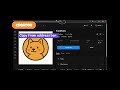 How to Use Luxucom
 Luxucomでより特別でより贅沢なコミュニティ体験をはじめてみませんか?【Luxucom(ラグコミュ)アプリ紹介】
 OpenSea StudioでNFTを5分で発行しよう!【Luxucom】【NFTの作り方】
 Experience a More Exclusive & Luxurious Community — Introducing Luxucom
 A New Social Experience, Powered by NFTs — Luxucom #shorts
 Luxucom Build Your NFT Community #shorts
