
- Популярные видео
- Авто
- Видео-блоги
- ДТП, аварии
- Для маленьких
- Еда, напитки
- Животные
- Закон и право
- Знаменитости
- Игры
- Искусство
- Комедии
- Красота, мода
- Кулинария, рецепты
- Люди
- Мото
- Музыка
- Мультфильмы
- Наука, технологии
- Новости
- Образование
- Политика
- Праздники
- Приколы
- Природа
- Происшествия
- Путешествия
- Развлечения
- Ржач
- Семья
- Сериалы
- Спорт
- Стиль жизни
- ТВ передачи
- Танцы
- Технологии
- Товары
- Ужасы
- Фильмы
- Шоу-бизнес
- Юмор
MacBook Air Overheating? How to Replace Thermal Paste (A1466)
MacBook Air overheating? In this video I show how to replace thermal paste on MacBook Air A1466 step by step.
If your MacBook is getting hot, running slow or the fan is loud, replacing the thermal paste can fix overheating and improve performance.
In this guide you will learn:
• how to open MacBook Air A1466
• how to safely remove the cooling system
• how to clean old thermal paste
• how to apply new thermal paste correctly
• how to reassemble your MacBook
This repair is simple and can significantly reduce temperature and fan noise.
Perfect for beginners and anyone doing MacBook repair or upgrade.
Subscribe to FixTech Lab for more real laptop repairs, MacBook fixes and teardown videos.
#macbookair #macbookrepair #thermalpaste #overheating #a1466 #fixmacbook #laptop
Видео MacBook Air Overheating? How to Replace Thermal Paste (A1466) канала FixTech Lab
If your MacBook is getting hot, running slow or the fan is loud, replacing the thermal paste can fix overheating and improve performance.
In this guide you will learn:
• how to open MacBook Air A1466
• how to safely remove the cooling system
• how to clean old thermal paste
• how to apply new thermal paste correctly
• how to reassemble your MacBook
This repair is simple and can significantly reduce temperature and fan noise.
Perfect for beginners and anyone doing MacBook repair or upgrade.
Subscribe to FixTech Lab for more real laptop repairs, MacBook fixes and teardown videos.
#macbookair #macbookrepair #thermalpaste #overheating #a1466 #fixmacbook #laptop
Видео MacBook Air Overheating? How to Replace Thermal Paste (A1466) канала FixTech Lab
2015 macbook air thermal paste 2015 macbook air bottom panel removal 2015 mba thermal paste 2015 macbook air runs hot macbook air overheating fix macbook air thermal paste replacement how to replace thermal paste macbook air a1466 macbook air running hot fix macbook air fan noise fix macbook air repair guide macbook air cooling fix laptop overheating fix macbook repair thermal paste macbook air
Комментарии отсутствуют
Информация о видео
4 апреля 2026 г. 14:27:19
00:11:34
Другие видео канала
 MacBook Keyboard Key Not Working? Clean or Replace (Easy Fix)
 MacBook Overheating? Replace the Thermal Paste 🔥 Full Teardown (A1398 Fix)
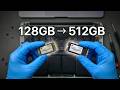 MacBook Air A1466 SSD Upgrade 128GB to 512GB — Full Disassembly & Replacement Guide
 DON’T BUY BEFORE WATCHING THIS 😳 A1707 vs A1708
 How to Disassemble MacBook Air A1466 (Full Teardown Guide)
 99% Fail This Macbook Sound Challenge. #macbook #quiz
 MagSafe Magic on MacBook Pro M5 🤯 #asmr #magsafe #shorts #MacBook
 99% Failed… Here Are The Correct MacBook Sounds
 M1 vs MacBook Pro 2017 (A1708) Boot Race #shorts #macbook #m1 #a1708 #speedtest
 MacBook Pro 2017 Speed Test: 13” vs 15”
 M1 vs M2 Speed Test ⚡ Real Difference?
 MacBook Pro M5 ASMR Unboxing 🎧 No Talking | 16GB 512GB #apple #unboxing #m5macbookpro #asmr
 Mac vs Windows 💀
