
- Популярные видео
- Авто
- Видео-блоги
- ДТП, аварии
- Для маленьких
- Еда, напитки
- Животные
- Закон и право
- Знаменитости
- Игры
- Искусство
- Комедии
- Красота, мода
- Кулинария, рецепты
- Люди
- Мото
- Музыка
- Мультфильмы
- Наука, технологии
- Новости
- Образование
- Политика
- Праздники
- Приколы
- Природа
- Происшествия
- Путешествия
- Развлечения
- Ржач
- Семья
- Сериалы
- Спорт
- Стиль жизни
- ТВ передачи
- Танцы
- Технологии
- Товары
- Ужасы
- Фильмы
- Шоу-бизнес
- Юмор
Arduino Radar GUI | Serial Communication with Processing (Code Explained) | #shorts #subscribe
In this video, I show how Arduino connects to Processing IDE to create a real-time radar GUI.
The Arduino reads ultrasonic sensor data, controls the servo motor, and sends angle and distance values through the Serial COM port.
Processing IDE receives the serial data and converts it into a live radar visualization on the screen.
This video focuses on:
Arduino serial communication
Processing IDE serial reading
Radar GUI setup
Code connection between Arduino and PC
This is part of my Arduino Radar project series.
Full tutorial with wiring and explanation coming soon.
If you enjoy DIY electronics, robotics projects, and sci-fi inspired engineering, subscribe and follow the journey from idea to prototype.
New videos every week.
#Arduino
#ProcessingIDE
#ArduinoRadar
#SerialCommunication
#UltrasonicSensor
#arduino
#shorts
#tech
#diy
Видео Arduino Radar GUI | Serial Communication with Processing (Code Explained) | #shorts #subscribe канала Proto Vision
The Arduino reads ultrasonic sensor data, controls the servo motor, and sends angle and distance values through the Serial COM port.
Processing IDE receives the serial data and converts it into a live radar visualization on the screen.
This video focuses on:
Arduino serial communication
Processing IDE serial reading
Radar GUI setup
Code connection between Arduino and PC
This is part of my Arduino Radar project series.
Full tutorial with wiring and explanation coming soon.
If you enjoy DIY electronics, robotics projects, and sci-fi inspired engineering, subscribe and follow the journey from idea to prototype.
New videos every week.
#Arduino
#ProcessingIDE
#ArduinoRadar
#SerialCommunication
#UltrasonicSensor
#arduino
#shorts
#tech
#diy
Видео Arduino Radar GUI | Serial Communication with Processing (Code Explained) | #shorts #subscribe канала Proto Vision
ProtoVision Proto Vision electronics innovation diy electronics experimental engineering science and technology indian tech channel engineering from scratch technology experiments tech arduino radar arduino processing arduino radar gui ultrasonic sensor radar arduino gui project hc sr04 radar arduino visualization diy arduino radar arduino radar project serial communication arduino
Комментарии отсутствуют
Информация о видео
12 февраля 2026 г. 20:30:18
00:00:22
Другие видео канала
 👉 “This Tiny OLED Looks Like a Hacker Device 😳 #shorts #subscribe #arduino
 Mounting Robot Components 🔧 | Self-Balancing Robot Part 4 #shorts #subscribe #diy
 WiFi Controlled Car Using ESP8266 | Manual + Auto Mode | Full Tutorial
 ₹20 Smart Rechargeable Table Lamp | DIY Electronics Project | tp4056 project 👊
 This Tiny Camera Can See Your Hand 🤯 | P 1 |#subscribe #shorts #like #diy #tech #shortsfeed
 What Parts Are Needed for a Self-Balancing Robot? | Part 2 #shorts #subscribe #like
 👉 Don’t Touch This… It Triggers an Alarm 😳 | DIY Security System
 Control Servo with Potentiometer Using Arduino (Beginner Project 2026)
 I Made a Motion Controlled Flappy Bird Game Using Arduino
 ESP32-CAM First Time Setup | Proper Coding + Face Detection & Recognition
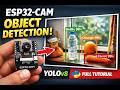 ESP32-CAM Object Detection with YOLOv8 | Full Python Setup Guide
 Smart Hand Wave Counter using IR Sensor & Arduino 🔥 #shorts #subscribe #arduino
 NodeMCU Smart Car 🚗 | #shorts #subscribe #diy #arduino #tech
 This ₹500 Camera Can Recognize Faces 😳 | P 2 | #shorts #subscribe #like #diy #tech
 Multi-Purpose Power Module v1 | 12V to 5V & Adjustable Output | DIY Electronics
 Object Too Close? This Sensor Warns You ⚠️ | #shorts #like #subscribe #tech #diy
 ESP32-CAM Motion Alert to Telegram | Smart Security System
 Self-Balancing Robot | Part 5 – Wiring Done, Ready for Test ⚡#shorts #subscribe #diy
 L298N Motor Driver Connection | Battery + 2 DC Motors | Part 1 | #shorts #subscribe #like #diy
 Press Once = Warning SMS 😳 #shorts #subscribe #diy #arduino
