
- Популярные видео
- Авто
- Видео-блоги
- ДТП, аварии
- Для маленьких
- Еда, напитки
- Животные
- Закон и право
- Знаменитости
- Игры
- Искусство
- Комедии
- Красота, мода
- Кулинария, рецепты
- Люди
- Мото
- Музыка
- Мультфильмы
- Наука, технологии
- Новости
- Образование
- Политика
- Праздники
- Приколы
- Природа
- Происшествия
- Путешествия
- Развлечения
- Ржач
- Семья
- Сериалы
- Спорт
- Стиль жизни
- ТВ передачи
- Танцы
- Технологии
- Товары
- Ужасы
- Фильмы
- Шоу-бизнес
- Юмор
How can combine character's Skinmesh Renderer material and texture atlas just One click in unity
MeshWeld Pro is the fastest way to slash draw calls in your
Unity project. Select any hierarchy of objects, click COMBINE,
and watch dozens of MeshRenderers and SkinnedMeshRenderers
collapse into a single optimised mesh — all in under a second.
Designed for characters, environments, props, and vehicles,
MeshWeld Pro integrates directly into both the Hierarchy
context menu and the Inspector. No third-party dependencies.
No permanent changes to your source assets.
KEY FEATURES
────────────
• One-click mesh combining — static and skinned, mixed
hierarchies fully supported
• 5-channel texture atlas baking
Albedo · Normal · MetallicSmoothness · Emission · Occlusion
All baked into a single atlas → 1 material → 1 draw call
• Automatic UV remapping — all sub-mesh UVs remapped into
their correct atlas regions; UV2/3/4 preserved untouched
• BlendShape transfer with optional namespacing — facial
animations and morph targets survive the combine
• Shader auto-detection — URP, HDRP, and Built-in pipelines
identified automatically; correct shader assigned which is mostly used on mesh
• Non-readable texture auto-fix — no manual import settings
adjustments required before baking
• Full Undo / Redo integration — restore your source hierarchy
exactly with a single click (or Ctrl+Z)
• Per-renderer selection — deselect specific meshes to exclude
them from the combine while keeping them in the hierarchy
• Live before/after stats — vertex count, triangle count,
sub-meshes, materials, draw calls saved, combine time
• Auto-Detect Settings — analyses your hierarchy and recommends
optimal atlas size, shader, and all other settings
• Floating Hierarchy Window + custom Inspector — two ways to
work, whichever fits your pipeline
• Runtime API — call CombineAllMeshes() from your own scripts
Видео How can combine character's Skinmesh Renderer material and texture atlas just One click in unity канала BlackBoxCreation
Unity project. Select any hierarchy of objects, click COMBINE,
and watch dozens of MeshRenderers and SkinnedMeshRenderers
collapse into a single optimised mesh — all in under a second.
Designed for characters, environments, props, and vehicles,
MeshWeld Pro integrates directly into both the Hierarchy
context menu and the Inspector. No third-party dependencies.
No permanent changes to your source assets.
KEY FEATURES
────────────
• One-click mesh combining — static and skinned, mixed
hierarchies fully supported
• 5-channel texture atlas baking
Albedo · Normal · MetallicSmoothness · Emission · Occlusion
All baked into a single atlas → 1 material → 1 draw call
• Automatic UV remapping — all sub-mesh UVs remapped into
their correct atlas regions; UV2/3/4 preserved untouched
• BlendShape transfer with optional namespacing — facial
animations and morph targets survive the combine
• Shader auto-detection — URP, HDRP, and Built-in pipelines
identified automatically; correct shader assigned which is mostly used on mesh
• Non-readable texture auto-fix — no manual import settings
adjustments required before baking
• Full Undo / Redo integration — restore your source hierarchy
exactly with a single click (or Ctrl+Z)
• Per-renderer selection — deselect specific meshes to exclude
them from the combine while keeping them in the hierarchy
• Live before/after stats — vertex count, triangle count,
sub-meshes, materials, draw calls saved, combine time
• Auto-Detect Settings — analyses your hierarchy and recommends
optimal atlas size, shader, and all other settings
• Floating Hierarchy Window + custom Inspector — two ways to
work, whichever fits your pipeline
• Runtime API — call CombineAllMeshes() from your own scripts
Видео How can combine character's Skinmesh Renderer material and texture atlas just One click in unity канала BlackBoxCreation
Комментарии отсутствуют
Информация о видео
20 апреля 2026 г. 20:37:01
00:00:57
Другие видео канала
 Auto Combine Skin Mesh Renderer
 Generate Auto LODs for Your ENTIRE Unity Game in One Click
 Demo character polygon optimization in unity editor
 How can character Optimize in unity Reduce vertices and tris
 Optimize ANY Unity Game in Minutes (Mesh Reduction, Atlas & Auto LODs)
 Line Demo Smart Object Distributor
 Reduce Mesh Polycount by 90% WITHOUT Breaking Textures (Unity Tool)
 Simple MeshRenderer Combiner
 How can make LOD's for complete scene at a time
 A powerful set of 3 tools One Click Mesh Suite — LOD, Optimizer & Combiner
 UDP Networking Pro Connection&Chat
 Optimize mesh in for 3d game unity
 Combine Thousands of MeshRenderes into One in unity
 Auto LOD Generator Demo
 Grid Demo Smart Object Distributor
 How to Optimize any Mesh for Unity Game in Minutes (Mesh Reduction, Atlas & Auto LODs)
 make spline curve grid or line and Generate objects on it stop placing object one by one
 How can generate multiple meshes LOD's on one click in unity using BatchLOD Generator
 Reduce Draw Calls to 1: Merge Meshes & Bake Atlases in Unity
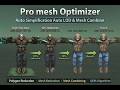 Optimzer Pro Character Optimization Demo
