
- Популярные видео
- Авто
- Видео-блоги
- ДТП, аварии
- Для маленьких
- Еда, напитки
- Животные
- Закон и право
- Знаменитости
- Игры
- Искусство
- Комедии
- Красота, мода
- Кулинария, рецепты
- Люди
- Мото
- Музыка
- Мультфильмы
- Наука, технологии
- Новости
- Образование
- Политика
- Праздники
- Приколы
- Природа
- Происшествия
- Путешествия
- Развлечения
- Ржач
- Семья
- Сериалы
- Спорт
- Стиль жизни
- ТВ передачи
- Танцы
- Технологии
- Товары
- Ужасы
- Фильмы
- Шоу-бизнес
- Юмор
eSSL Biometric Setup & Integration, Bulk User Registration & Delete, Real-Time Attendance & Logs
Managing student and staff attendance has never been this easy! 🚀
In this video, we’ll walk you through the 𝐁𝐢𝐨𝐦𝐞𝐭𝐫𝐢𝐜 𝐃𝐞𝐯𝐢𝐜𝐞 𝐒𝐞𝐭𝐮𝐩 𝐌𝐨𝐝𝐮𝐥𝐞 in 𝐕𝐞𝐝𝐦𝐚𝐫𝐠 𝐄𝐝𝐮𝐜𝐚𝐭𝐢𝐨𝐧 𝐄𝐑𝐏 𝐒𝐨𝐟𝐭𝐰𝐚𝐫𝐞 – a powerful feature designed to simplify and automate the entire attendance process for schools, colleges, and coaching institutes.
👉 𝐖𝐡𝐚𝐭 𝐲𝐨𝐮’𝐥𝐥 𝐥𝐞𝐚𝐫𝐧 𝐢𝐧 𝐭𝐡𝐢𝐬 𝐯𝐢𝐝𝐞𝐨:
✔ How to integrate and set up a biometric device with Vedmarg ERP
✔ How real-time attendance tracking works for students & staff
✔ How instant SMS alerts are sent to parents for better communication
✔ Benefits of biometric attendance in educational institutions
𝐖𝐢𝐭𝐡 𝐕𝐞𝐝𝐦𝐚𝐫𝐠’𝐬 𝐁𝐢𝐨𝐦𝐞𝐭𝐫𝐢𝐜 𝐃𝐞𝐯𝐢𝐜𝐞 𝐈𝐧𝐭𝐞𝐠𝐫𝐚𝐭𝐢𝐨𝐧, 𝐬𝐜𝐡𝐨𝐨𝐥𝐬 𝐜𝐚𝐧 𝐞𝐧𝐬𝐮𝐫𝐞:
• Accurate & paperless attendance 📊
• Elimination of proxy or manual errors ✅
• Automated daily reporting for administration 🏫
• Enhanced parent engagement through real-time alerts 📩
📌 𝐂𝐡𝐚𝐩𝐭𝐞𝐫𝐬:
00:00 – Introduction to Vedmarg ERP Biometric Module
00:28 – How to Purchase eSSL Biometric Device from Vedmarg Website
01:48 – How to Connect Biometric Device with eSSL Online Cloud Software
04:00 – How to Add Biometric Device to Vedmarg ERP (Step-by-Step)
05:20 – How to Do Biometric Registration / Add Data on Device
06:15 – How to Check Biometric Code & Teachers List in Device
06:33 – How to Setup Fingerprint & Face Recognition in Device
07:28 – How to Test if Fingerprint / Face Card Attendance is Working
07:38 – How to Check User Attendance in Vedmarg ERP
08:08 – How to Delete Data from a Biometric Device
08:36 – How to Generate Biometric Code of a Specific User
08:55 – How to Delete Biometric Registration of a Specific User
09:10 – How To Find Un-Registered Users on Biometric Device
09:38 – How To Download Reports of Users of Biometric Device
10:01 – How to Copy Data from One Biometric Device to Another Device
📲 𝐃𝐨𝐰𝐧𝐥𝐨𝐚𝐝 𝐭𝐡𝐞 𝐕𝐞𝐝𝐦𝐚𝐫𝐠 𝐒𝐭𝐮𝐝𝐞𝐧𝐭,𝐓𝐞𝐚𝐜𝐡𝐞𝐫, 𝐏𝐚𝐫𝐞𝐧𝐭𝐬 𝐀𝐩𝐩 𝐀𝐯𝐚𝐢𝐥𝐚𝐛𝐥𝐞 𝐨𝐧 𝐆𝐨𝐨𝐠𝐥𝐞 𝐏𝐥𝐚𝐲 𝐒𝐭𝐨𝐫𝐞 𝐚𝐧𝐝 𝐢𝐎𝐒 𝐀𝐩𝐩 𝐒𝐭𝐨𝐫𝐞:
1. Android: https://play.google.com/store/apps/details?id=com.vedmarg.app
2. iOS: https://apps.apple.com/us/app/vedmarg-students-teachers-app/id6503943693
==== Steps to Connect Device with eSSL Cloud Software - Latest Settings ====
1. Get Serial Number
Menu - System info - Device Info - Serial Number - Share this with Vedmarg team
2. Comm - Cloud Server Setting:
Server Mode: ADMS
Domain Name: OFF
Server Address: 3.111.137.141 (UPDATED IP)
Server Port: 85
Enable Proxy Server: OFF
Restart Your Device (ON & OFF)
3. Comm - Ethernet / Wireless:
IP Address: no change
Subnet mask: no change
Gateway: 192.168.1.1
DNS: 192.168.1.1
TCP Port: 4370
DHCP: ON
Restart Your Device (ON & OFF)
==== Settings Ends ====
💡 Whether you’re an educator, school administrator, or part of the management team, this module helps save time, improve transparency, and build trust with parents.
🔔 Don’t forget to like, share, and subscribe to our channel for more updates on Vedmarg ERP features and modules.
📌 Learn more about Vedmarg ERP: www.vedmarg.com
📌 Get a free demo: +91-7500996633.
✨ Vedmarg Education ERP – Smarter Management, Better Learning.
.
#Vedmarg #VedmargERP #SchoolManagementSoftware #SchoolERPSoftware #SchoolERP #CollegeSoftware #BiometricSoftware #AttendanceManagement #OnlineAttendanceManagement #CollegeERP #EducationTechnology #BiometricAttendance #EdTech #AttendanceSystem #SmartEducation #SMSAlerts
Видео eSSL Biometric Setup & Integration, Bulk User Registration & Delete, Real-Time Attendance & Logs канала Vedmarg - School, College Management Software
In this video, we’ll walk you through the 𝐁𝐢𝐨𝐦𝐞𝐭𝐫𝐢𝐜 𝐃𝐞𝐯𝐢𝐜𝐞 𝐒𝐞𝐭𝐮𝐩 𝐌𝐨𝐝𝐮𝐥𝐞 in 𝐕𝐞𝐝𝐦𝐚𝐫𝐠 𝐄𝐝𝐮𝐜𝐚𝐭𝐢𝐨𝐧 𝐄𝐑𝐏 𝐒𝐨𝐟𝐭𝐰𝐚𝐫𝐞 – a powerful feature designed to simplify and automate the entire attendance process for schools, colleges, and coaching institutes.
👉 𝐖𝐡𝐚𝐭 𝐲𝐨𝐮’𝐥𝐥 𝐥𝐞𝐚𝐫𝐧 𝐢𝐧 𝐭𝐡𝐢𝐬 𝐯𝐢𝐝𝐞𝐨:
✔ How to integrate and set up a biometric device with Vedmarg ERP
✔ How real-time attendance tracking works for students & staff
✔ How instant SMS alerts are sent to parents for better communication
✔ Benefits of biometric attendance in educational institutions
𝐖𝐢𝐭𝐡 𝐕𝐞𝐝𝐦𝐚𝐫𝐠’𝐬 𝐁𝐢𝐨𝐦𝐞𝐭𝐫𝐢𝐜 𝐃𝐞𝐯𝐢𝐜𝐞 𝐈𝐧𝐭𝐞𝐠𝐫𝐚𝐭𝐢𝐨𝐧, 𝐬𝐜𝐡𝐨𝐨𝐥𝐬 𝐜𝐚𝐧 𝐞𝐧𝐬𝐮𝐫𝐞:
• Accurate & paperless attendance 📊
• Elimination of proxy or manual errors ✅
• Automated daily reporting for administration 🏫
• Enhanced parent engagement through real-time alerts 📩
📌 𝐂𝐡𝐚𝐩𝐭𝐞𝐫𝐬:
00:00 – Introduction to Vedmarg ERP Biometric Module
00:28 – How to Purchase eSSL Biometric Device from Vedmarg Website
01:48 – How to Connect Biometric Device with eSSL Online Cloud Software
04:00 – How to Add Biometric Device to Vedmarg ERP (Step-by-Step)
05:20 – How to Do Biometric Registration / Add Data on Device
06:15 – How to Check Biometric Code & Teachers List in Device
06:33 – How to Setup Fingerprint & Face Recognition in Device
07:28 – How to Test if Fingerprint / Face Card Attendance is Working
07:38 – How to Check User Attendance in Vedmarg ERP
08:08 – How to Delete Data from a Biometric Device
08:36 – How to Generate Biometric Code of a Specific User
08:55 – How to Delete Biometric Registration of a Specific User
09:10 – How To Find Un-Registered Users on Biometric Device
09:38 – How To Download Reports of Users of Biometric Device
10:01 – How to Copy Data from One Biometric Device to Another Device
📲 𝐃𝐨𝐰𝐧𝐥𝐨𝐚𝐝 𝐭𝐡𝐞 𝐕𝐞𝐝𝐦𝐚𝐫𝐠 𝐒𝐭𝐮𝐝𝐞𝐧𝐭,𝐓𝐞𝐚𝐜𝐡𝐞𝐫, 𝐏𝐚𝐫𝐞𝐧𝐭𝐬 𝐀𝐩𝐩 𝐀𝐯𝐚𝐢𝐥𝐚𝐛𝐥𝐞 𝐨𝐧 𝐆𝐨𝐨𝐠𝐥𝐞 𝐏𝐥𝐚𝐲 𝐒𝐭𝐨𝐫𝐞 𝐚𝐧𝐝 𝐢𝐎𝐒 𝐀𝐩𝐩 𝐒𝐭𝐨𝐫𝐞:
1. Android: https://play.google.com/store/apps/details?id=com.vedmarg.app
2. iOS: https://apps.apple.com/us/app/vedmarg-students-teachers-app/id6503943693
==== Steps to Connect Device with eSSL Cloud Software - Latest Settings ====
1. Get Serial Number
Menu - System info - Device Info - Serial Number - Share this with Vedmarg team
2. Comm - Cloud Server Setting:
Server Mode: ADMS
Domain Name: OFF
Server Address: 3.111.137.141 (UPDATED IP)
Server Port: 85
Enable Proxy Server: OFF
Restart Your Device (ON & OFF)
3. Comm - Ethernet / Wireless:
IP Address: no change
Subnet mask: no change
Gateway: 192.168.1.1
DNS: 192.168.1.1
TCP Port: 4370
DHCP: ON
Restart Your Device (ON & OFF)
==== Settings Ends ====
💡 Whether you’re an educator, school administrator, or part of the management team, this module helps save time, improve transparency, and build trust with parents.
🔔 Don’t forget to like, share, and subscribe to our channel for more updates on Vedmarg ERP features and modules.
📌 Learn more about Vedmarg ERP: www.vedmarg.com
📌 Get a free demo: +91-7500996633.
✨ Vedmarg Education ERP – Smarter Management, Better Learning.
.
#Vedmarg #VedmargERP #SchoolManagementSoftware #SchoolERPSoftware #SchoolERP #CollegeSoftware #BiometricSoftware #AttendanceManagement #OnlineAttendanceManagement #CollegeERP #EducationTechnology #BiometricAttendance #EdTech #AttendanceSystem #SmartEducation #SMSAlerts
Видео eSSL Biometric Setup & Integration, Bulk User Registration & Delete, Real-Time Attendance & Logs канала Vedmarg - School, College Management Software
vedmarg techdost school management software school management system fee management system free school erp free school management software school erp software school erp system student management system student mobile app school admin app school software college software coaching software attendance management system realtime biometric device essl biometric device secureeye biometric device vedmarg biometric device setup essl pr face kaise setup karen
Комментарии отсутствуют
Информация о видео
9 сентября 2025 г. 12:49:43
00:11:08
Другие видео канала
 Empower your academic journey with Vedmarg: Where learning meets efficiency. 🎓 #VedmargAdvantag #erp
 Why School Management Software Must For Every School?
 Tags Management For Easy Categorization | School Management Software | College Campus ERP System
 Vedmarg Ticket System | Quick Support & Real-Time Tracking | College & School ERP Software
 India’s Literacy Journey: 74% in 2011 to 80.9% in 2024 | Education News India 2025 | Vedmarg ERP
 Robust Offline Test Management System | Daily, Weekly, Monthly Tests in Coaching, Institute, Schools
 Chhath Puja 2025 | Happy Chhath Puja | Chhath Maiya | Surya Dev Puja | Festival | Wishes | Shorts
 Update Student's Profile Picture, Details, Documents Via School Management App #Vedmarg #schoolapp
 How to Apply for Leave Using Vedmarg School / College App | Leave Management System Tutorial
 PM Modi’s Childhood-Inspired Film “Chalo Jeete Hain” in Schools Till Oct 2 | Latest Education News
 Student Bulk Edit Option | New Feature | ERP | School Management Software
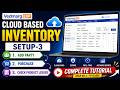 Vedmarg Inventory Management - Setup-3 | Add Party, Purchases & Check Product Ledger | Cloud Based
 Setup Academic Calendar For Schools, Colleges | School Management Software | College ERP System 2026
 NCERT launches Operation Sindoor module for Classes 3 to 12 | Educational Update | Vedmarg ERP
 Manage Your School Fee With Best School Fee Management Software in India | Online School Fee System
 How to Setup & Generate TC / SLC for CBSE & State Boards | Print CBSE Transfer Certificate Format
![[UPDATED] How To Promote Students to New Class / Year / Semester | Migrate Students | School ERP](https://i.ytimg.com/vi/bMQAnaQPmpY/default.jpg) [UPDATED] How To Promote Students to New Class / Year / Semester | Migrate Students | School ERP
[UPDATED] How To Promote Students to New Class / Year / Semester | Migrate Students | School ERP
 📲 How to Buy SMS Pack in Vedmarg ERP | Lowest Price ⚡ | Instant Recharge via UPI, QR Code & Cards 💳
 How To Add Single & Variable Products in Inventory | Setup-2 | Vedmarg ERP Tutorial
 Create Unlimited PDFs From Photos/Camera/Gallery/Images With Premium Features - 100% Free
 Hanuman Jayanti | Hanuman Janmotsav | Bajrangi | Maruti | Pawanputra | 2025
