
- Популярные видео
- Авто
- Видео-блоги
- ДТП, аварии
- Для маленьких
- Еда, напитки
- Животные
- Закон и право
- Знаменитости
- Игры
- Искусство
- Комедии
- Красота, мода
- Кулинария, рецепты
- Люди
- Мото
- Музыка
- Мультфильмы
- Наука, технологии
- Новости
- Образование
- Политика
- Праздники
- Приколы
- Природа
- Происшествия
- Путешествия
- Развлечения
- Ржач
- Семья
- Сериалы
- Спорт
- Стиль жизни
- ТВ передачи
- Танцы
- Технологии
- Товары
- Ужасы
- Фильмы
- Шоу-бизнес
- Юмор
How I Create Moodboards | Brand Design Process
We designers collect so many image references and assets, but they often come with messy watermarks or just have terrible resolution.
Here’s a look into my daily workflow where I batch-process everything with an all-in-one toolkit. I’ll show you how the AI instantly cleans up watermarks, removes unwanted objects from photos, and sharpens low-res visuals without losing any detail.
Honestly, it’s a game-changer for preparing brand decks and client drafts.
If you are a graphic designer or content creator constantly dealing with cluttered source files, you need to stop wasting time on manual cleanups.
🖼️ What this covers in the video:
0:00 How bad source files slow designers down
0:13 One-click AI image watermark removal
0:18 Enhancing blurry visuals with AI upscaling0:30 One-stop solution for everyday creative tasks
(The image module in this all-in-one toolkit features the Nano Banana 2 model algorithm – the same powerful tech that’s taking over AI image generation – delivering faster and smarter AI edits right inside your design workflow.)
📌 Try it here for Free: https://event.wondershare.com/api/s/3Zg💬
Have you ever given up on a great image because of a watermark? Let’s talk!
#NanoBanana2 #ImageWatermarkRemoval #ImageEnhancer #UniConverter
Let me know if you found this video helpful :)
My Socials
Instagram: https://www.instagram.com/anikjaindesign
LinkedIn: https://www.linkedin.com/in/anikjaindesign/
Website: https://www.dzinr.studio/
For Business Queries
👉 Visit: https://www.dzinr.studio/
For Students
📩 If you have any doubts, feel free to mail me at: anikjaindesign@gmail.com
Thanks for watching ❤️
Видео How I Create Moodboards | Brand Design Process канала Anik Jain
Here’s a look into my daily workflow where I batch-process everything with an all-in-one toolkit. I’ll show you how the AI instantly cleans up watermarks, removes unwanted objects from photos, and sharpens low-res visuals without losing any detail.
Honestly, it’s a game-changer for preparing brand decks and client drafts.
If you are a graphic designer or content creator constantly dealing with cluttered source files, you need to stop wasting time on manual cleanups.
🖼️ What this covers in the video:
0:00 How bad source files slow designers down
0:13 One-click AI image watermark removal
0:18 Enhancing blurry visuals with AI upscaling0:30 One-stop solution for everyday creative tasks
(The image module in this all-in-one toolkit features the Nano Banana 2 model algorithm – the same powerful tech that’s taking over AI image generation – delivering faster and smarter AI edits right inside your design workflow.)
📌 Try it here for Free: https://event.wondershare.com/api/s/3Zg💬
Have you ever given up on a great image because of a watermark? Let’s talk!
#NanoBanana2 #ImageWatermarkRemoval #ImageEnhancer #UniConverter
Let me know if you found this video helpful :)
My Socials
Instagram: https://www.instagram.com/anikjaindesign
LinkedIn: https://www.linkedin.com/in/anikjaindesign/
Website: https://www.dzinr.studio/
For Business Queries
👉 Visit: https://www.dzinr.studio/
For Students
📩 If you have any doubts, feel free to mail me at: anikjaindesign@gmail.com
Thanks for watching ❤️
Видео How I Create Moodboards | Brand Design Process канала Anik Jain
Anik Jain design Nano Banana 2 AI remove image watermark AI best all-in-one image editor graphic design photo cleanup ai watermark remover tool batch image processing ai for designers design productivity tips image enhancer for creatives branding assets optimization creative workflow hacks how to enhance photos with ai best editing tutorial typography asset prep Nano Banana 2 for editing video editing quick assets clean up images fast
Комментарии отсутствуют
Информация о видео
15 мая 2026 г. 19:00:32
00:18:10
Другие видео канала
 Adobe really said “Let’s level up 2026 designers” #adobecreativecloud #ad #adobe #adobepartner
 Luxury brand do this to trick you…
 Can you guess which tool I am talking about?
 What a year!!!
 Everything is hard before it’s Easy
 Did you like their new redesign? #logodesign #design
 Comment down your score after trying this cool and helpful website :)
 Heinz made having ketchup cool??
 Top 5 Essential Adobe Illustrator Tools I Use Daily!
 3 YouTube videos every designer must watch.
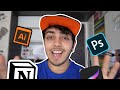 Apps/Software's I use daily as a Graphic Designer | Useful software's to download.
 Design hacks for Graphic Designers!
 My unpopular opinion
 Q&A and GIVEAWAY WINNER ANNOUNCEMENT!!!!
 Friendly reminder
 Be culturally relevant
 3 Secret Websites that Pro Designers don't want you to know
 I found out a great AI tool for designers
 Ai is not always good…
 What do you think?
 How Content Creation changed my life! | Anik Jain
